
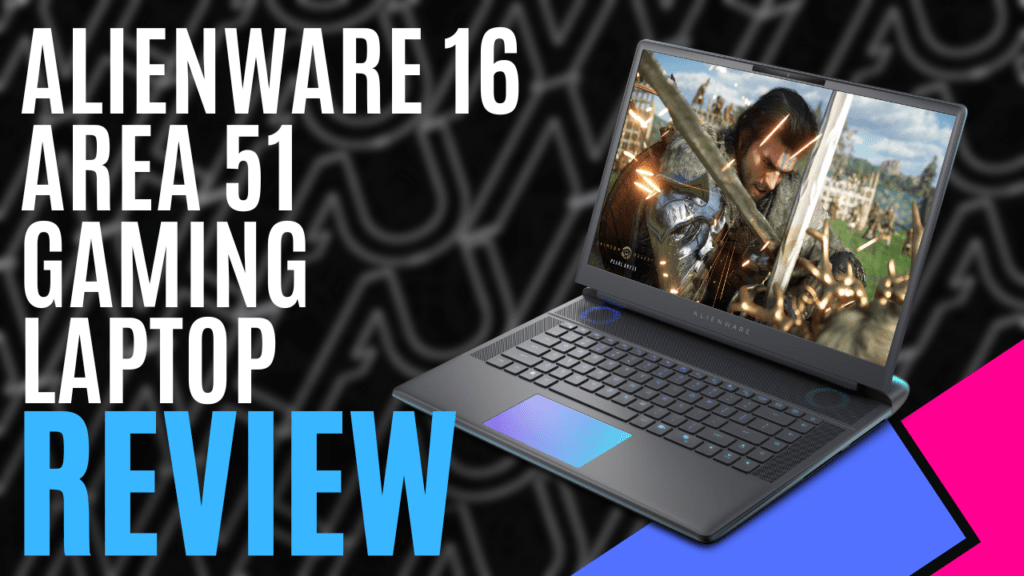
Alienware 16 Area 51 Review: A Heavyweight Champion or Just… Heavy?
Let’s get one thing straight from the start. Calling this a ‘laptop’ is a marketing fantasy. This is not a thin-and-light skiff you can toss in a pack and forget about. Weighing in at a maximum of 3.40 kg (7.49 lbs), and that’s before you add its personal 1kg power brick, this machine has serious gravity. This is a portable battle station, a mobile command centre, a desktop replacement that happens to fold in half. If you’re looking for something to carry to the local coffee shop to write your novel, you’re a damn fool. This is a rig you haul from one base of operations to another, a piece of high-performance hardware for those who demand uncompromising power in a transportable form factor. It is, for all intents and purposes, a workstation that decided it didn’t want to be bolted to the floor.
Design and Build: A Brutalist Approach to Portability
Alienware has refined its “Legend” design language over the years, and this iteration feels solid, imposing. The unit I reviewed came in “Liquid Teal,” a departure from the usual monochromatic space-themed colours, and it looks damn good. It’s professional without being boring. The chassis is a mix of metal alloys and high-quality plastics, resulting in a device with zero flex or creak. It feels like it could survive the rigours of high-G burns, or at least a clumsy trip over the power cord.
The most significant design choice, however, is the thermal architecture. We’ll dive deeper into cooling performance later, but its physical manifestation is key to the machine’s identity. Instead of suffocating itself by trying to pull air from underneath, the main intakes are now massive, stylised vents located above the keyboard. Hot air is then blasted out of equally large exhausts at the rear and sides. This leaves the entire underside sealed, featuring a transparent window that shows off some of the internal hardware and, of course, more customisable RGB lighting. It’s a bit of a “wank factor,” sure, but it’s a functional design choice that fundamentally improves a historic laptop weakness. The machine is slightly raised on integrated feet, ensuring that even if the underside gets hot, it’s not directly cooking your desk.

The Tools: A Keyboard That Means Business
For a machine of this calibre, the primary input method has to be perfect. Anything less is an insult. I am pleased to report that the keyboard on the Alienware 16 Area 51 is exceptional. The English US keyboard features per-key AlienFX RGB lighting, which is a given at this price point. But beyond the light show, the typing experience is superb. The keys have a satisfying 1.8mm of travel, providing crisp, tactile feedback that feels both fast for gaming and comfortable for long-form typing. Spacing is perfect, and the layout is standard, requiring no frustrating period of muscle memory adjustment. This is a keyboard built for people who use their machine for more than just firing up a game. It’s a tool, and a damn fine one at that.
The touchpad is also a quality component, a slab of Premium Precision glass that feels smooth and responsive. You have options here: a standard non-RGB version or one that incorporates more AlienFX RGB lighting. For any serious work or gaming, you’ll be docking with a proper mouse, but for those times you’re without, this touchpad is more than capable.
Docking Procedures: Ports and Connectivity
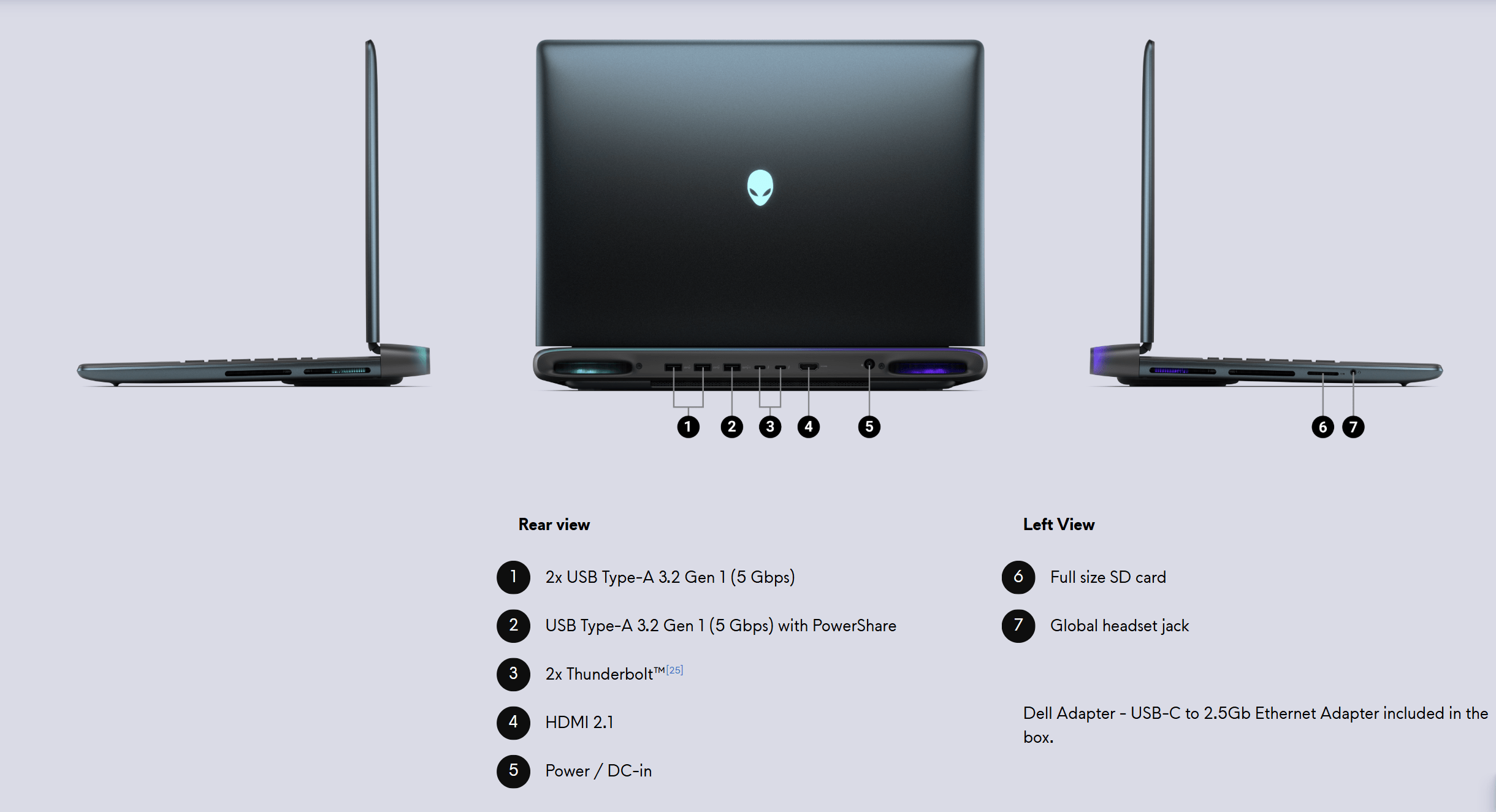
A battle station is useless if you can’t connect your gear. Alienware understands this. Most of the I/O is located on the rear of the chassis, a smart move that keeps cables out of your way.
- Rear Ports:
- 2x USB Type-A 3.2 Gen 1 (5Gbps)
- 1x USB Type-A 3.2 Gen 1 (5Gbps) with PowerShare
- 2x Thunderbolt 5 ports (on configurations with RTX 5070 Ti and above)
- 1x HDMI 2.1 port
- Side Ports:
- 1x Global headset jack (Left)
- 1x SD-card slot (Left)
The selection is excellent. The inclusion of Thunderbolt 5 is a massive win for future-proofing, offering staggering bandwidth for high-speed external storage, docks, or multiple high-resolution displays. The full-sized SD-card slot is a welcome, practical addition for photographers and content creators. There’s no compromise here. For wireless, you get Intel Killer Wi-Fi 7 and Bluetooth 5.4, ensuring you have the fastest, most stable connection possible without a hardline.
Performance: The Star of the Show
This is why you’re here. This is what the weight, the price, and the noise are all in service of. The core of this machine is a finely tuned engine designed for one thing: raw, unadulterated performance.
Specifications of the Reviewed Unit:
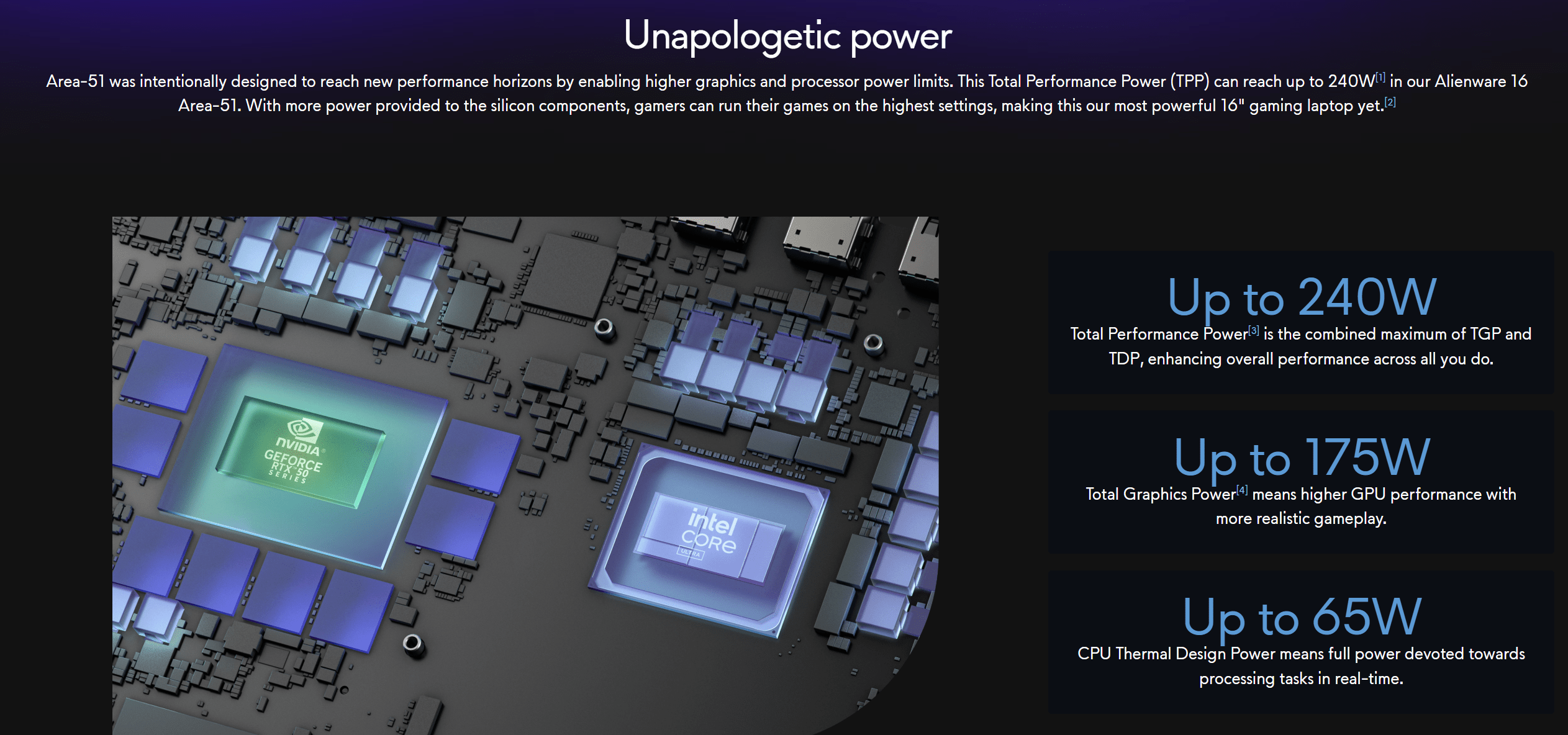
- Processor: Intel® Core Ultra 9 processor 275HX (24-Cores, 36MB Cache, up to 5.4GHz) with Intel® AI Boost NPU
- Video Card: NVIDIA® GeForce RTX™ 5080 with 16 GB GDDR7 VRAM
- Memory: 32GB DDR5 at a blistering 6400MT/s
- Storage: 1TB NVMe M.2 PCIe Gen4 SSD
These aren’t just numbers on a spec sheet; they translate into a level of power that, until recently, was the exclusive domain of full-sized desktop towers. The 24-core Intel Ultra 9 processor is a multitasking monster, capable of chewing through CPU-intensive tasks like video rendering or complex code compilation while simultaneously managing background processes without breaking a sweat.
Think of it like this: the CPU is the commander, and the GPU is the heavy weapons specialist. The NPU is a new intelligence officer. Its job is to handle sustained, low-power AI tasks—things like real-time background blur on video calls, smart noise cancellation, or other machine-learning jobs that are becoming more common. By offloading these tasks to a dedicated, highly efficient processor, it frees up the CPU and GPU to focus on what they do best: running your games and heavy applications at maximum thrust. It’s a smart, forward-thinking addition that improves overall system efficiency.
But the heart of any gaming rig is its GPU. The NVIDIA GeForce RTX 5080, with its 16GB of next-generation GDDR7 memory, is a force to be reckoned with. It’s built to crush modern AAA titles at the laptop’s native WQXGA (2560×1600) resolution. To test its mettle, I ran it through a series of demanding benchmarks.
- Bright Memory: Infinite Benchmark: This is a great test for both raw power and upscaling technology.
- DLSS OFF (Native Resolution): At Very High detail settings, the machine maintained a solid 40 FPS. This is the baseline, the raw power of the GPU, and it’s an impressive floor for such a graphically intense title.
- DLSS Performance: With DLSS enabled in its “Performance” mode, the frame rate skyrocketed to 119 FPS.
- DLSS Ultra Performance: Pushing the upscaling further, it achieved a staggering 203 FPS. This showcases the incredible efficiency of NVIDIA’s AI-powered technology, making absurdly high frame rates possible even in the most demanding scenes.
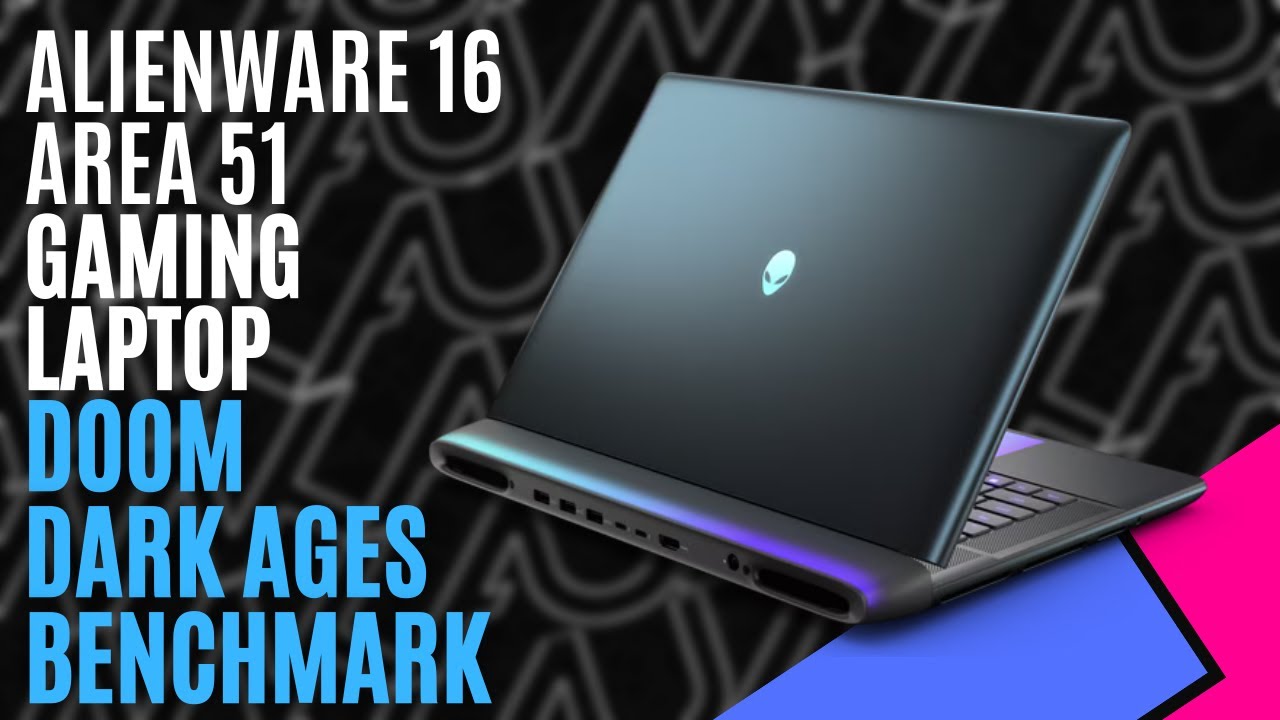
- Doom Dark Ages: Known for its blistering pace and optimised engine, this game is a perfect match for a high-refresh-rate display. At Ultra Nightmare settings with DLSS set to Quality, the system consistently pushed approximately 240 FPS. This is the holy grail of gaming performance: matching the panel’s native 240Hz refresh rate for the smoothest, most responsive gameplay imaginable.
- Control: A modern classic, famous for its incredible art direction and its punishing implementation of ray tracing. At Ultra settings, with all ray tracing features cranked to the highest level and DLSS on Quality, the Alienware 16 Area 51 delivered a beautifully smooth ~120 FPS. This proves it’s not just a high-framerate brute; it has the finesse and power to handle the most advanced real-time lighting effects without crumbling.
- 3DMark Timespy – View Results
- 3DMark Steel Nomad – View Results
- 3DMark Speedway – View Results
This performance is underpinned by 32GB of very fast DDR5 memory and a Gen4 NVMe SSD, ensuring that load times are practically non-existent and the system feels snappy and responsive at all times.
Cooling and Acoustics: Taming the Beast
Power generates heat. That is the fundamental law. For a laptop, managing that heat is the difference between a high-performance machine and a very expensive paperweight. Alienware’s new thermal design is, for the most part, a resounding success. By moving the primary air intakes to the top of the chassis, it guarantees a supply of cool, unobstructed air for the powerful components within.
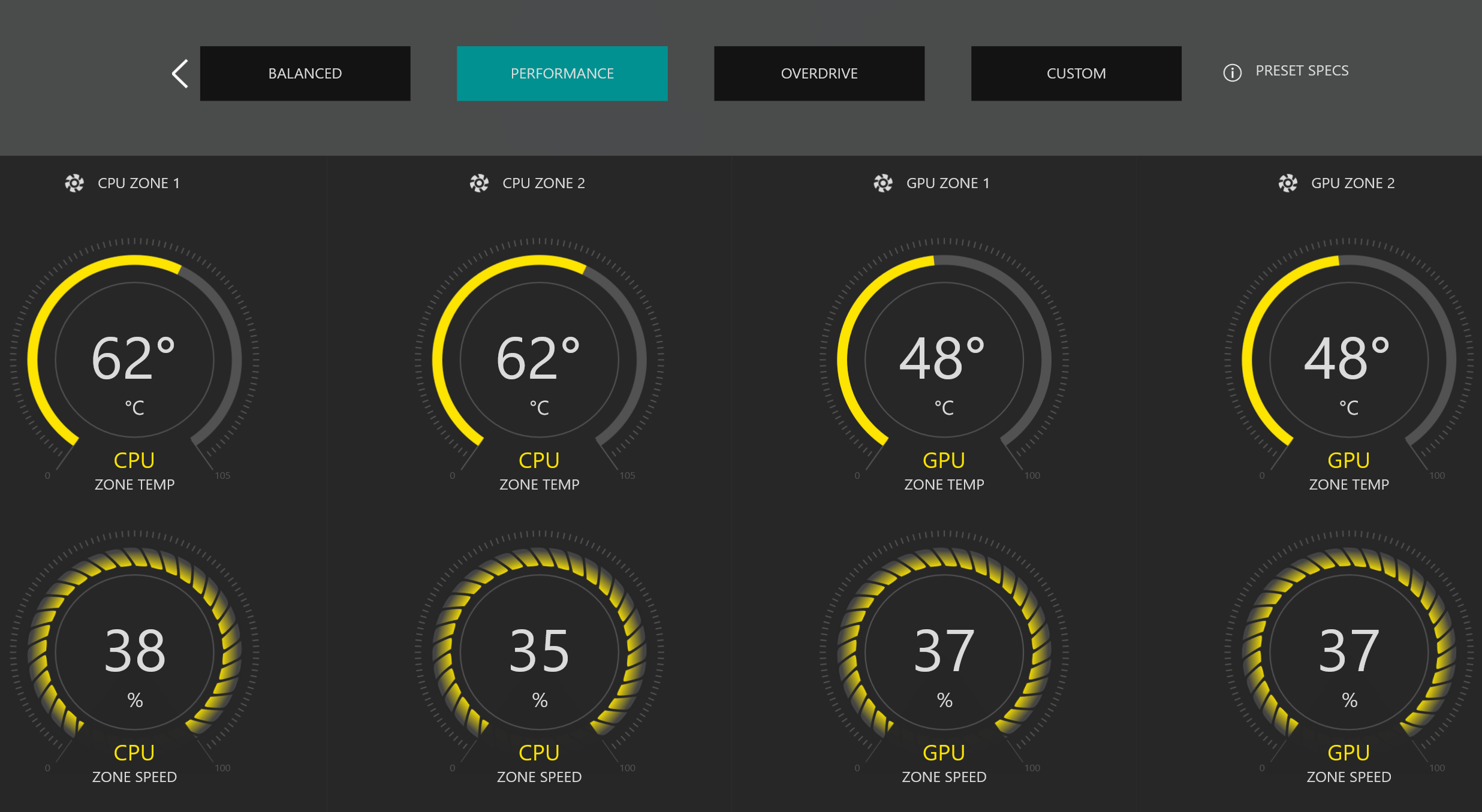
The result is sustained performance. During extended gaming sessions and benchmarking, the machine managed to maintain its high clock speeds without any significant thermal throttling. The keyboard deck remains comfortable, and the critical WASD key area stays well within acceptable temperature ranges. The underside does get hot, but thanks to the sealed design and raised profile, it’s a non-issue unless you’re foolish enough to try and actually use it on your lap.
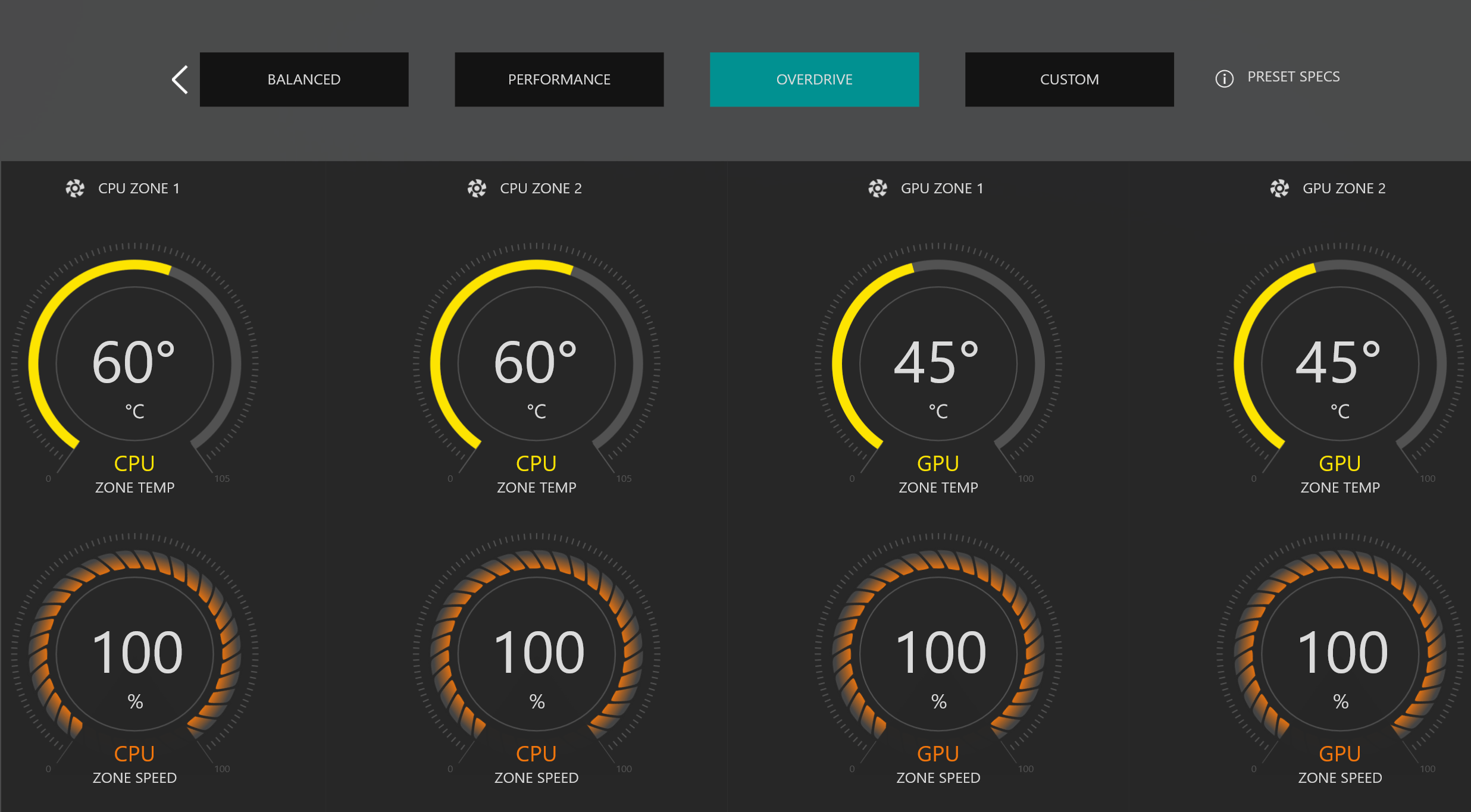
Now, for the trade-off. To move that much air, the fans have to work hard. In “Balanced” mode, the system is audible but not distracting. However, engage “Overdrive” mode in the Alienware Command Center, and the fans spin up to sound like a rock-hopper’s life support on its last legs. It’s loud. Damn loud. It is the sound of pure, unthrottled performance. It’s a sound you’ll want to cover with a good headset, but it’s the price you pay for not melting your desk.

Battery Life: The Short Leash
Let’s be blunt. The battery life is shite. The 96Whr battery, which would be substantial in a lesser machine, is fighting a losing battle against the Core Ultra 9 and RTX 5080. With power settings optimised for battery, I managed to squeeze out just over an hour of light use. An hour.
But here is the hard truth: who cares? You do not buy a vehicle with a fusion torch for an engine and then complain about its fuel efficiency. You buy it for the thrust. This machine is designed to be plugged into a wall. The battery is not for working untethered for a day; it’s a built-in uninterruptible power supply. It’s there so you can move the machine from the command deck to the mess hall without shutting it down. If you buy this expecting to last a trans-Atlantic flight, the failure is in your expectations, not the hardware.
The Final Verdict: Is It Worth the Price?
The review unit, a well-balanced mid-to-high-end configuration, was priced at AUD$5,497.80 at the time of writing. That is a significant investment. You could build a desktop with a similar core specification for around the same amount of money. That desktop would, inevitably, offer slightly better performance due to superior thermal headroom and less restrictive power limits. It would also offer far greater long-term upgradability.
So why buy the Alienware? You’re paying a premium for integration and portability. You’re paying for a single, cohesive unit that contains a 240Hz G-SYNC display, a fantastic keyboard, high-end speakers, and a 4K webcam, all powered by a top-tier CPU and GPU, that you can pack into a bag and deploy anywhere with a power outlet.
This is not a machine for everyone. It is not for the student, the casual user, or the road warrior who values battery life above all else. This is a machine for the hardcore gamer who wants a no-compromise experience but doesn’t have the space or desire for a permanent desktop setup. It is for the power user, the content creator, the engineer who needs a portable workstation that can handle anything they throw at it.
The Alienware 16 Area 51 is heavy, it’s loud, and it’s expensive. It also delivers on every single one of its performance promises with brutal efficiency. If you have the resources and you need a portable battle station, this is your ship. If not, stay in your lane.

The Good
- Uncompromising Performance
- Exceptional Display
- First-Rate Keyboard
- Intelligent and Effective Cooling
- Future-Proof Connectivity
- Built Like a Brute
The Bad
- This isn't a laptop; it's a mobile workstation
- Average Battery Life
- Deafening Fan Noise when you push it to its limits in "Overdrive" mode






 SuBZeRO2K
 Spotify
 Anchor
 iTunes