

Nintendo has been a pioneer of video game hardware since 1975, but it’s also seen its fair share of blunders over the decades. In 1995, Nintendo released the Virtual Boy, which was promoted as the first system capable of rendering stereoscopic 3D graphics, featuring a red monochrome display viewed through a binocular eyepiece, with games employing a parallax effect to simulate depth. What was supposed to be an innovative console struggled commercially, and users also complained that it caused serious eye strain. Its limited market performance led Nintendo to discontinue production and game development in 1996, with only 22 games released.
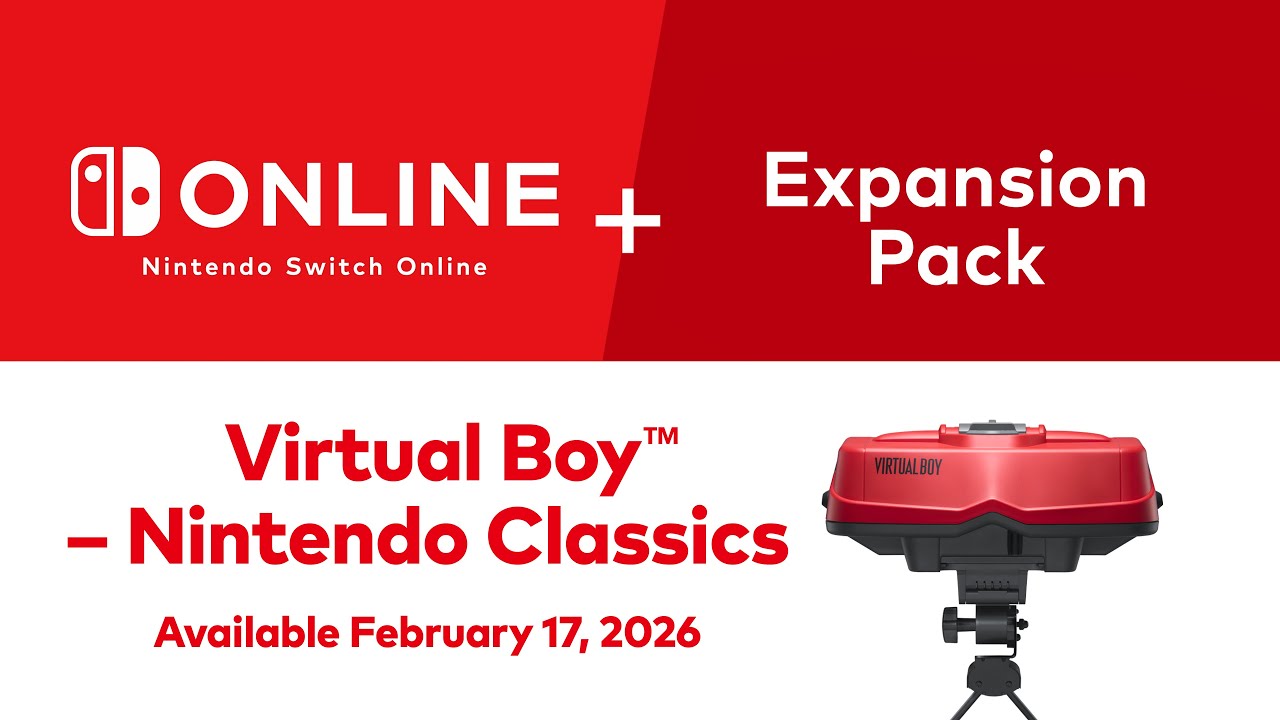
At the September 2025 Nintendo Direct, Nintendo announced that the Virtual Boy games will be joining the Nintendo Switch Online + Expansion Pack. A new peripheral called Virtual Boy Classic was also announced, which is an almost one-for-one remake of the original Virtual Boy. Along with that, a smaller and cheaper cardboard version called the Virtual Boy (Cardboard Model) was also revealed, which is now available for players to insert a Switch or Switch 2 to play these long-forgotten games.
The Virtual Boy (Cardboard Model) comes neatly packaged in a red cardboard box. Inside, you’ll only find the headpiece and an instruction booklet, while the Virtual Boy Classic has a few more parts to it. The cardboard version is a more minimalistic design and is much lighter to hold. The cardboard is similar to the Switch Labo kits, especially the Labo VR kit, since it features a similar binocular eyepiece for players to look through and see the game. The biggest difference is that the Virtual Boy (Cardboard Model) is already assembled, so users can simply pull it out of the box and insert their Switch or Switch 2 console.
To insert a Switch or Switch 2, simply remove at least one Joy-Con and just slide it into the slot, line up the gameplay footage to the lenses, put the Joy-Con back in, and you’re all set. The Virtual Boy Classic comes with two attachments to fit either the Switch or the Switch 2, since they differ in size. The cardboard version fits both the Switch (original and OLED) and Switch 2 without any modifications, and both fit in nicely and securely. I didn’t have a Switch Lite to test this with, but with the joysticks on both ends, sliding it in might be a bit more difficult.
The Virtual Boy Classic works just like the original: it sits on a table, and players have to lean forward to see through the lenses, which can cause back and neck aches. The Cardboard Model is lightweight and designed for players to hold it by the Joy-Cons while attached, against their faces, so they can see the gameplay through the lenses. This gives players more options for positioning themselves comfortably, rather than just sitting at a desk.
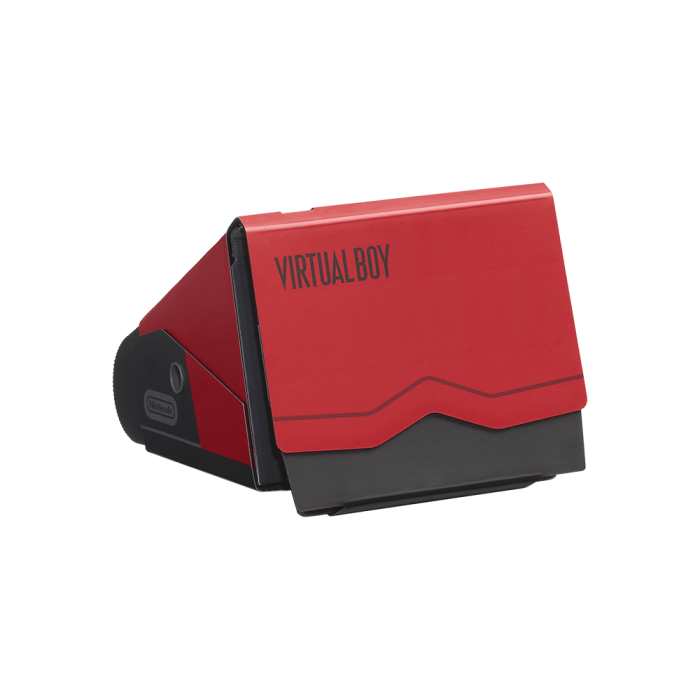
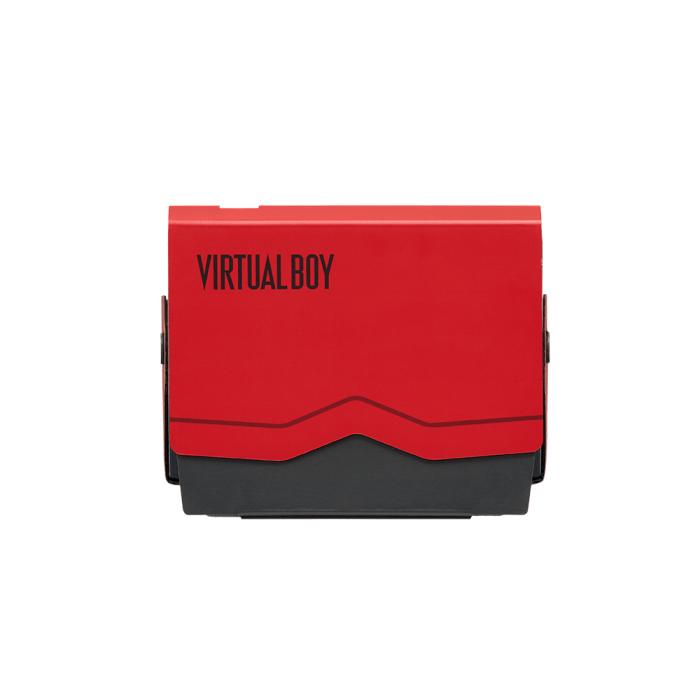
They can play while sitting, leaning back, lying down, standing, or whatever makes them comfortable. It’s also possible to play while walking around, but we wouldn’t recommend that because you can’t see your surroundings.
A major criticism of the original Virtual Boy was that it lacked a head strap, so players could wear it without having to sit in a specific posture. The Virtual Boy Classic, being a replica of the original, didn’t get a head strap added, but the Cardboard Model didn’t either, which would’ve been perfect given its light weight. Even though it’s light, holding it against your face can get tiring, but on the flip side, that could also be a good thing because you’ll need to take breaks anyway to prevent eye strain. It is possible to lie on your back and have it sit on your face while balancing it, but a head strap would’ve still been a nice option, allowing your arms to relax while holding the Joy-Cons or a Pro Controller. There are already plenty of third-party brands with their own versions that can attach to your head.
When opening the Virtual Boy app, two round screens will appear on the Switch/Switch 2, designed to fit within the lenses’ field of view. Players will be able to adjust the positioning of the two round screens to better suit their individual eyes and face shapes, because not everyone is built the same. A minor inconvenience is that when going back to Home Menu, users will have to tap the Close button on the touchscreen, meaning they’ll need to physically remove the console just to use the touchscreen for a simple function, though it makes sense because the Home Menu won’t be displayed normally and not as two round screens. There isn’t a way to plug in the charging cable to the console unless the top is open, but the Virtual Boy games don’t use much battery anyway.
The biggest issue with the original model, of course, was the eye strain it caused. Playing the Virtual Boy (Cardboard Model) can still cause eye strain, but in my personal experience, it didn’t feel as severe as the original model or as bad as the Virtual Boy Classic. I still felt some discomfort, though this could vary among users. After taking my face away from the headpiece, I had to take a moment for my eyes to readjust, especially in a well-lit room. Switching off the room light could improve the experience and reduce eye strain, but overall, it’s best take breaks every few minutes.
The Virtual Boy had only 22 games released, and currently, seven of those are available to play on the Virtual Boy Classic. They include Virtual Boy Wario Land, Galactic Pinball, Teleroboxer, Red Alarm, 3D Tetris, Golf and The Mansion of Innsmouth, with more confirmed to be added in future. The Virtual Boy had a nice variety of games that made use of its 3D effects, and even though most weren’t that great, they didn’t feel necessary and had better alternatives on other Nintendo platforms at the time; a few did have some potential. Virtual Boy Wario Land is considered the best Virtual Boy game for its fun mechanics, platforming, and level design, and having it available at launch was a smart decision by Nintendo.
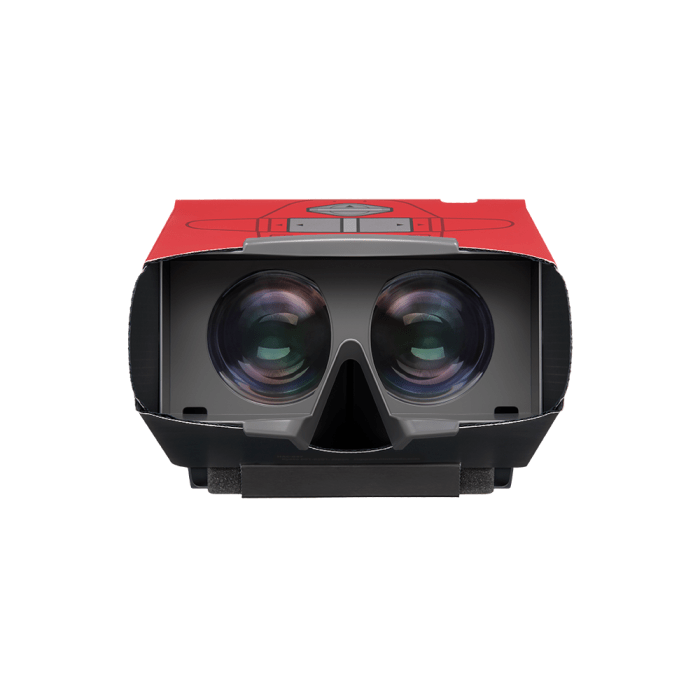
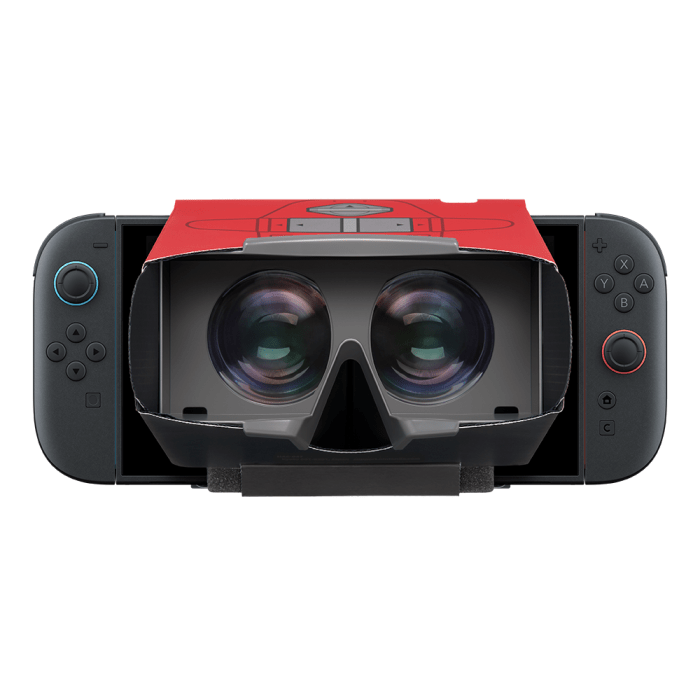
The games were designed to feature 3D effects, with certain objects, parts of the environment, and characters that move between the background and foreground. It’s certainly fun to play certain games that make great use of the depth perception, but the novelty gets old quickly and, as mentioned above, can also contribute to eye strain.
When selecting a game from the main menu, all the covers are displayed in full colour before selecting a game to play, and then only red and black are shown. Playing all these games with the same red-and-black look can get old quickly, but different colour filters will be added soon, and we look forward to playing these games with a different look.
Unfortunately, the Virtual Boy games cannot be played in docked mode at all, as a message will appear on your TV screen saying your console needs to be removed from the dock. This is a shame because these games might’ve looked better and clearer on a TV screen. When this was announced during the Nintendo Direct, gameplay footage was shown on-screen, not through the lenses of a Virtual Boy, which implied these games could be played on a TV instead, and players were looking for it.
It’s possible to play the games in handheld mode without the headpiece, but two rounded screens will be displayed, which is designed for the peripheral, and there’s no way to change this. The Game Boy and Game Boy Advance games, as part of the Nintendo Switch Online subscription, don’t need a peripheral to play them and can be played in either docked or handheld mode, so why only the Virtual Boy games? Hopefully, Nintendo will allow these games to be played without the peripheral in a future update.
The Virtual Boy Classic is currently priced at $139.95 AUD, much cheaper than what the original Virtual Boy is selling for online these days. The Cardboard Model, however, is even cheaper at only $29.95 AUD and is smaller, lighter, minimalist, portable, and durable, allowing users to position themselves more comfortably while playing. This makes it a great alternative for those who want to play these long-forgotten games without spending a fortune.
The Virtual Boy Classic may be a peripheral no one asked for, especially given all the issues the original model had, but some of the games had potential and deserve a second chance. The Cardboard Model provides a great alternative that is also cheaper, lighter, and more portable, with a more minimalist design. It would be nice to be able to play these games on a TV and not be restricted to using the peripheral, but it is a fun novelty and something a serious collector would love to add to their collection. The Virtual Boy Classic (Cardboard Model) is a great alternative way to play some long-forgotten games.
The Good
- A cheaper alternative to the Virtual Boy Classic
- Switch and Switch 2 fits in nice and secure
- Long-forgotten games get a second chance
- Smaller, lighter, portable, durable and minimalistic design
- Already assembled and ready to pla
The Bad
- Can still cause eye strain
- A head strap would’ve been a nice option







 SuBZeRO2K
 Spotify
 Anchor
 iTunes