
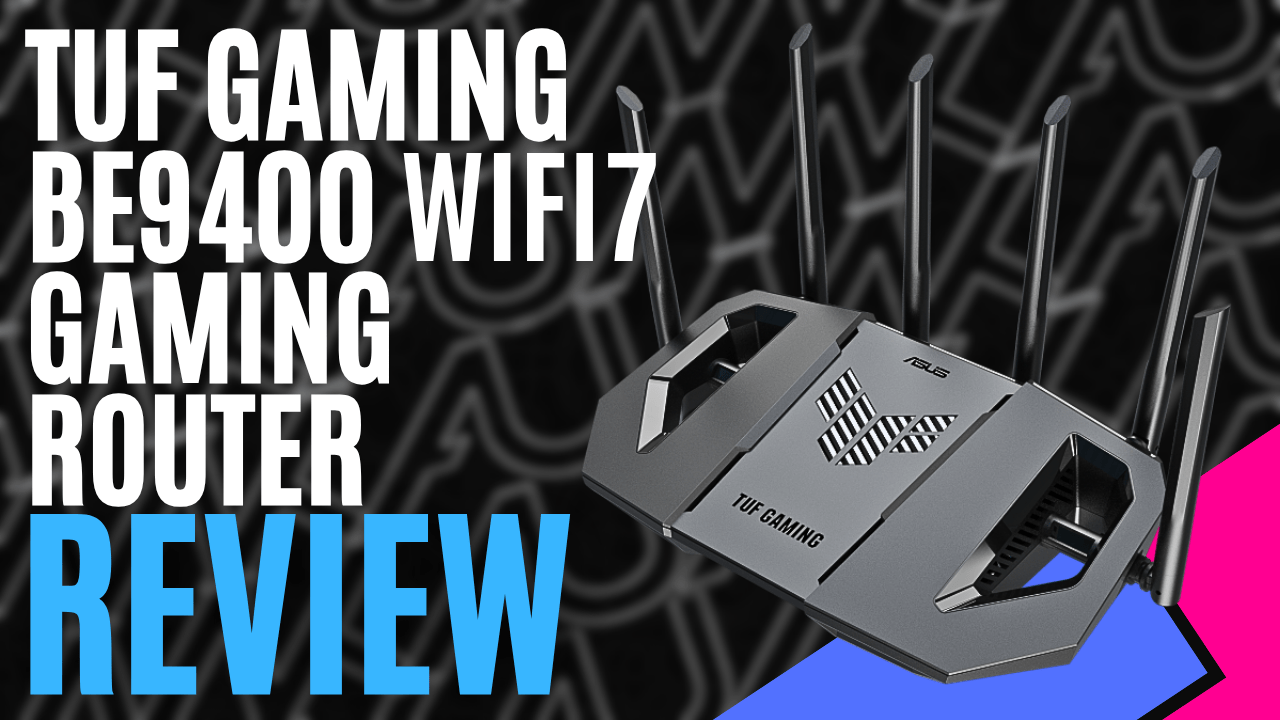
If you have been following my reviews, I am sure you know that I’m an old-school tech and gamer, growing up in the 80s, wireless technology was new and still clunky back then, so I never really dabbled in it, which has been changing of late. The TUF Gaming BE9400 Tri-Band WiFi7 Extendable Gaming Router came up for review, so I thought what better time to explore the current wave of technology and see how far gaming routers have come.
Opening the box, you are greeted with the router and power cord, which has additional country power connections that can be retrofitted. For its size, it weighs only 764 grams and measures 32 x 179 x 191cm; these dimensions change once all six antennas are up, making it look quite big and bulky. A quick start guide, a warranty booklet, and your Wi-Fi login information card are also provided. The card is a sticker, so you can stick it somewhere safe rather than throwing it into the black hole, I mean, computer drawer.
Having a rather large brick lowset house, I currently have a Nest system with two access points that is over five years old, as I have always struggled with reception up the front of the house, with my current router down the back. Time to put the TUF Gaming BE9400 Gaming Router to work, with its Tri-band WiFi 7, Multi Link Operation, and 4K-QAM, which will help enable a range of up to 2500ft (762m) and well and truly cover the area I need. The Tri-band means it works across three bands: 2.4 GHz (688 Mbps), 5 GHz (2882 Mbps), and 6 GHz (5764 Mbps), with the AiMesh helping to manage them all.
Wi-Fi7 over its predecessor Wi-Fi6 is 4.8 times faster and can handle 5 times more capacity with lower latency, ensuring you will notice the upgrade. The AiMesh ensures faster connections by using an algorithm to direct low-priority packets to less congested bands, and the high-priority packets stay on the quicker bands and are processed with priority.
While it doesn’t learn your usage habits, the AiMesh dynamically and intelligently manages your network to ensure it continually runs at optimal speeds. The TUF Gaming BE9400 Gaming Router can easily handle all these processes simultaneously with a 1.5 GHz quad-core CPU and 1 GB of DDR, staggering to think how small and compact the router is with this kind of hardware.
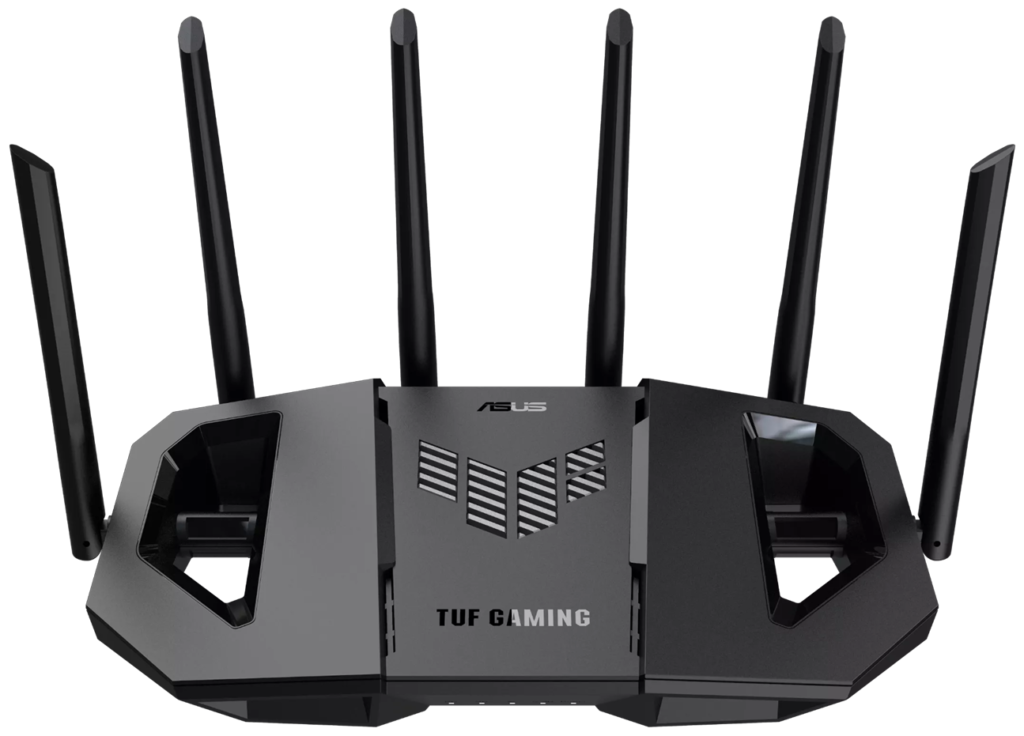
For the gamer and streamer like me, the first port on the back of the router is a dedicated gaming LAN port that gets priority bandwidth when connected. The remaining ports are also future-proofed with 2.5 GbE connections on the second and third ports.
I also love the USB 3 port on the back of the router, so you can connect a portable hard drive and make it a dedicated LAN storage on the network, a great feature you never knew you needed until it was available or can also be used for tethering.
The remaining ports on the back are your WAN connection, WPS button, reset, and power button. If you have an old ASUS router lying around, you can use it to mesh the two systems together if you need to cover a larger area.
School holidays, and I am currently working from home. The wife was adamant that if it doesn’t work, it needs to be swapped back straight away. I must admit a few beads of sweat came on my forehead. I plugged in my NBN connection, opened the app on my phone, and within 15 minutes, I was straight back online, much to my relief, as I am no networking specialist. I used the application installed on my phone because it was simple and quicker to scan the QR codes you received in the box.
You can also use the web-based page and set it up manually. Being a parent myself, I can quickly set up a separate SSID for my kids and another for a guest network, so I don’t have to share the main password when we have visitors. I do trust my kids, but I love that I can now easily manage screen time and content on their portable devices and the TV in the toy room without affecting the main network. I can hear people in the comments now, but I don’t run a VPN. If you do, there is also the ability to connect to certain companies through a dedicated subnetwork with a single click.
Your mind can be put at ease as the router comes with the trusted ASUS AiProtection software for the lifetime of the router; there’s nothing extra you have to pay for. ASUS AiProtection will assist with malicious site blocking, two-way IPS for inbound and outbound traffic, parental controls, network-wide coverage across all connected devices, and ease of use through the mobile application.
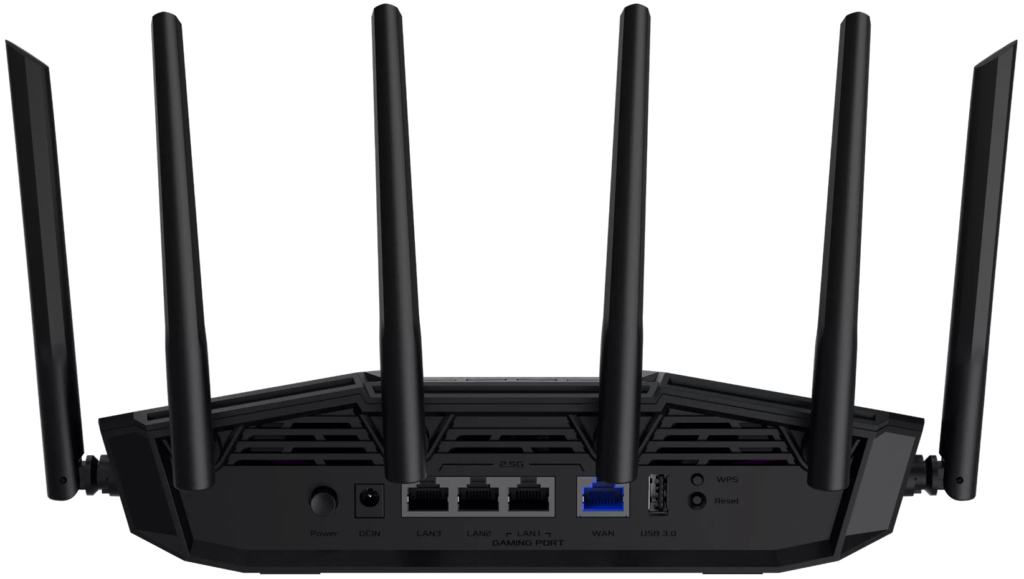
The shape and design of the TUF Gaming BE9400 Gaming Router assist with reducing heating with slots on the front and sides and a double heat sink design to improve cooling for a stable connection as it works hard, especially in my house, with numerous TVs, iPads, and two gaming computers. I have mounted the TUF Gaming BE9400 Gaming Router on the wall, as I know the 6Ghz band is quite sensitive to line-of-sight.
I am happy to report that after a week, it is still going strong, and there has been no request from the wife to change back to the old mesh system, so that’s a win in my books. I even became adventurous and turned on the WiFi on my B550M-A WIFI II motherboard to test the speeds while streaming and gaming, instead of being constantly hardwired, and have had no issues. The router was only 1m away, though, so I wouldn’t expect any performance or latency drops.
Overall, the TUF Gaming BE9400 Gaming Router is a low-cost entry point with high performance. ASUS and its TUF gaming brand have built their reputation on providing gamers with quality products at a targeted low price point. The TUF Gaming BE9400 Gaming Router packs a punch with its Wi-Fi7 tri-band speeds, 2500 square feet coverage, and patented AiMesh to filter traffic across all three bands, ensuring you have the speeds when you need them.
You can also put your mind at ease with the tried-and-tested AiProtection software included, which constantly works in the background to keep your network safe and secure. Let’s be honest: as gamers, we love the cheeky gaming LAN port that gives priority over other traffic. I mean, who has to tell others in the household that this is what you are using? The Wi-Fi7 speeds really are a step above its predecessor.
If you are looking to upgrade on a budget, you simply cannot go past the TUF Gaming BE9400 Gaming Router. Packed with the latest features at an extremely attractive price point, and as I consistently say, you are buying an ASUS product, which you know is going to perform and has years of history and research behind it, you won’t be disappointed.
The Good
- Wi-Fi7 Tri-band
- AiMesh
- Ability to mesh if you have an older Asus router
- 2.5GbE connections on all ports
The Bad
- Numerous aerials can be an eyesore







 SuBZeRO2K
 Spotify
 Anchor
 iTunes