
The Quick Version
Alienware makes expensive things. That’s been the brand’s whole personality for about two decades — alien head logo, RGB everywhere, wallet screaming quietly in the corner. So when a 34-inch ultrawide with a 240Hz refresh rate landed on my desk carrying a $699 AUD price tag, I checked the box twice to make sure someone hadn’t shipped me the wrong monitor.
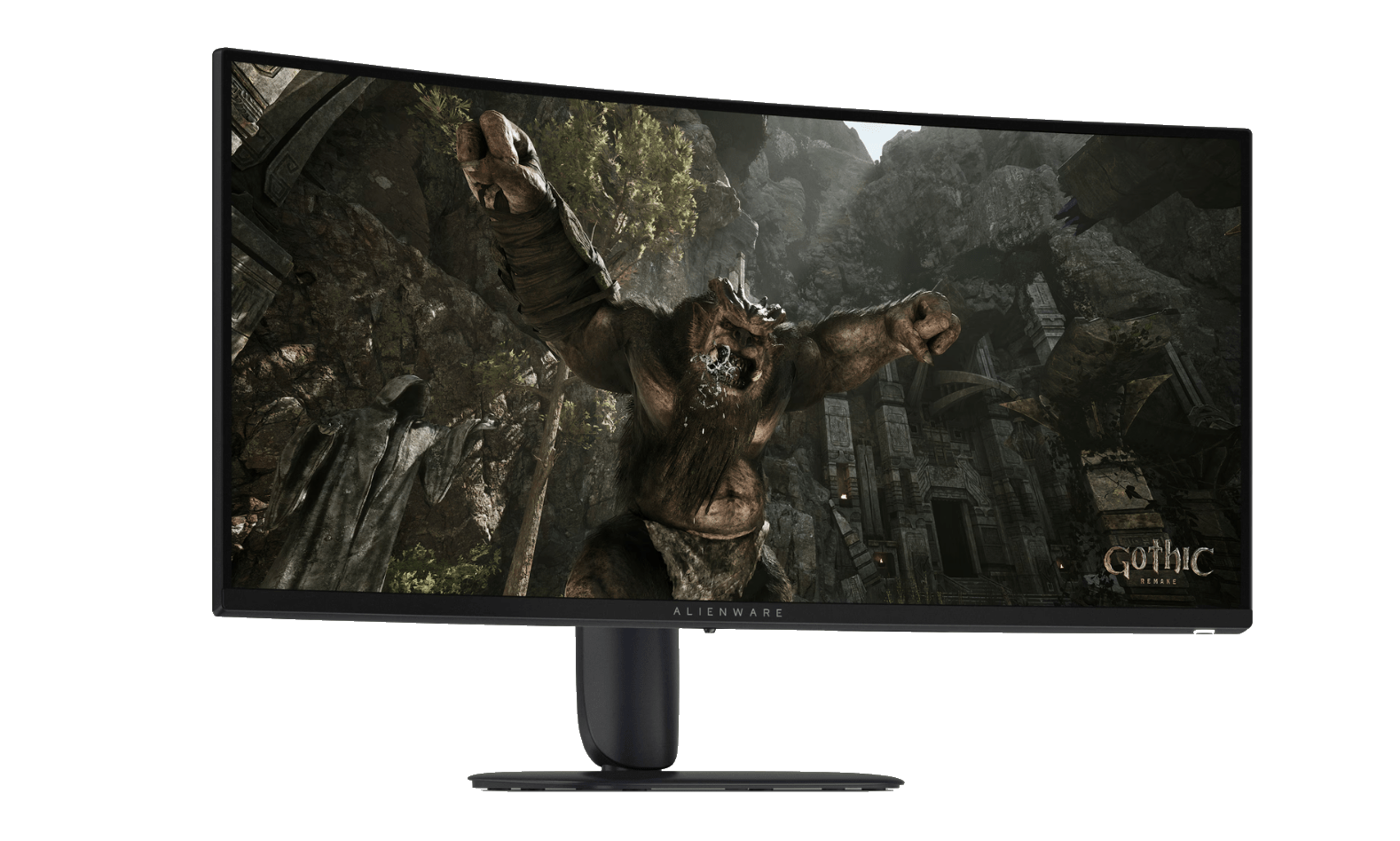
They hadn’t. The AW3426DWM is the new “sensible” option in Alienware’s 2026 lineup. While its flashier QD-OLED sibling (the AW3426DW) hogs all the headlines and most of the review coverage, this one quietly does the job for roughly half the money. VA panel, 3440×1440, 1500R curve, 240Hz. No burn-in anxiety. No four-figure invoice. No lengthy negotiation with your significant other about why the screen costs more than the fridge.
I’ve spent the last few weeks with it as my daily driver — work hours and game hours — and honestly? It’s the sweet spot. Not the best monitor money can buy. The best monitor sensible money can buy. There’s a difference, and my bank account appreciates it.
Out of the Box
Setup is about as painless as monitors get. The stand clicks into the panel without tools, the base screws in with a captive thumbscrew, and the whole thing was standing on my desk inside five minutes. At 6.8kg assembled it’s light enough to wrangle solo, though the box itself is a proper ultrawide coffin — just over 14kg with packaging — so clear some floor space before you start.
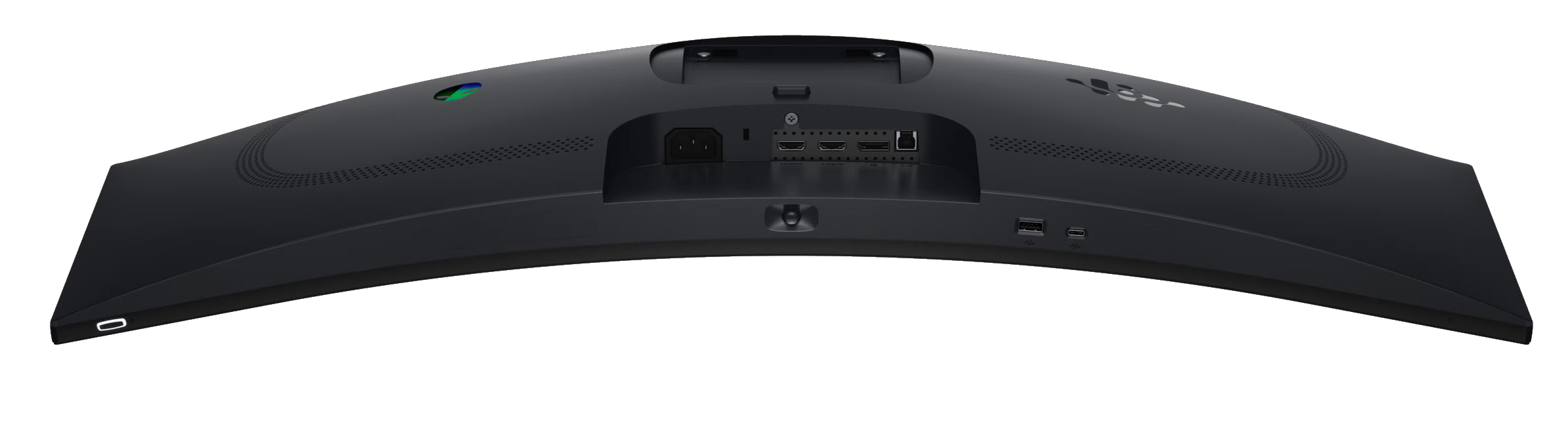
Dell deserves a genuine nod for the cable situation. In the box you get a power cable, a DisplayPort cable, an HDMI FRL cable, and a USB Type-A to Type-B cable for the hub — all 1.8 metres. That’s every connection this monitor supports, included, at a $699 price point. I’ve unboxed monitors costing twice as much that arrived with one sad HDMI lead and a pamphlet. Refreshing.
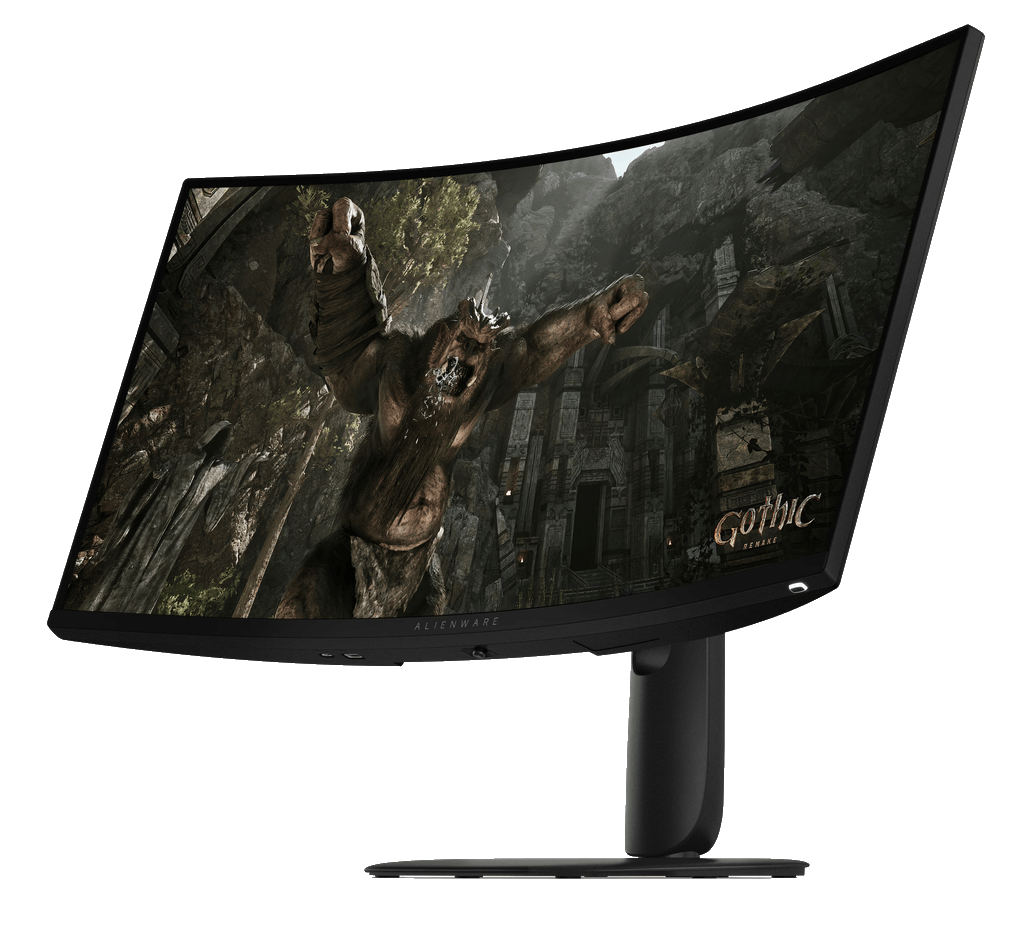
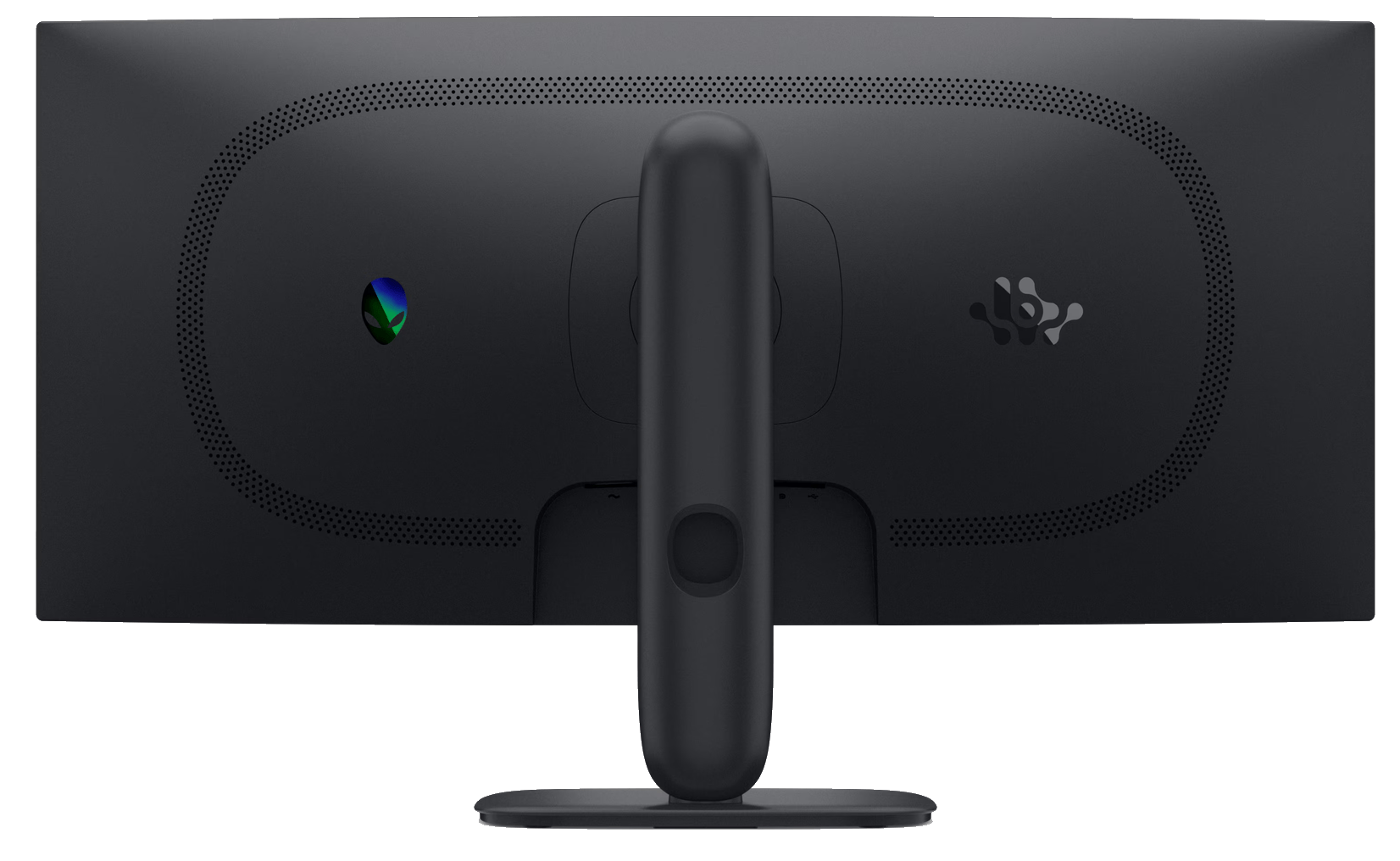
Design-wise, it’s the new-generation Alienware look: rounded edges, clean lines, and restraint. The RGB has been dialled right back to the alien head logo on the rear and the power button. Part of me misses the old sci-fi spaceship aesthetic, but the grown-up in me admits this looks better in a room that isn’t themed around energy drinks. Bezels are slim on three sides — under 9mm — with a modest chin at the bottom. The panel itself is clean, minimal, and lets the screen do the talking.
Living With It
Let’s talk about that 240Hz refresh rate, because I have opinions.
There’s a school of thought that says 240Hz is old news — that with monitors now pushing 360Hz and beyond, anything less is yesterday’s tech. I think that’s nonsense, and here’s why: game developers keep raising the bar. Every time GPUs get powerful enough to spit out silly frame rates, along comes a new title with denser worlds, fancier lighting, and more visual detail that drags those numbers right back down to earth. Halo Infinite was a good example of this push-and-pull — as detail goes up, frames come down. It’s a treadmill, and it never stops.
So while a current-gen GPU can absolutely push past 240FPS in esports titles running at potato settings, in the games most of us actually play — the big, pretty, demanding ones — 240Hz is a ceiling you’ll realistically brush against rather than smash through. And remember, this is 240Hz at 3440×1440, which is roughly 34% more pixels than standard 1440p. Driving nearly five million pixels at 240 frames per second is real work, even for serious hardware. Paying extra for 360Hz you’ll rarely feed is like buying a ute with a five-tonne tow rating to move a jet ski. Impressive. Pointless.
In practice, at 240Hz this thing is buttery. Motion is clean, cursor movement is silk, and fast camera pans in shooters stay readable instead of dissolving into blur. FreeSync Premium and VESA AdaptiveSync keep tearing out of the picture across the refresh range, and the whole experience just feels composed. Dropping back to a 60Hz screen afterwards feels like wading through soup. There’s no going back. I’ve tried. Send help.
The response time offers three overdrive flavours — Fast at 4ms, Super Fast at 2ms, and Extreme at 1ms GTG. I settled on Super Fast as the daily pick. Extreme is technically quicker but pushes the pixels hard enough to introduce a touch of overshoot in some content, and the real-world difference between 1ms and 2ms is smaller than the marketing department would have you believe. Super Fast keeps things clean without side effects.
The other thing that genuinely surprised me is how easy this panel is on the eyes over long sessions. I’ve done full workdays followed by full game nights on this screen, and the fatigue I’d normally expect just isn’t there. A few things are working together here: the anti-glare coating kills reflections without making the image grainy, the panel is flicker-free, there’s a low blue light implementation that doesn’t turn everything sepia, and the 1500R curve wraps the screen edges into your peripheral vision instead of making you turn your head like you’re watching the tennis. On a 34-inch flat ultrawide, the far corners sit noticeably off-axis; the curve fixes that, and after a day you stop noticing it’s curved at all — which is exactly the point.
Text clarity deserves a mention too, because plenty of us use gaming monitors for actual work between sessions. At 110 PPI, text is crisp without scaling tricks, and there’s no sub-pixel weirdness or fringing. If you stare at terminal windows, spreadsheets, or a CMS for a living, this panel won’t punish you for it. The ultrawide format is also quietly brilliant for productivity — three full document windows side by side, or a browser, editor, and monitoring dashboard all visible at once. Picture-by-Picture and Picture-in-Picture support means you can even split inputs from two machines, which is a niche trick but a handy one if you run a homelab or a second box.
The stand adjusts for height (110mm of travel), tilt, and pivot, and it’s properly sturdy — no wobble when you get aggressive with the keyboard. One omission: there’s no swivel adjustment, so turning the screen means turning the base. Minor, but worth knowing. VESA 100×100 support is there if you’d rather arm-mount it, which is where mine would end up long-term. The OSD is driven by a joystick under the centre of the panel — still the only correct way to navigate monitor menus. Alienware Command Center handles the software side, letting you tweak presets from Windows without diving into the OSD at all, and it manages to do so without being obnoxious about it.
One quirk worth knowing before purchase: the two HDMI 2.1 ports support FRL, DSC, HDR, and VRR — but top out at 2560×1440 at 240Hz. To unlock the panel’s full 3440×1440 at 240Hz, you need the DisplayPort 1.4 connection. Since Dell includes both cables in the box, this is a non-issue for PC gamers who’ll use DisplayPort anyway, but if you had plans to drive it primarily over HDMI, factor that in.
The Technical Bit
The headline specs:
- 34″ VA panel, 3440×1440 (UW-QHD), 21:9, 1500R curve
- 240Hz refresh, 1ms GTG (Extreme mode)
- 3,000:1 native contrast
- 95% DCI-P3, 1.07 billion colours (10-bit via 8-bit + FRC)
- VESA DisplayHDR 400 + Dolby Vision
- AMD FreeSync Premium + VESA AdaptiveSync
- 400 nits typical, 450 nits peak
- 2x HDMI 2.1 (FRL), 1x DisplayPort 1.4, USB hub with 15W USB-C charging
- 3-year warranty with Advanced Exchange
That VA panel deserves a proper mention. IPS gets all the love these days, but VA’s party trick is contrast — 3,000:1 native here, roughly three times what a typical IPS panel manages. That means blacks that actually look black instead of glowing dark grey, and it transforms dark games and movies. Night scenes have depth. Shadow detail sits on top of genuine darkness rather than a backlit haze. The trade-off is VA’s classic weakness — a bit of smearing in fast, dark scene transitions — but the overdrive modes keep it well controlled here. It’s there if you go hunting for it with test patterns. In actual games, you’ll mostly forget it exists.
Colour coverage at 95% DCI-P3 means games and HDR content look rich and saturated without tipping into cartoon territory. It’s not factory-calibrated for colour-critical work — nobody’s grading a feature film on this — but for gaming, content consumption, and general use, it’s more than the price suggests.
On HDR: DisplayHDR 400 is entry-level, and I’ll be straight with you — it’s a seasoning, not a main course. Peak brightness of 450 nits with no local dimming means HDR content gets a mild lift rather than a transformation. What is genuinely unusual is Dolby Vision support at this price point. Most sub-$1,000 monitors don’t bother, and while Windows-side Dolby Vision content is still thinner on the ground than it should be, having the capability in a $699 monitor is a pleasant surprise and a nice bit of future-proofing.
Now, the Australian market comparison, because that’s where this monitor makes its argument:
- AOC CU34G4Z (34″, 240Hz, Fast VA): around $599. The closest spec rival and $100 cheaper, but you lose the Dolby Vision, the USB hub, the build quality, and Alienware’s 3-year Advanced Exchange warranty.
- Samsung Odyssey G55T (34″, 165Hz, VA): around $529. Solid budget pick, but you’re giving up 75Hz of refresh rate, and the gap in stand and build quality is obvious in person.
- MSI MAG 346CQ / ASUS TUF VG34WQ5A (34″, 180–200Hz, VA): mid-$400s to mid-$500s. Respectable value picks, lesser stands, shorter or weaker warranties.
- 34″ OLED options (Samsung Odyssey OLED G8, Alienware’s own AW3425DW and the new AW3426DW): $1,300 and up. Gorgeous panels, no argument — but nearly double the money, and you inherit burn-in babysitting duties and static-content paranoia as a bonus feature.
So the AW3426DWM sits in an interesting pocket: $100–170 more than the budget VA crowd, but with a genuinely premium build, a full 240Hz, Dolby Vision, and a warranty that means something. And it’s hundreds less than anything OLED at this size. That warranty deserves its own sentence: three years with Advanced Exchange means if the panel dies, Dell ships a replacement before you send the faulty one back. No weeks of staring at an empty desk. For a daily-driver display, that’s worth real money.
For $699 AUD, this is excellent value in the current market. Bang for buck, it’s the one to beat.
Worth Knowing
- The panel is flat-out gaming-focused — no built-in speakers, no webcam, no microphone. Plan your audio accordingly.
- Power draw is modest: 32W typical operation, 0.3W in standby. Your electricity bill won’t notice it.
- The USB hub is functional but thin: one Type-A downstream and one Type-C with 15W charging. Enough for a headset dongle and a phone top-up, not a full peripheral farm.
- It’s BFR/PVC free with arsenic-free glass and a mercury-free panel, if e-waste conscience factors into your buying.
- Maximum operating altitude is 4,999.94 metres, so if you’re gaming on a mountain, first — why — and second, you’re covered.
Final Thoughts
The AW3426DWM doesn’t try to be the flashiest monitor of 2026, and that’s exactly why it works. It tries to be the monitor most people should actually buy, and it nails it. You get the immersion of a 34-inch ultrawide, a refresh rate that matches where demanding games realistically sit, contrast that makes dark content worth watching, premium build quality, and a warranty that treats you like an adult — all without the OLED tax or the burn-in anxiety that comes bundled with it.
Is it perfect? No. The HDR is modest, the USB hub is stingy, and VA purists will find the smearing if they look. But at this price, those are footnotes, not dealbreakers.
Would I buy it?
Yes. Without hesitation. At $699 AUD, this is the ultrawide I’d point mates toward when they ask “what monitor should I get?” — and the fact that it’s an Alienware at that price still makes me smile.
The Good
- 240Hz at 3440x1440 for $699 AUD — outstanding value
- VA panel's 3,000:1 contrast delivers proper deep blacks
- Dolby Vision support is rare at this price
- Comfortable for marathon sessions — anti-glare, flicker-free, gentle curve
- 3-year warranty with Advanced Exchange beats most rivals
The Bad
- HDMI ports cap at 2560x1440/240Hz — full res needs DisplayPort
- Typical VA smearing in fast dark transitions, if you go looking
- DisplayHDR 400 is HDR in name more than in impact
- No built-in speakers
- USB hub is thin — one Type-A and one 15W Type-C downstream







 SuBZeRO2K
 Spotify
 Anchor
 iTunes