
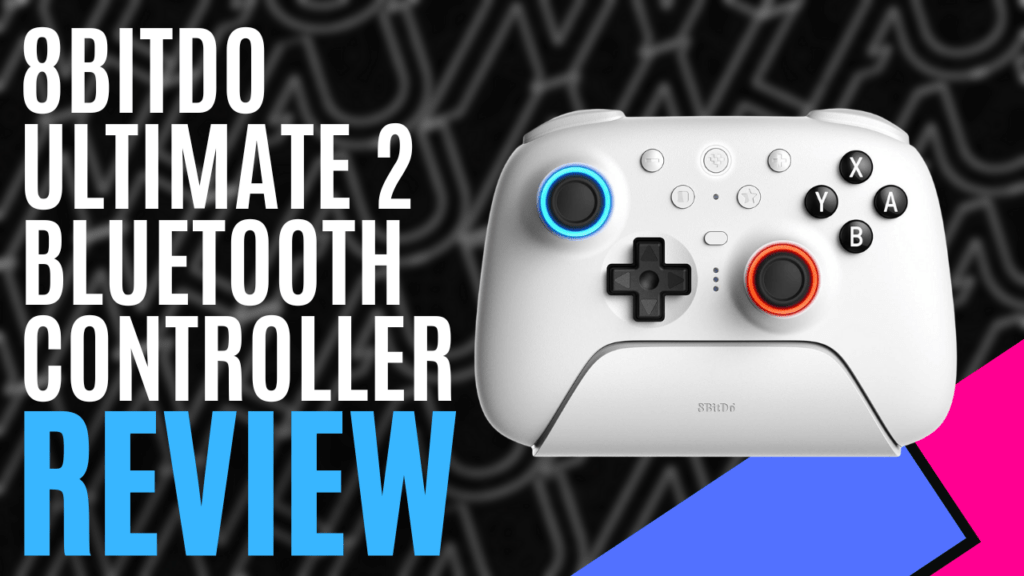
8BitDo is one of the leading brands in 3rd party hardware, known for its high-quality products at lower prices. Many gamers swear by these, and thanks to Bluemouth Interactive, we are fortunate to get our hands on the Ultimate 2 Bluetooth Controller designed for Nintendo Switch, Nintendo Switch 2, PC, and Mac, as well as iOS and Android devices.
There are different versions of the Ultimate 2 Bluetooth Controller, but the one we have is designed to work with the Nintendo Switch console, plus PC, Mac, and mobile devices. Originally, this controller wasn’t compatible with the recently released Switch 2, but the latest firmware update has made it able to connect with Nintendo’s latest hybrid console.
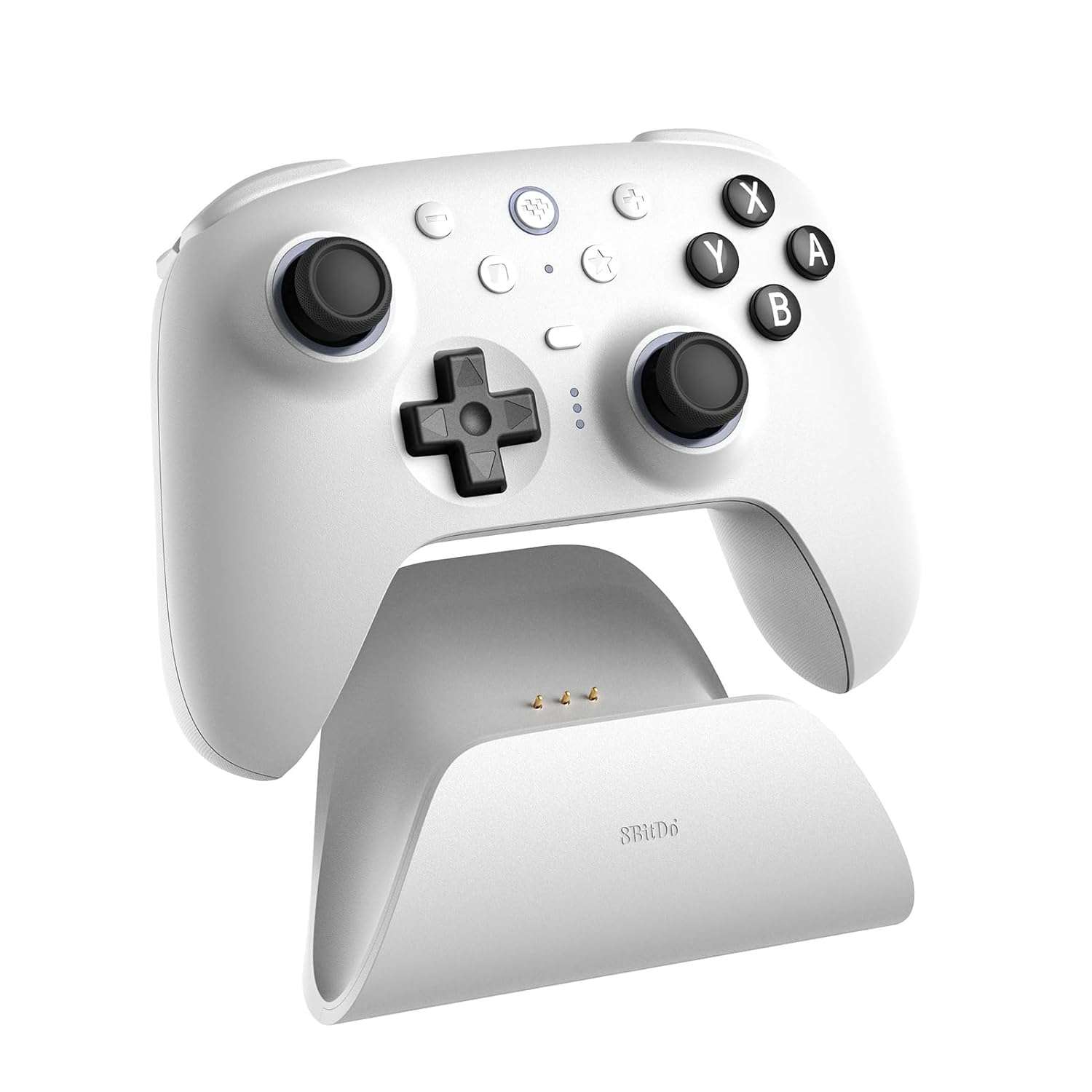
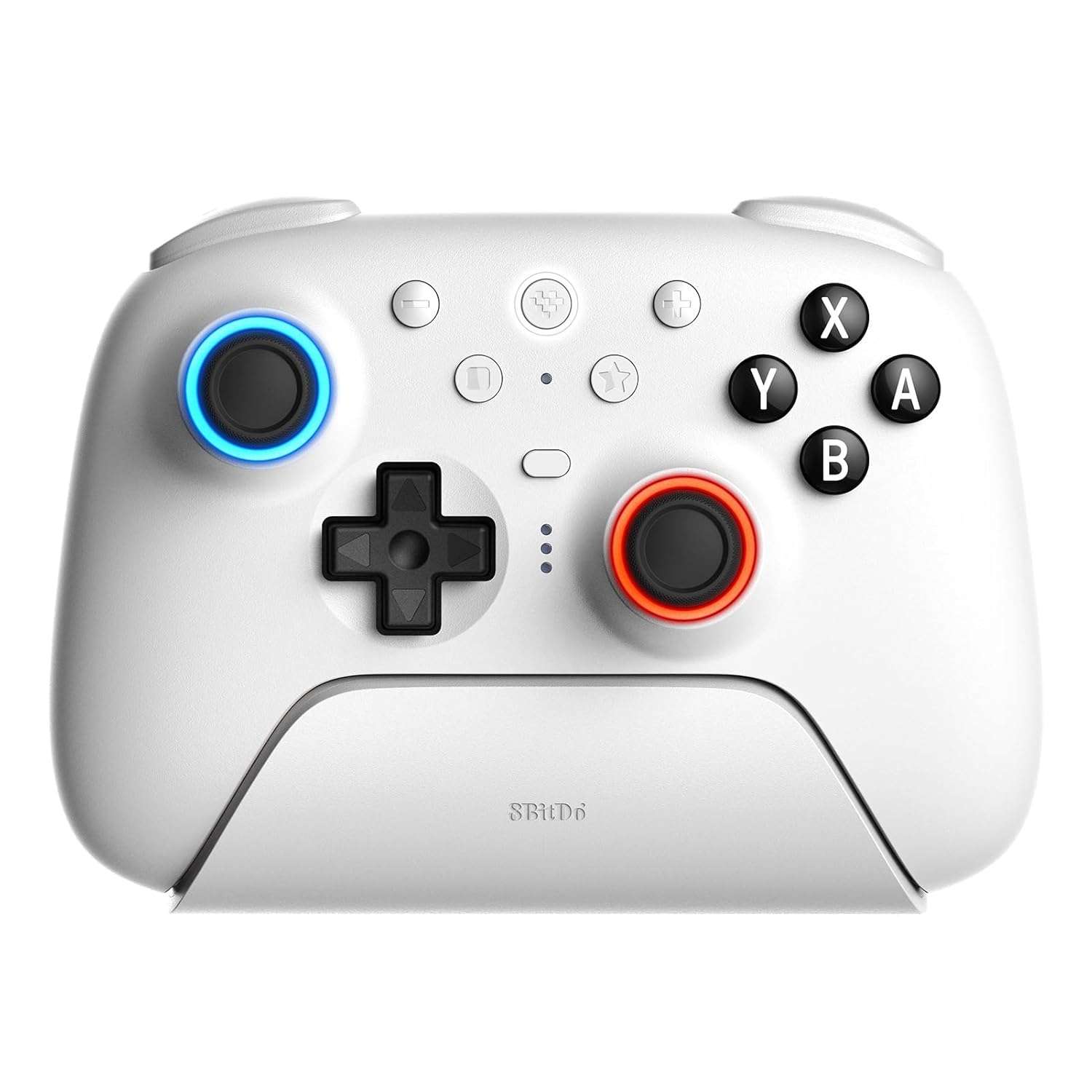
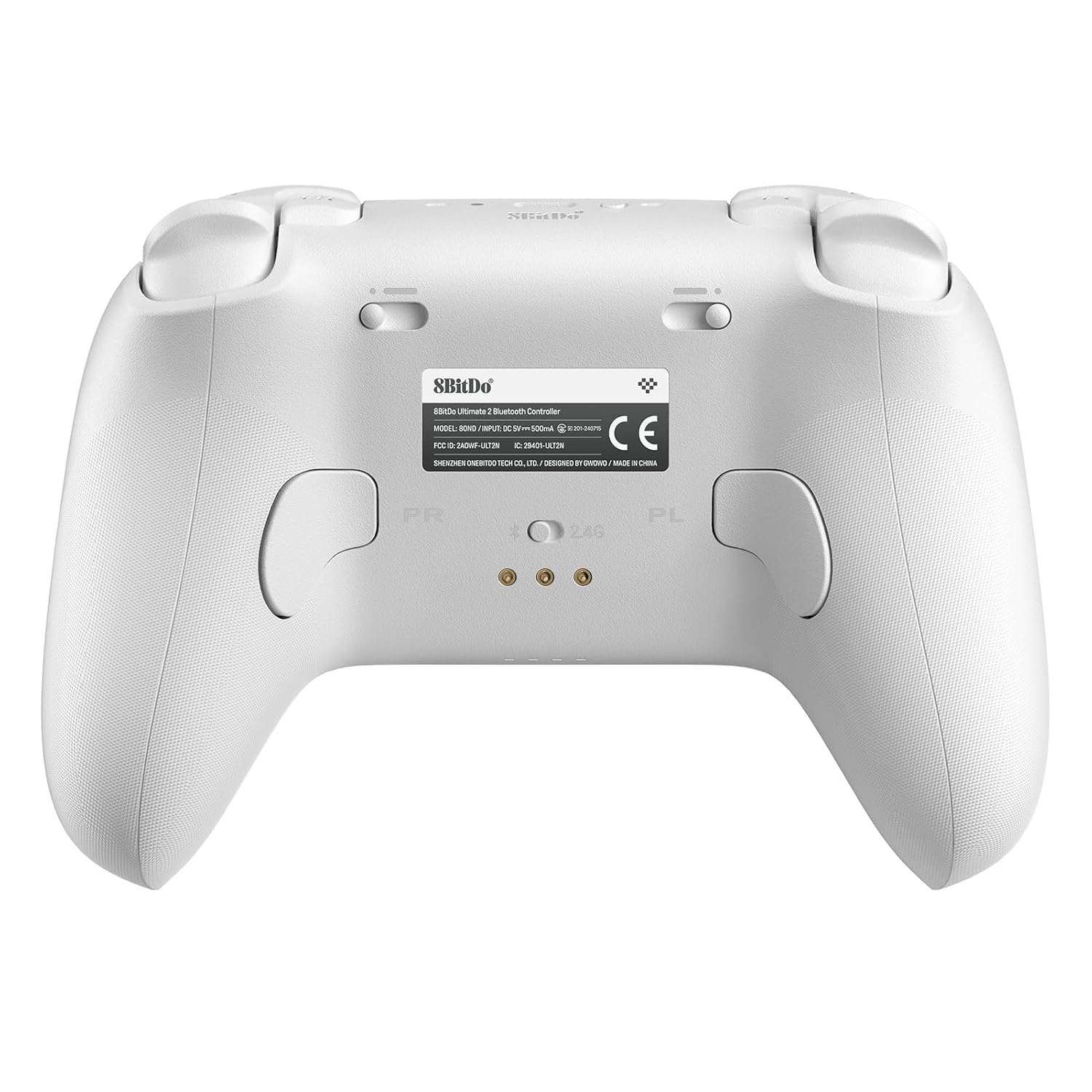
The Ultimate 2 Bluetooth Controller’s design looks and feels similar to the Switch 2 Pro Controller, but with some additional buttons and some texture in the grips to prevent the controller from slipping in the hands. On the front, it has all the important buttons plus a star button to change the colour or style of the RGB lights around the two thumbsticks.
They have a few different options with Fire Ring Mode that has a rotating fiery effect, Light-tracing Mode reflects the buttons pressed and movement of the thumbsticks, and Rainbow Ring Mode changes the colour with each button press. Of course, the RGB lights can be switched off for those who prefer it or want to preserve battery life.
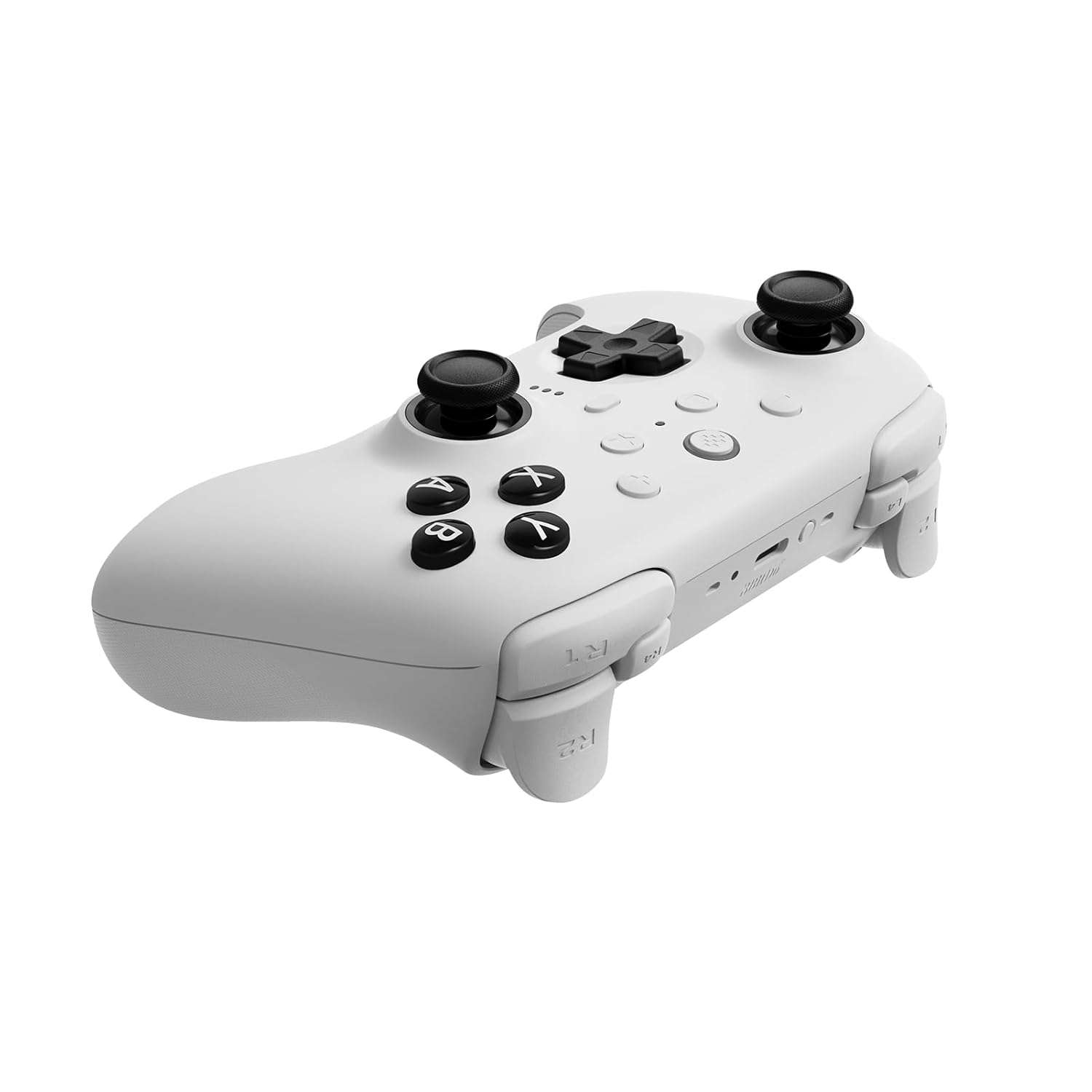
On top of the controller, there are two additional shoulder buttons, one on each side, that can be customised to enhance your gaming experience. Behind the controller are two switches connected to the rear shoulder buttons to swap them between linear hall effect triggers and non-linear tactile triggers.
This allows players to set their rear shoulder buttons to be pushed all the way down or a simple tap with a clicky effect. Reducing how far those buttons need to be pressed down can give an edge in certain games, especially shooting games. The controller is also available in a few different colours, with more likely on the way, while the Switch 2 Pro Controller is currently only available in black.
Also included is a simple instruction booklet with a QR code to a webpage with more detailed information, a USB-C to USB-A cable and a docking station with a dongle inside it. The docking station has a nice round shape, and the controller fits perfectly on top to charge it.
A full charge only takes 4 hours, and it gives you up to 25 hours of playtime. The docking station can be set up from the Switch, so the controller can still be charged while the console is off, so you’ll be able to pick up and play on your Switch or other compatible devices without having to worry about battery life.
More customisation options are available in the 8BitDo Ultimate Software V2, which is free to download from the official 8BitDo website and has versions for Windows and Mac users. The buttons can be switched around, and the thumbsticks can be refined to suit each player’s preference. The default controls already work excellently, but this is a nice option to have for those who are very precise with how they like their controls. There are even more options for the RGB lights with more colours to choose from and different patterns too.
The software is also needed to update the controller to the latest firmware and make it compatible with the Switch 2, since the 8BitDo controller was released two months earlier.
Connecting to PC, Mac, or mobile devices via Bluetooth is a breeze, and the included dongle can simply be plugged into any of those devices to get you straight into your game. Connecting to a Switch or Switch 2 isn’t as easy as it should be, even though it was designed with the Switch in mind.
The Switch Pro Controller can be connected using a USB cable, or the console can pick up the Bluetooth signal and connect to it, but the 8BitDo controller can only be connected via Bluetooth and not with the USB cable, which is the simplest and most preferred way. The 8BitDo controller does eventually connect, but it seems to take a few tries before it finally registers. A more reliable way to connect the 8BitDo controller to the Switch would be nice, but at least after it’s connected, it stays connected.
The most important thing about the controller is how it performs, and after trying a few different games, it feels fantastic. Whether playing platformers, shooters, racers, fighting games, and more, the buttons feel incredibly responsive with no noticeable latency at all. Being able to use this one controller on not just the Switch and Switch 2, but also on PC, Mac, and mobile devices gives it so much versatility.
With a $99.00 AUD price tag, it’s a cheaper alternative to the Switch 2 Pro Controller that performs just as well, is comfortable to hold, has a stylish look with customisation options, can be charged separately from the console and works on multiple devices. 8BitDo have proven once again why they are one of the leading brands in 3rd party hardware and why gamers swear by their products. For those looking for a worthy alternative to Nintendo’s controllers that offers more for less, the 8BitDo Ultimate 2 Bluetooth Controller is an absolute must-have.

The Good
- It’s compatible with Switch, Switch 2, PC, Mac, and mobile devices
- Cheaper alternative that performs just as well and offers more for less
- Feels incredibly responsive with no noticeable latency at all
- 4 hours to charge and gives up to 25 hours of playtime
- Various customisation option
The Bad
- Connecting to a Switch or Switch 2 takes a few tries





 SuBZeRO2K
 Spotify
 Anchor
 iTunes