
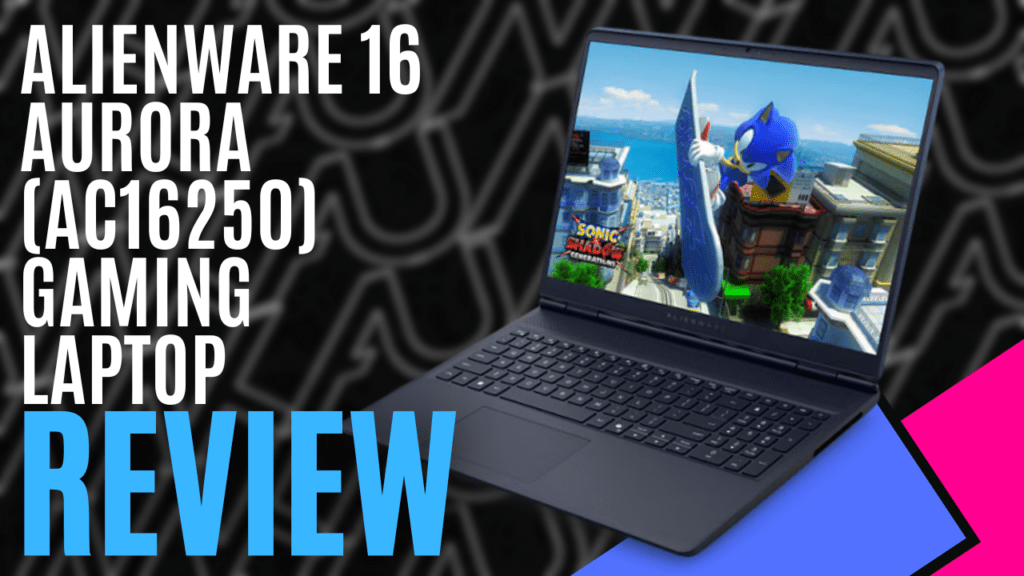
Gaming laptops have come a long way since I received my first back in the early 2010s, and Alienware have appeared on my radar ever since. Available in three different builds, the Alienware Aurora 16 Gaming Laptop offers something for every price point.
We received the mid-range version of the product lineup, supplied with an Intel Core Ultra 7 240H processor, pushing up to 5.20 GHz across 10 cores, and the NVIDIA GeForce RTX 5060 GPU with 8GB of GDDR7 VRAM. There’s 16GB of DDR5 RAM, capable of 5600 MT/s, and a 1TB PCIe NVMe SSD for storage, making it a great option for gaming on the go.
The 16-inch display is a little different on this one, with a 16:10 aspect ratio giving it a total resolution of 2560×1600 pixels, or QHD+, with a refresh rate of 120Hz. With an sRGB Coverage rating of 100% and ComfortView Plus, it’s very clearly tuned for gaming, but it could also be used for some lower-level content creation.
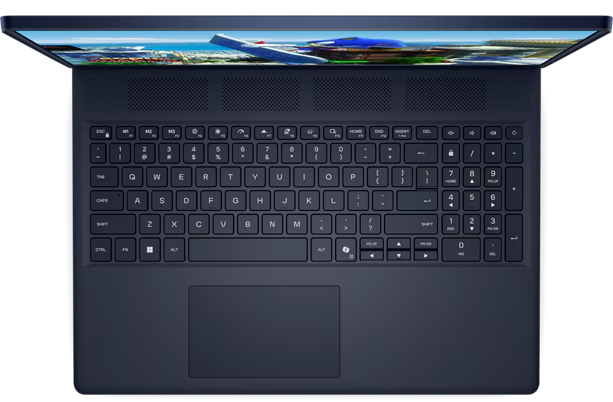
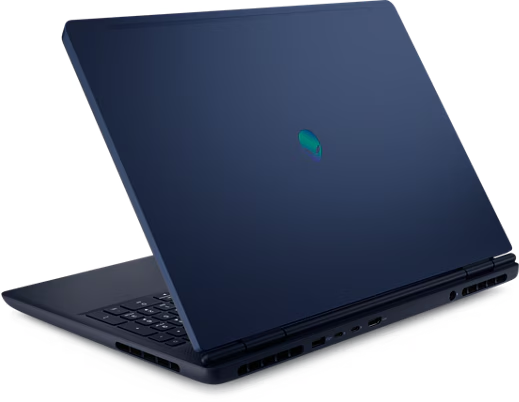
Unlike my first gaming laptop, the Alienware X17, the Alienware Aurora 16 gaming laptop forgoes the aggressive lines. Instead, it’s built around smooth panels, only hinting at its performance with the mirror-finish Alienware logo on the top cover, and the large ventilation slots carved into the base. Even the white backlighting on the full-sized keyboard leans more towards the professional side.
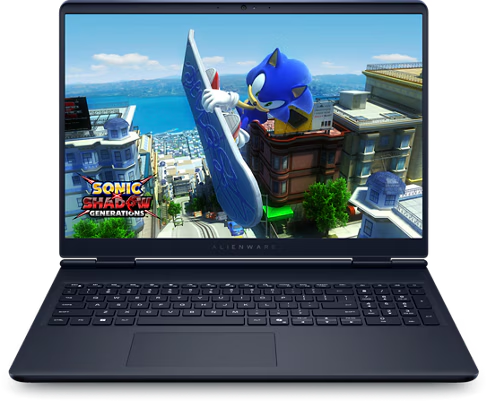
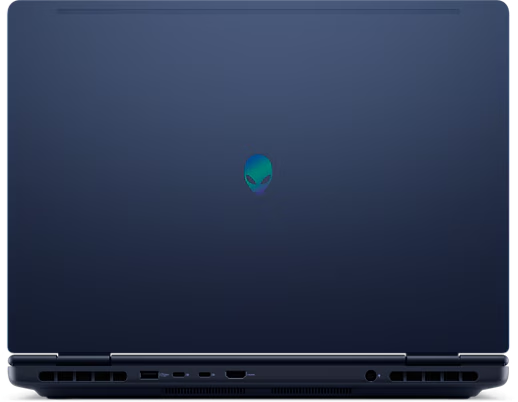
Weighing in at just under 2.5 kilograms, it is a little on the heavier side of things, but we do need to remember that this is a gaming laptop first and foremost, and it comes with enough ports to accommodate. There are two USB 3.2 5Gbps Type-A ports, as well as two USB 3.2 10Gbps Type-C ports, one with DisplayPort capabilities, and the other with power delivery. There’s an HDMI 2.1 port, should you need the DisplayPort-capable USB port for something else, and an RJ45 Ethernet port, should you not make use of the MediaTek WiFi 7 card.
The webcam is serviceable, though a little disappointing with its 720p resolution. Like the dual-array microphones, the 4W stereo speakers will do if you’re in a pinch, but I would recommend using the 3.5mm audio jack or Bluetooth with a decent set of headphones. This is particularly obvious when you push the system into performance mode, with the dual fans spinning up to create a constant whining noise as they push air through the system.
The Alienware Command Centre is a decent application for reviewing and monitoring the system’s basic utilisation, providing you with an overlay of simple metrics. Still, its primary purpose, in this case, is to control the system’s power levels. Options range from eco-mode, with the battery being prioritised, through to performance, where the GPU is prioritised, but even then, the system will switch between these depending on what you are doing.
After experiencing numerous issues with User Benchmark, I decided to explore other benchmarking software, but I was somewhat disappointed when it suggested the system would only achieve 22 FPS. I checked to make sure that I had the latest drivers, confirmed that I had the GPU set correctly, and re-ran it. Once again, 22 FPS, but that kind of benchmarking test can only get you so far anyway, and so it was time to try something else.
Having recently gotten back into Cyberpunk 2077, and after testing that with another RTX 5060 GPU, I pushed the system to what I thought would be its breaking point. Making full use of the WQXGA display, I cranked the settings as high as I could. Everything was set as high as I could, including Ray-Tracing, Frame generation, and DLSS.
For a solid fifteen minutes, I was enjoying anywhere between 80 and 110 FPS with all of the bells and whistles, and occasionally dropping down to just under 60FPS when VRAM utilisation started to close on the 8GB limit. It wasn’t until I was walking through the markets in Dog Town that I started to encounter some issues, with the system very quickly dropping down as low as 6FPS.
Reverting to Full-HD didn’t help much either, as the system still struggled to achieve more than 50FPS. However, by reducing Ray-Tracing performance and setting DLSS to Performance, I was back up and running with a relatively smooth 70FPS again. This was still touch and go when the system approached the 8GB VRAM limit, but it didn’t happen as often, and even with GPU utilisation sitting at 99% I rarely exceeded 69 degrees Celsius. Nice.
The Alienware Aurora 16 is a well-balanced system that delivers a lot of performance in a compact and well-priced package. It’s a great mid-range performer, making it ideal for competitive gaming and dipping your toes into more demanding titles. I’d love to see a higher-refresh screen or a better webcam, but for the price and specs, it’s hard to complain. If you’re chasing a system for gaming on the go or getting into gaming on a budget, the Aurora 16 is worth considering.

The Good
- Great mid-range performance
- Well-priced for what it offers
- 120Hz refresh rate
- Full-sized keyboard
- Plenty of ports for peripherals
The Bad
- Fans are loud under load
- Webcam is serviceable at 720p






 SuBZeRO2K
 Spotify
 Anchor
 iTunes