
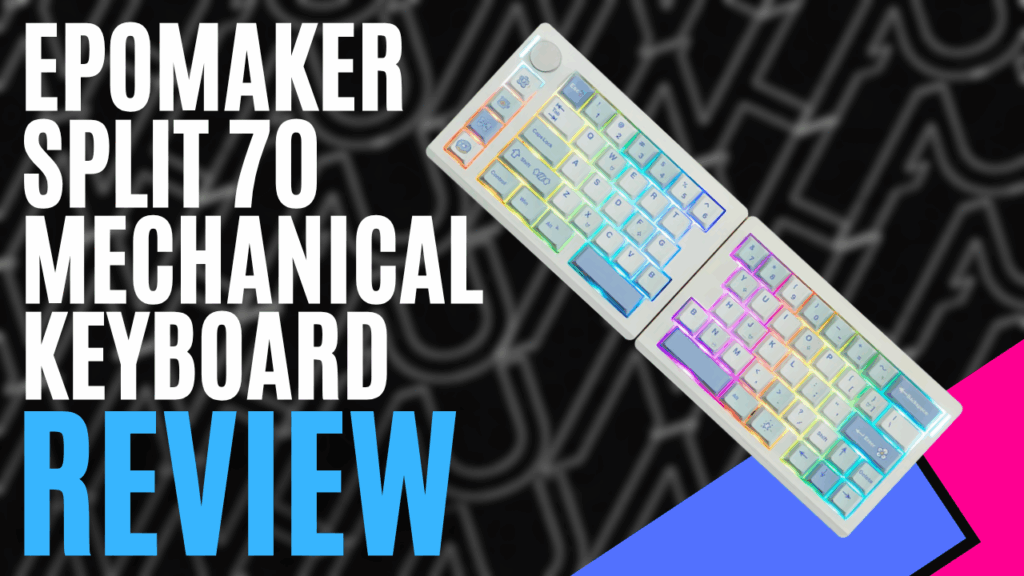
The EPOMAKER Split70 keyboard is exactly that: a keyboard split in half. On their product page, the keyboard is listed as “tailored specifically for mechanical keyboard enthusiasts and office workers. Its unique split layout helps alleviate tension in the arms and shoulders during extended typing or gaming sessions.” Let’s have a look at the details and see what else we can find out about this unique design.
Opening the box, you will find the split keyboard, a USB-A-to-USB-C cable, a USB-C-to-USB-C cable for connecting the two keyboards, a key tool for swapping keys, three spare PC keys, three spare Mac keys, a quick start guide, and the manual. The keyboard dimensions are 18.4 cm each side, 11.8cm wide, and 4 cm high. There are four grip pads underneath each keyboard in the four corners. Total of 71 buttons and one knob on the top left corner.
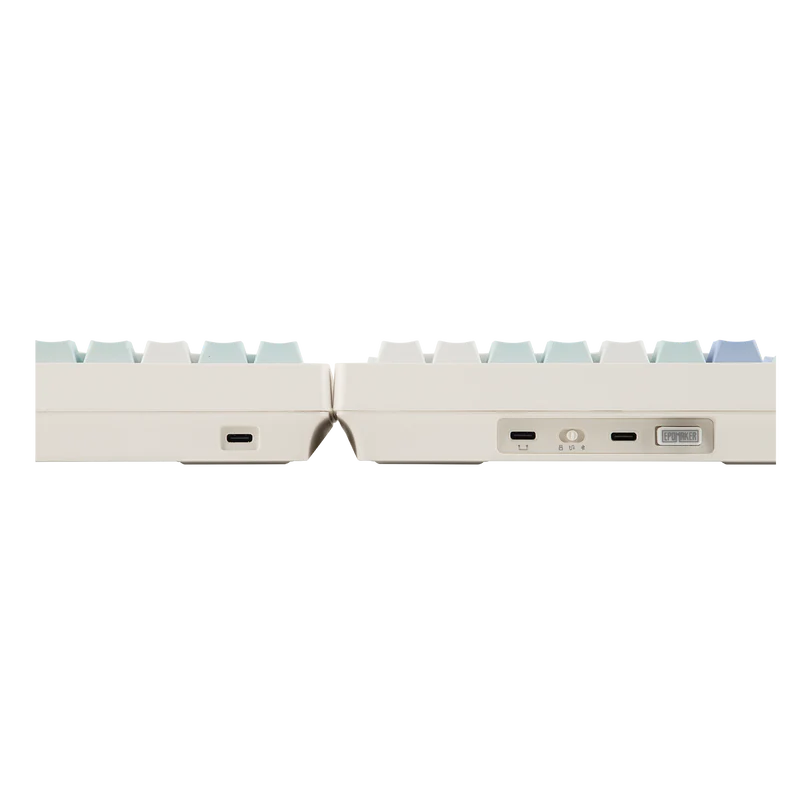
If you are using the wireless function, you have a 3000mAh battery that will give you 11 hours of continuous use with the RGBs on or 260 hours with them off, which is a decent number. On the rear of the left keyboard, you have a USB3 charging or wired connection, the tri-mode connection switch (PC, Mac, or wireless), a second USB3 connection for a second keyboard, and finally a USB port.
The keyboard has Tri-mode connectivity with Bluetooth 5.0, 2.4GHz wireless, and USB-C, so it will work with PC, Android, or Mac. As mentioned above, if you are running it on a Mac, you are provided with two keys to swap for the Mac function keys. For the connection speeds you have, a hard-wired: 1000Hz at 3ms; a 2.4GHz wireless connection: 1000Hz at 5ms; and Bluetooth: 125Hz at 15ms.
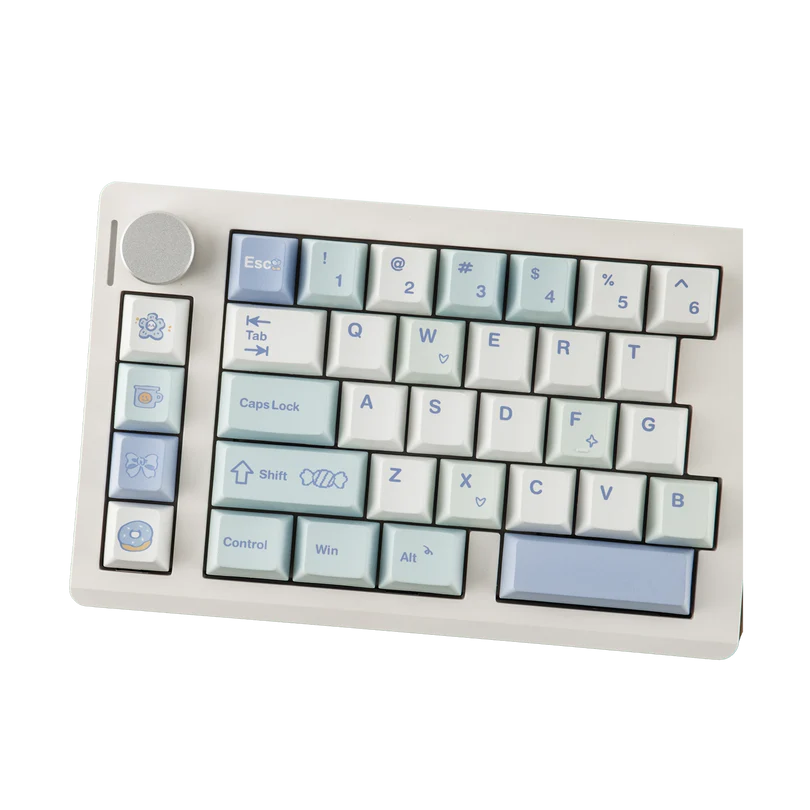
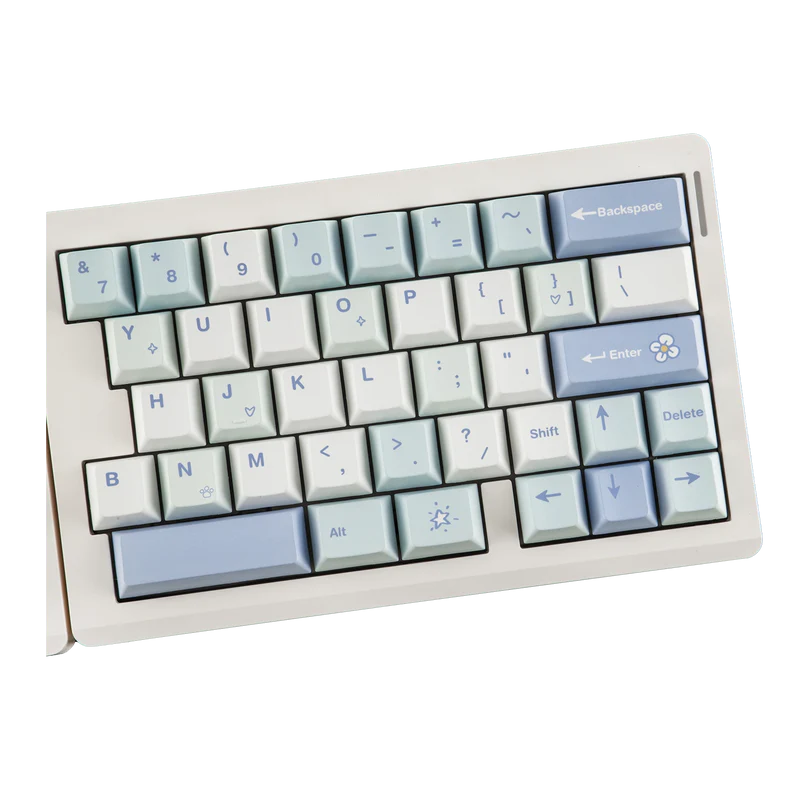
Interestingly, only one keyboard is wireless, though, so you still have to keep the cable connecting the two keyboards if you are running it wirelessly. The cable provided to connect the two keyboards is only about 30cm. It is a standard USB-C, so you can swap it out if you need more space between them.
This mechanical keyboard is a 70% keyboard, so you are missing the num pad on the right-hand side compared to a full-size keyboard. You have four macro keys on the left keyboard, which is perfect for the mapping if you are a gamer. You also have one programmable knob, which I set for my volume switch, and it can also be pushed down to mute your sounds. There are no height-adjustable feet, so you are locked into the seven-degree typing angle. There is a magnet in each keyboard, so if you bring them together when you don’t want to split them, they will stick together and not move.
EPOMAKER does an amazing job with their mechanical keyboards, utilising PBT keycaps with a shiny appearance but a matte feel, ensuring your fingers don’t slip off when typing. The RGB’s are placed nicely underneath the keyboard and come standard with that relaxing colour wave, which is customizable through EPOMAKER’s software.
The Split70 comes with EPOMAKER’s standard anti-ghosting technology and N-Key rollover, ensuring that if you press multiple buttons, they all register, making it perfect for gaming.
While not as heavy as other EPOMAKER keyboards I have tried, the Split70 is still very solid and is near that 1kg mark. This solid design, coupled with the 5 layers of padding and gasket mount, gives the Split70 the familiar thock sound when pressing keys. I would say it is slightly louder than the TH80v2 I tested last week, but still not as loud as many models on the market. The case is made of ABS plastic and is a solid colour all around, with no RGBs on the outside.
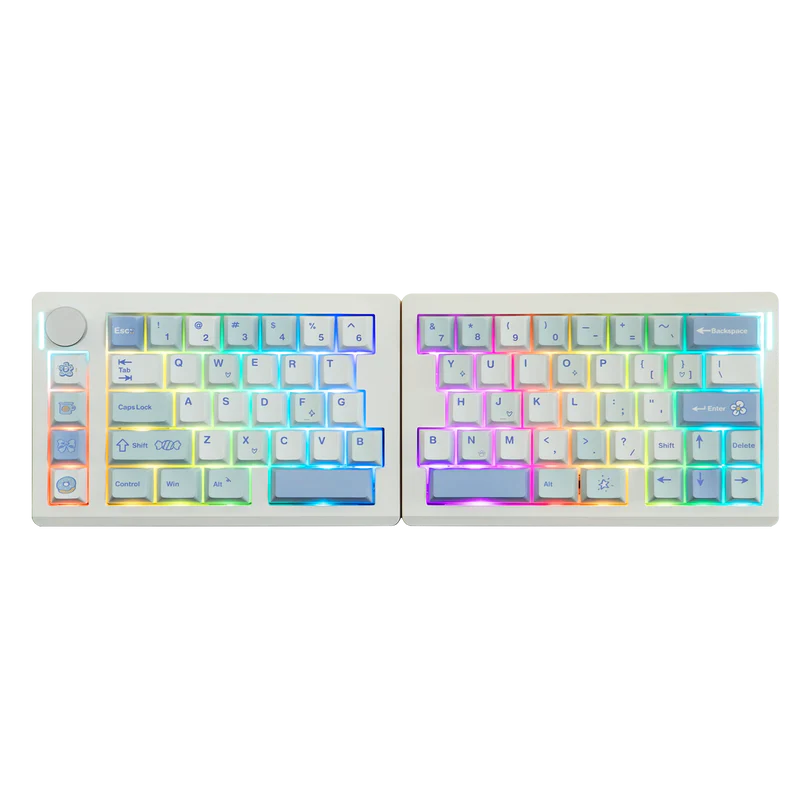
Gaming-wise, I love how you can split the keyboard to a more comfortable position, and I agree with EPOMAKER’s statement: it is more comfortable. My brain couldn’t handle touch typing with the split keyboard.
Even when placing them next to each other, after 30 years of using a full keyboard and only recently converting to the EPOMAKER TH80 v2 75% keyboard, the gap in the middle and the lack of keys next to each other made it really hard to type quickly without thinking or looking. Perhaps I just need more time, but it certainly didn’t feel natural. For me, this keyboard is about gaming and eSports.
Using EPOMAKER’s Driver software, you have a multitude of options you can program into the Split70. You can remap your keys, set up macro key mapping, map the knob function, or adjust the 71 south-facing LEDs to ensure you have the right tone, brightness, and speed to suit your liking. If you don’t want to install the software, you can use a combination of keys to change your RGB and backlit settings, as shown in the quickstart guide.
Overall, the Split70 keyboard from EPOMAKER is a solid, well-put-together 70% mechanical split keyboard. It is a very niche market, but once again, EPOMAKER doesn’t try to reinvent the wheel; it just produces a quality product. With its 5-layer padding and gasket-mount system, solid build, and noise suppression, you know what you are getting when you buy it. For me, the Split70 is better suited to the gamer, with its split design, programmable macro key functions, and programmable knob.
If you want to take your gaming to the next level or learn touch typing over again to reduce fatigue if you type for longer periods, this keyboard is for you. Solid price point and a solid product.

The Good
- Texture and feel of the keys
- Noise reduction with the solid design
- Customisation options and the ability to program macros
- Texture and feel of the buttons
The Bad
- Only one side is Wireless, you still need to connect the keyboards with a USB-C cable together
- No feet on the bottom to raise the keyboard







 SuBZeRO2K
 Spotify
 Anchor
 iTunes