
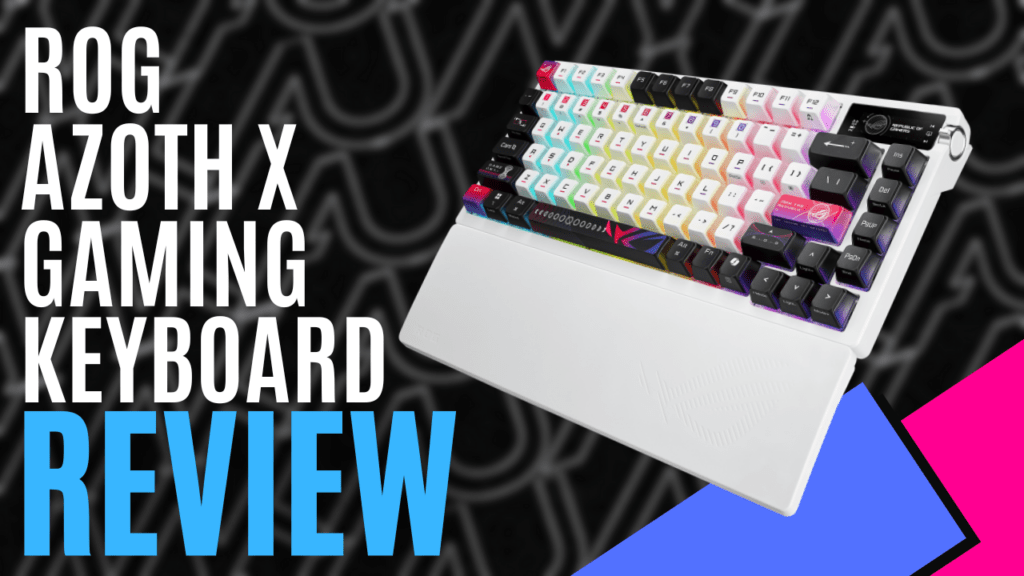
Oh, a family reunion is nice. After reviewing the ‘ROG Azoth Extreme’, Republic Of Gamers is back with a little sibling, the ‘ROG Azoth X Gaming Keyboard’. This keyboard is cheaper in price and interesting in style and appearance, having inherited some good family genes.
When you buy a keyboard from Republic of Gamers, I find it always comes with all the bells and whistles. It’s glorious to see and unpack. Underneath your illustriously wrapped keyboard, you will find a wrist rest, A USB-A to USB-C charging cable, a Dongle Extender, a multi-purpose keycap/switch puller, spare switches and an extra Control Key.
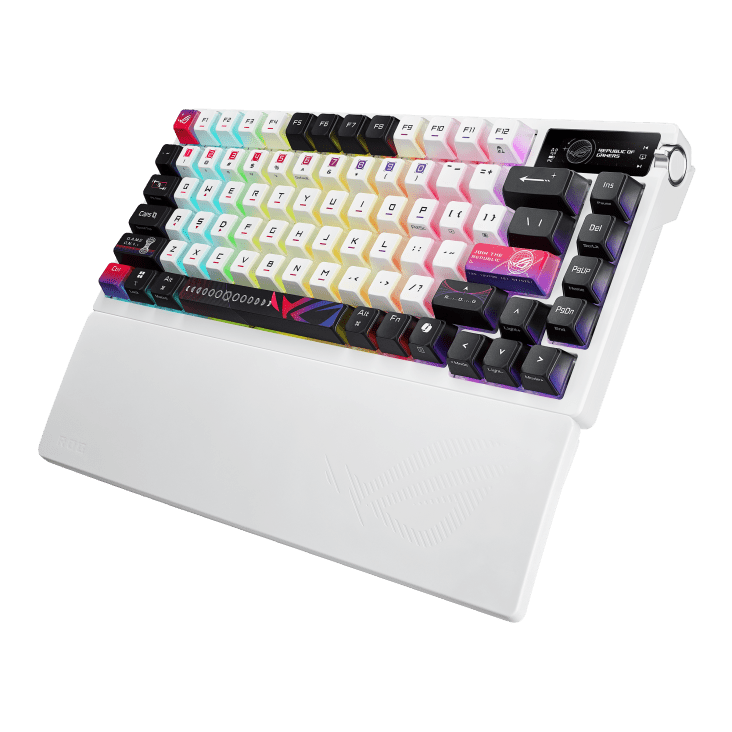
The keyboard itself is different to what I expected on initial glance. Coming in a stock matte white, this 75% is a lot lighter than its Azoth Extreme brother due to its hybrid frame of plastic and aluminium. The first noticeable feature is the keycaps. Coming in a sporadic spray of black and pinky purple, the signature ROG Stellar theme in colour is an interesting touch. Some will love the choice, some will hate it. I enjoy the quirky touches, though.
In the top right-hand corner is the inclusion of a 2-inch OLED, a feature present in most of their more prestigious keyboards as of late. Ignoring the cuteness overload aspect of it and the fact that you can customise its display picture (mine is Sailor Moon), the OLED has a paddle switch with a range of functions at a click of the side button. On your OLED, you can check, most importantly, system stats for monitoring, but also change lighting brightness and effects, use it as multimedia, for volume adjustments and even as an audio/music visualiser.
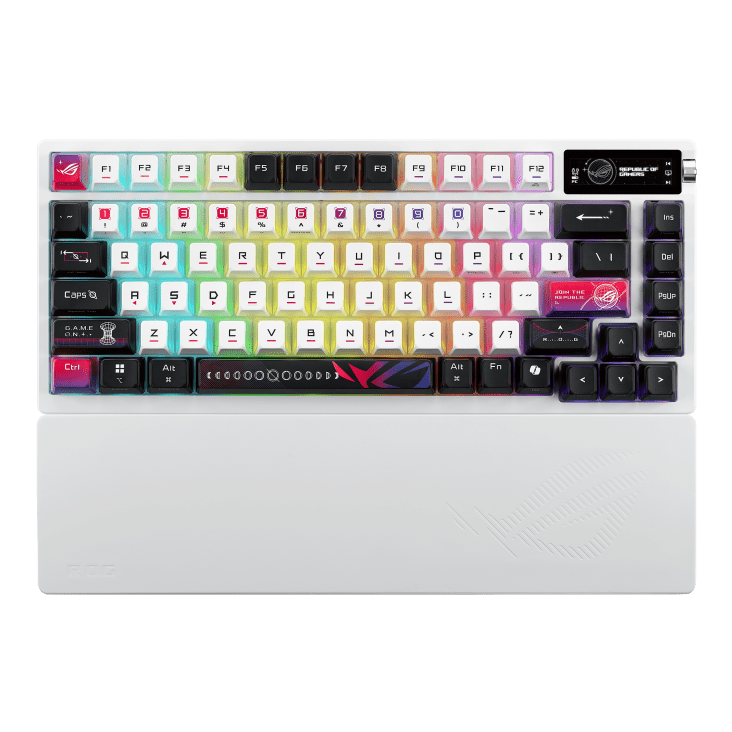
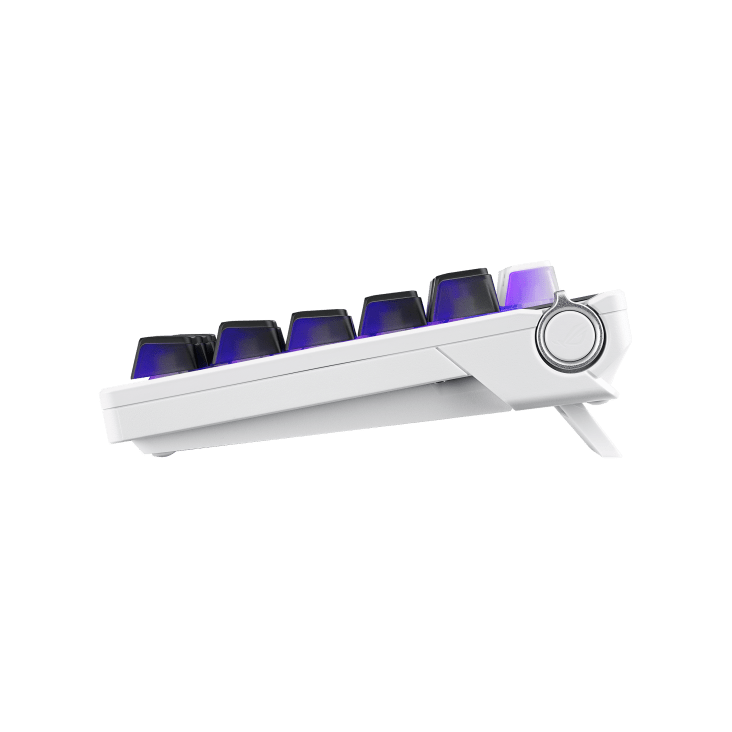
On the underside, you will find feet with 3 levels of height. The feet flip out to two levels of height, or you can be a psycho and lay it flat, but the options are great. The silicone wrist rest I don’t find particularly comfy at any angle, but it is smooth as butter, so it feels nice to the touch.
Using the receiver, you can connect up to three different ways. This means you can connect via Bluetooth, through low-latency 2.4 GHz SpeedNova wireless connectivity, or with the USB cable itself.
The Omni Receiver is great too because I can have my keyboard and mouse on the same USB. I always love to keep my peripherals plugged in, mostly, but I found the wireless connectivity flawless and lag-free. I happily typed away and played a plethora of review games for hours on wireless without a single delay issue.
The cable will charge your device to offer up to hours of wireless usage, but be aware that the brightness of your RGB lighting will diminish over time. Despite using it wirelessly, it was a solid week before I even felt the need to charge the keyboard back up again, a commendable battery life indeed.
Circling back around to the keycaps, they are semi-transparent on three sides, so each key has access to the underneath south-facing PCB and RGB lighting. There is individual key RGB lighting, but it is quite muted by a layer of frosted damping plate. It is a nice, subtle glow. This keyboard comes with two hot-swappable switch types; the review copy featured their refined linear type, known as NX Snow.
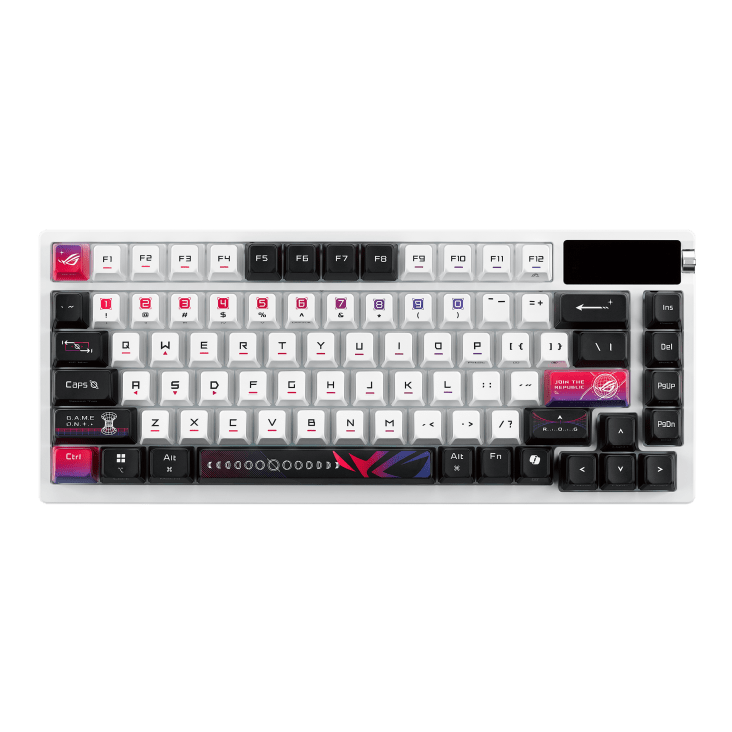
These lubricated switches are smooth, tactile and buttery in typing style, mechanical but clonky in sound. 1.8mm actuation isn’t too bad, and the 5 layers of multiple damping in the board itself support this seamless typing experience.
This keyboard also features the standard anti-ghosting and N-Key rollover. Also, a ‘must’ is the ability to record Macros on the fly, and onboard memory to store all those key profiles you may need for different scenarios or games. Being able to save up to 6 profiles means you can go from game to game and be comfortable with your ability to play with whatever scheme you want. Nothing impressive, but it’s necessary in today’s world of too many choices.
The ‘Armoury Crate,’ ROG’s support software, is used to customise all your peripherals. Here I could customise my lighting, create up to 6 profiles, map out keys, dabble in macros, and even customise my cute little OLED screen. The software initially seemed daunting, but it proved to be surprisingly easy to navigate, simple, and user-friendly, with all updates included to keep things running smoothly. Everything is clearly labelled with instructions, and even the biggest noob can learn to set macros, a series of recorded inputs at the tap of a singular button, in an instant. I always feel productive using the Armoury because you can customise your keyboard to meet your needs.
At a reasonable price of approximately $AU430, which is comparable to the Azoth Extreme (depending on the retailer), the ROG Azoth X packs a powerful punch. It leaves a fabulous impression with its plethora of customisable features. Surprisingly, despite its quirky design, this is one case where keeping it in the family has been very successful for the Republic of Gamers.

The Good
- Lots of supporting equipment
- Stylish and lightweight
- Cool translucent keycaps
- OLED screen
- 3-way adjustable feet
- Omni Receiver and 3-way connectivity
- Dampening and clonky switches
- Onboard macros, anti-ghosting and N-key rollover
- RGB lighting
- User-friendly software
The Bad
- Wrist rest not particularly comfy
- RGB feel more subtle







 SuBZeRO2K
 Spotify
 Anchor
 iTunes