
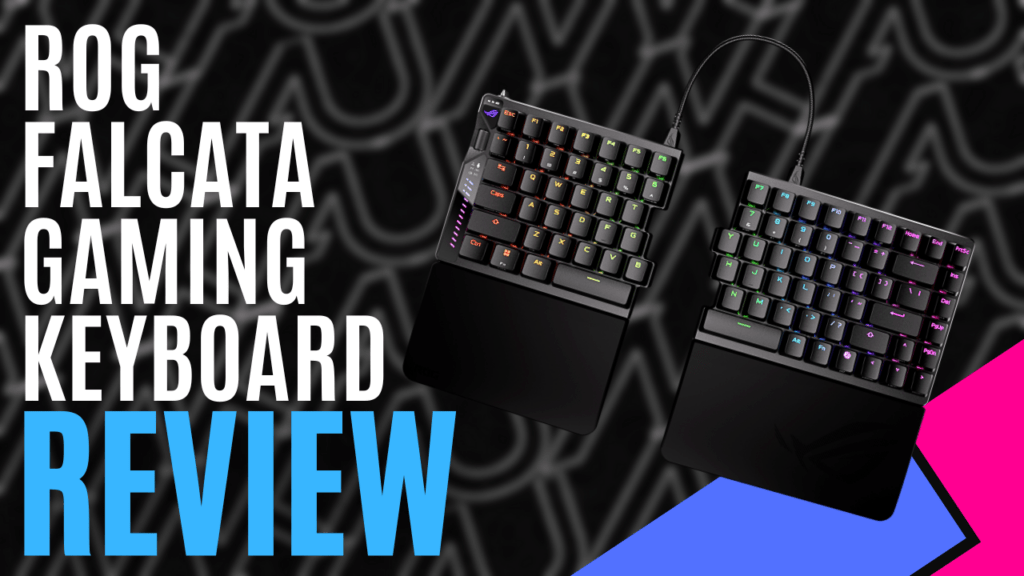
ASUS is one of the leading brands in PC gaming hardware with its ROG line of products. ROG stands for Republic of Gamers for a reason, and we are fortunate to get our hands on their latest gaming keyboard, the ROG Falcata Gaming Keyboard, now available worldwide.
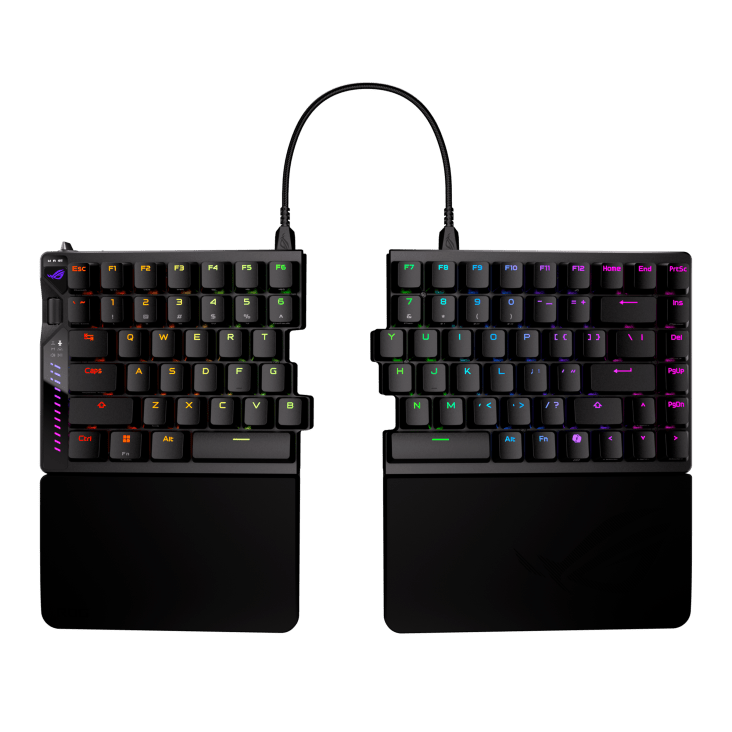
This product is a 75% analog split gaming keyboard that splits into two separate pieces, is easy to set up, and can save space on your desk. The box it comes packaged in secures all the contents, has a nice red-and-black colour scheme, and displays all the logos and main specifications on the back. Inside the box, you will find both pieces of the keyboard wrapped in a nice fabric bag, silicone wrist rests, a spare Ctrl keycap, a ROG keycap puller, three different USB cables, feet to angle the keyboard, an adaptor, an extender, some stickers, a quick start guide, and the warranty booklet.
The left side of the keyboard can connect to a PC via a long USB cable or via Bluetooth, and it offers up to 200 hours of battery life. The right side of the keyboard can connect to the left with either of the two shorter USB cables provided, and it’s ready to use. Users can get more customisation options by downloading the free Armoury Crate program, and can now use the web-based Gear Link program for a simpler experience.
The biggest feature, of course, is the ability to split the keyboard into two pieces. When it comes to PC gaming, the left side of the keyboard is more commonly used, so having the option to use only the left side and keep the right side out of the way creates more space on your desk. The two sides fit together perfectly, but they don’t actually stick, so if users need to move their keyboard around the desk, they’ll need to move both pieces.
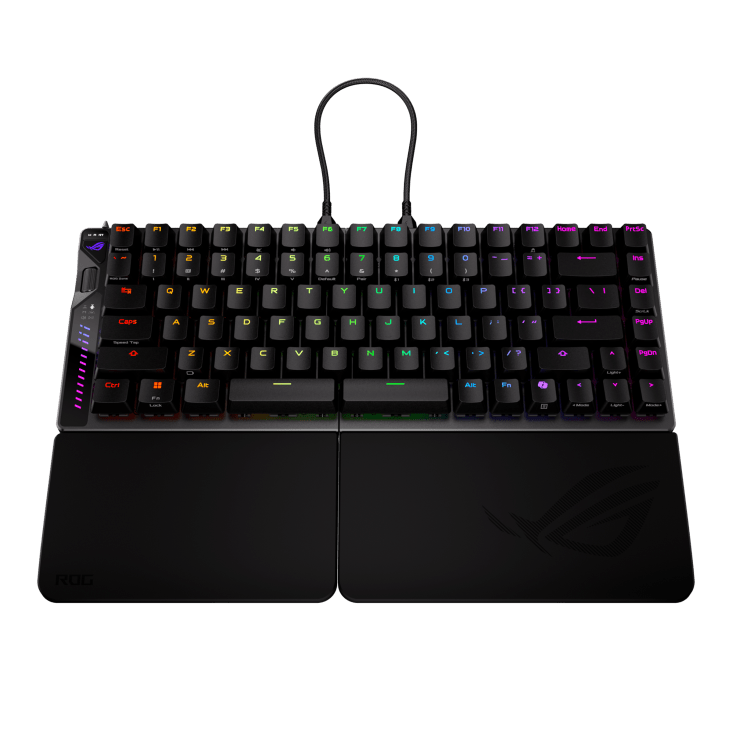
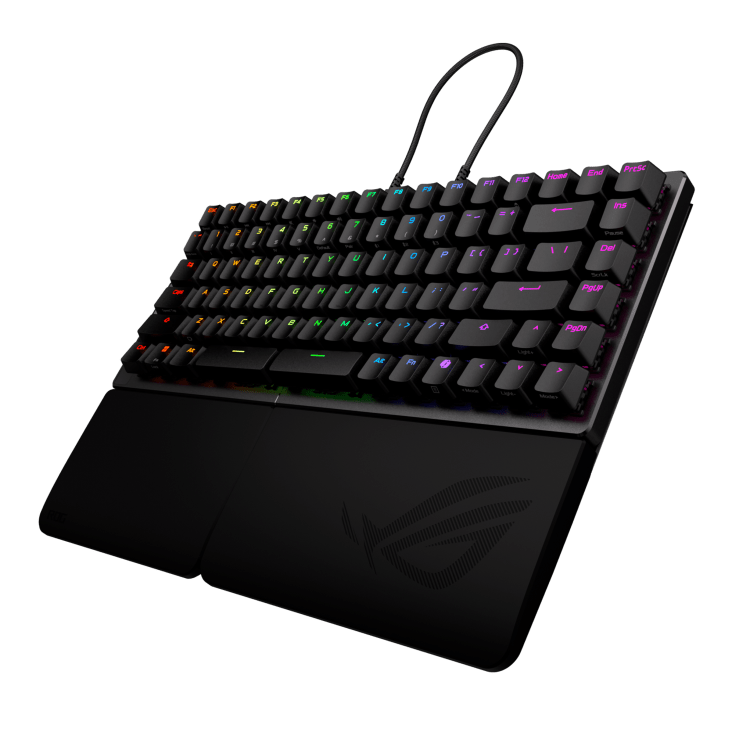
As mentioned above, to use the right side, it needs to be connected to the left with either of the two shorter USB cables, and there’s no other way to do it. This could cause issues for users who want to move the right side farther away when not in use.
Another issue that could arise is that if users want to type messages in-game, they’ll have to physically move the right side into position. The two shorter USB cables were made specifically to connect the two sides and other USB cables; even the longer ASUS-branded cable won’t work at all. If the two shorter cables were to go missing, they could be hard to replace.
These are only minor gripes, however, as this is intended to be a gaming keyboard and only has the left side, which is the most used side in most games. Testing this out on a few different game types, such as first and third-person shooters, adventure games, and racers, everything feels smooth and responsive with no issues.
The RGB lighting throughout the keyboard highlights all the keys in various colours, which looks great on any desk and adds more style and personality to the keyboard’s sleek design.
The innovative multi-function button in the top left corner selects different settings, and the wheel below it allows easy adjustments, including rapid trigger sensitivity, keyboard actuation point, volume, media playback, lighting, and custom commands. Additionally, the RGB sidebar below them showcases dynamic light effects that reflect any adjustments made in real time.
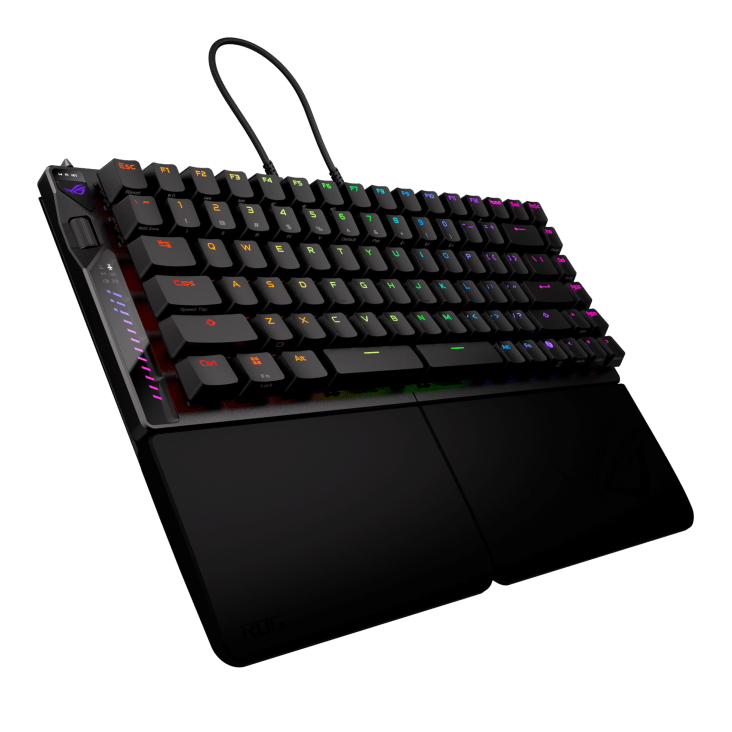
The ROG HFX V2 Magnetic Switches deliver a solid, ultra-precise feel with lightning-fast responsiveness and a 100-million-keystroke lifespan. The polycarbonate top housing and POM plastic stem and bottom housing ensure ultrasmooth keystrokes, while the walled-stem design enhances stability and keeps out dust and debris. This results in consistently smooth, reliable, and precise keypresses when gaming or typing.
The tri-mode connectivity allows the ROG Falcata Gaming Keyboard to connect to five devices simultaneously via ROG SpeedNova 8K wireless technology, including Bluetooth, or via a wired connection. The ultra-responsive performance, with up to an 8000Hz polling rate in wireless or wired modes, provides
input refresh rates up to 8X faster than most gaming keyboards and reduces latency from 1ms to 0.125ms for precise, real-time actions. Casual players may not notice the almost-zero latency, but hardcore gamers certainly will, and will likely upgrade to this keyboard to give them the edge over their opponents.
The two silicone wrist rests can be attached to each keyboard piece, and the smooth, slightly soft rubber provides some nice cushioning for your wrists as you play or type. The feet can be screwed to angle the keyboard, and if the wrist rests are attached to them, they’ll be at an angle too. The Falcata offers a fair few comfort options to suit each person’s preferences.
The ASUS ROG Falcata Gaming Keyboard offers various options for general use, but was designed for gaming. Having just one side of the keyboard to focus on helps free up more space on the desk while playing a competitive online game. Its low latency, which is almost none at all, will give you the edge over your opponents.

Technical Specifications:
- Key Switch: ROG HFX V2 Magnetic Switch
- Connectivity: USB 2.0 (TypeC to TypeA), RF 2.4GHz and Bluetooth 5
- Lighting: RGB Per keys
- AURA Sync: Yes
- Anti-Ghosting: N Key Rollover
- Macro Keys: All Keys Programmable
- USB Report rate: (USB Report rate) 8000 Hz
- RF 2.4G Report rate: 8000 Hz
- Profile Hot Keys: Fn + 1, 2, 3, 4, 5, 6 (Default)
- Lighting Effects Hot Keys: Fn + Arrow Key (Left, Right)
- Brightness Setting Hot Keys: Fn + Arrow Key (Up, Down)
- Clear On-Board Memory Hot Keys: Fn + Esc
- Macro Hot Keys: Fn + L-Alt
- Media Hot Keys: Fn + F5 – F11
- Cable: 1 x USB type C to C braided cable,2 x Type C to C link cable. *For optimal signal transmission and safety, please make sure to use the bundled link cable to connect both sides of the keyboard. The keyboard will not function as intended if a third-party Type-C® cable is used to connect both sides of the keyboard.
- OS: Windows® 11
- Software: Armoury Crate, Gear Link
- Dimensions: 327mm x 127mm x 38mm (without wrist rests)
- Weight: 968g (without cable and wrist rests)
- Color: Black
The Good
- Can separate into two pieces
- Different comfort options
- Sleek design
- Almost no latency at all
- Ideal for hardcore gamers
The Bad
- The right side only works if connected to the left with a wired connection






 SuBZeRO2K
 Spotify
 Anchor
 iTunes