
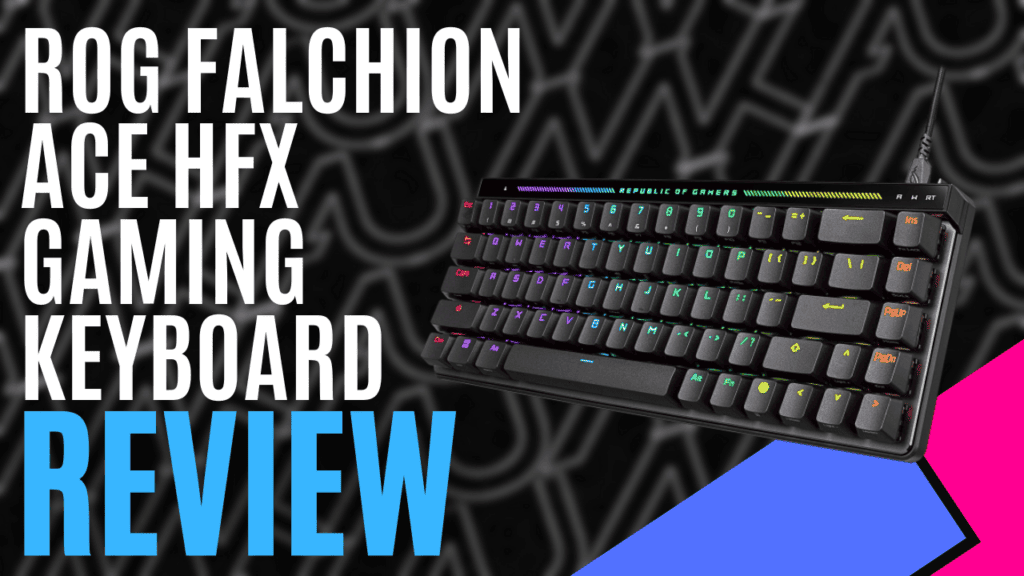
ASUS is one of the leading brands in PC gaming hardware with their ROG line of products. ROG stands for Republic of Gamers for a reason, and we are fortunate to have our hands on their latest gaming keyboard, the ROG Falchion Ace HFX, now available worldwide.
This product is a 65% Analog Gaming Keyboard, a more compact and slightly smaller design that’s easy to set up and saves a lot of space on your desk. The box it comes packaged in has a nice red and black colour scheme, with all the logos and main specifications displayed on the back. The box secures all the contents inside.
Inside the box, you will find the keyboard itself wrapped in a nice fabric bag, a keyboard cover to keep dust out when not in use, a spare Ctrl keycap, a ROG keycap puller, a USB cable, some stickers, a quick start guide, and the warranty booklet.
Since this is a wired keyboard, simply plugging in the USB cable to connect it to a PC is all you need to get started. Downloading the Armoury Crate Gear program will give you more customisation options to personalise it to your liking.


The ROG Falchion Ace HFX has unique features not seen on many other keyboards. It has two USB ports on the top so it can be connected to two different devices, and there’s a switch in the middle to toggle between them.
Underneath, the feet can be folded out to position the keyboard at an angle and provide more comfort for your wrists as you type or game away. The LED lighting throughout the keyboard highlights all the keys in various colours, which looks great on any desk.
The LED lighting also displays some settings you can adjust in the top row of the front of the keyboard, which can be selected with the multifunction button located at the top left. The button switches between volume, media, brightness, and actuation point.
Next to that button is a little touchpad, and by simply sliding your finger on it, you can easily adjust those settings. On the opposite end of the keyboard is a switch that activates the Rapid Trigger to maximise the response speed of the WASD keys.
This keyboard can be used for general use, such as typing documents, but its true intention, first and foremost,t is for gaming. The smaller size eliminates the number keypad on the right and reorganises the other keys on that side, but it has all the important keys needed for almost any game.
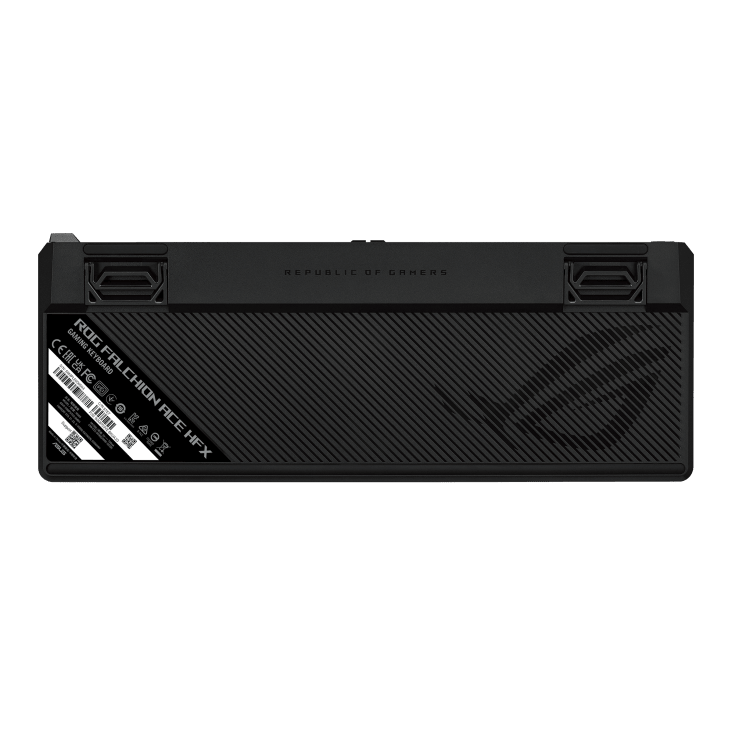
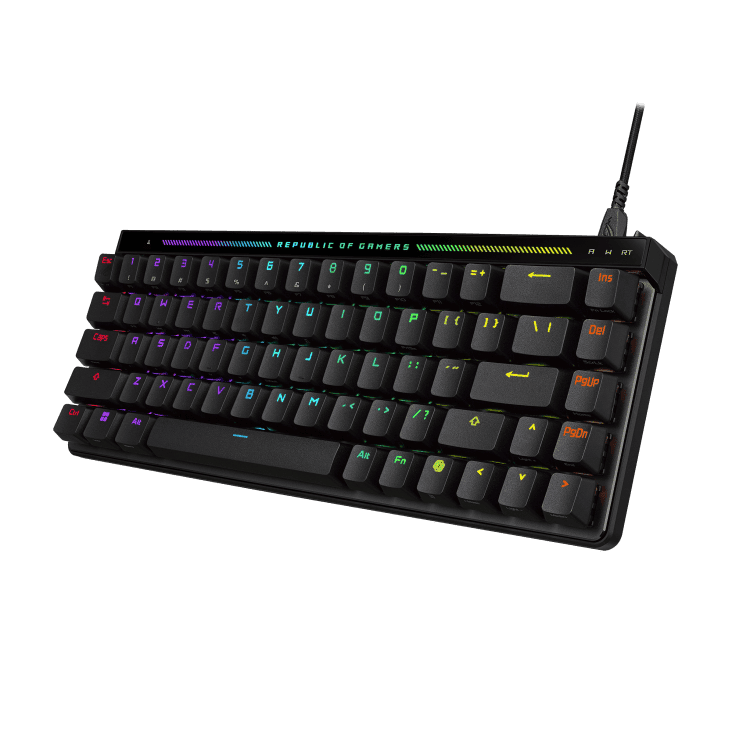
Testing this out on a few different game types, such as first and third-person shooters, adventure games, and racers, everything feels smooth and responsive with no issues.
The ROG HFX Magnetic Switches provide a solid feel and customisable 0.1 – 4.0 mm actuation for instant keystrokes. Speed Tap Mode achieves instant directional changes and eliminates time gaps by prioritising the latest input without releasing the previous key. The integrated five-layer dampening and silicone gasket mount absorbs pinging noises and offers a more cushioned typing feel to enhance the typing experience.
The impressive 8,000Hz maximum polling rate is an excellent feature for gamers to maximise the performance of their hardware, as it provides a 0.125 ms response time up to 8 times faster than competitor keyboards. For a smaller keyboard, it has more than enough features for the ideal gaming experience. It currently sells for around $280 AUD, which some people might find a bit high for a keyboard this size. Still, if the price isn’t an issue, you’ll get a piece of hardware with multiple uses, especially for competitive gaming, where every millisecond counts.
The ROG Falchion Ace HFX Gaming Keyboard is an amazing piece of hardware that packs many features into its smaller size, with unique features not seen in many other keyboards.

TECH SPECS
- Key Switch
- ROG HFX Magnetic Switch
- Connectivity
- USB 2.0 (TypeC to TypeA)
- Lighting
- RGB Per keys
- AURA Sync
- Yes
- Anti-Ghosting
- N Key Rollover
- Macro Keys
- All Keys Programmable
- USB Report rate
- 8000 Hz
- Profile Hot Keys
- Fn + A, S, D, F, G, H (Default)
- Lighting Effects Hot Keys
- Fn + Arrow Key (Left, Right)
- Brightness Setting Hot Keys
- Fn + Arrow Key (Up, Down)
- Macro Hot Keys
- Fn + L-Alt
- Cable
- USB type A to C braided cable
- OS
- Windows® 11
- Software
- Armoury Crate
- Dimensions
- 315 x 115 x 35 mm
- Weight
- 643g without cable
- Color
- Black
The Good
- So many features packed into a small piece of hardware
- Helps create the ideal gaming experience
- Appearance and presentation
- Touchpad to adjust settings
- Rapid Trigger for when you’re ready to game
The Bad
- Little pricey for its size






 SuBZeRO2K
 Spotify
 Anchor
 iTunes