
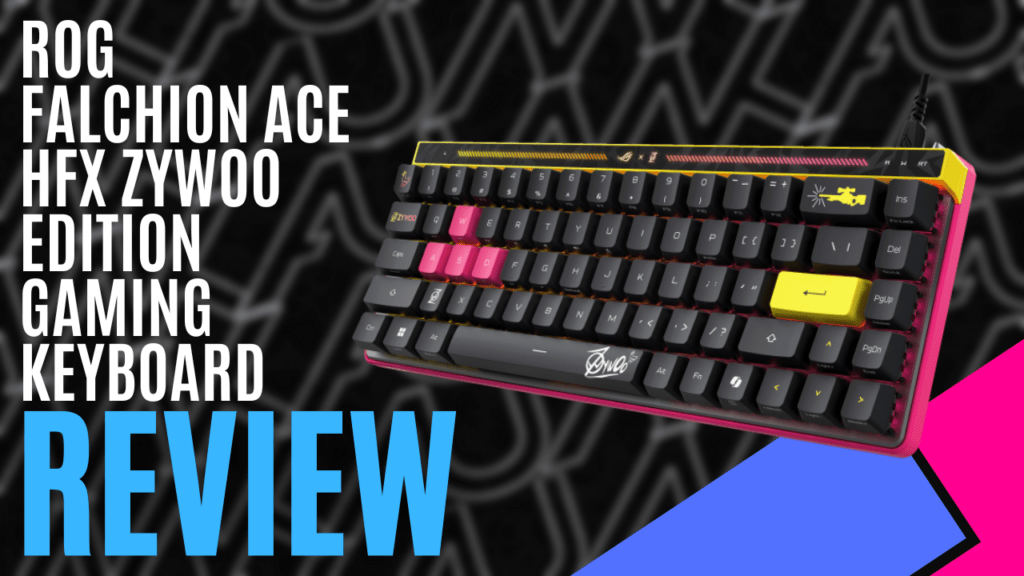
Another useless MKAU fun fact: I used to watch CS: GO a lot with an ex-partner. During that time, Mathieu ‘ZywOo’ Herbaut was only just starting to make a name for himself amongst the likes of S1mple, Fallen, and even Coldzera, actual legends of their own era.
Recognising the name ZywOo, and learning he had a solid hand in winning the 2023 and 2025 CS Majors Championships, it piqued my interest in what a pairing with Republic of Gamers and this legend could produce. Introducing the ‘ROG Falchion Ace HFX ZywOo Edition Gaming Keyboard’, a stylish keyboard with all the comforts of what makes a pro efficient.
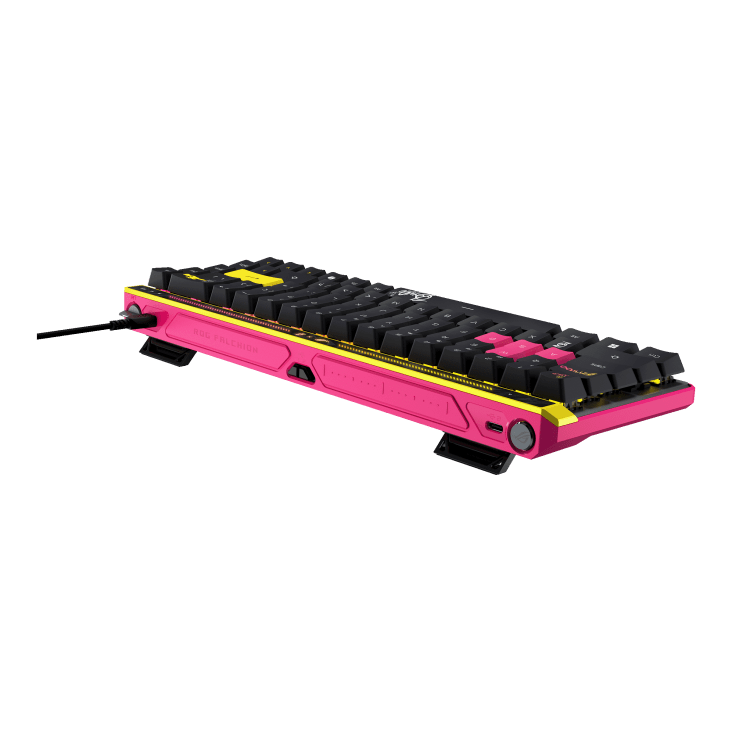
Oh boy, does this keyboard look the biz when it comes out of the dust cover. Coming in matte black, it features slashes of vibrant pink and neon yellow embellishments and accents throughout, creating a certainly eye-catching, fabulous colour contrast. Paired with this is a dust cover to keep it looking fresh at all times. The second thing you will notice is the subtle nods to ZywOo himself.
Running in a 65% length and compact, it’s easy to quickly notice that the backspace key has been emblazoned with the AWP, one of ZywOo’s signature weapons, his wildly cool signature on the space bar, his logo on the Z button and Tab button, and if you know anything about CS: GO maps, a chicken on the ESC key.
It all looks very sharp, just like ZywOo’s gameplay. Lastly, neatly tucked away underneath, you will find two little feet that can be adjusted, offering three angle heights for comfortable typing and gaming.
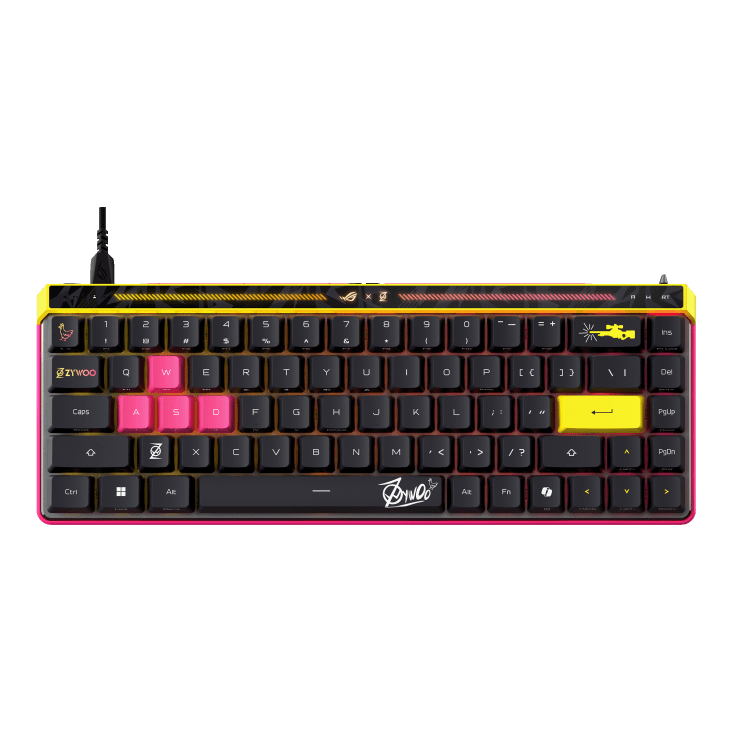
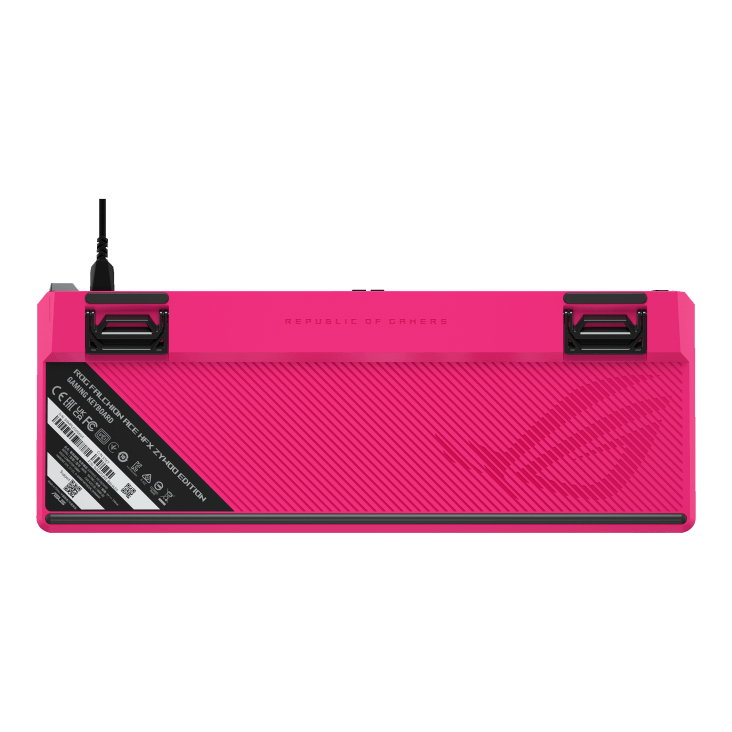
Appearances are everything, and the glass-like interactive panel at the top is pretty unique and certainly stylish. Here, there is a function mode indicator on the left-hand side that shows whether you are controlling volume, media, lighting, keys, or your macros, with a button on the back to scroll between them. The interactive part features a rad little embossed slider bar on the backside that controls all these functions with a slide of your hand.
On the right side, you will have indicators for the Cap lock, Win lock, and Rapid Trigger. The Rapid Trigger is also located here on the backside and is a nifty little flip switch. You will also notice a genius inclusion of dual USB-C ports, great for charging multiple devices, in my case, and, for uber nerds, the ability to switch between two PCs. A game changer for pro players or streamers alike. The downfall of this, though it is a wired keyboard, is a less clean setup due to its lack of wireless capabilities, but it means pure power straight to the board.
Despite 5 layers of internal dampening, the keyboard is very lightweight and easy to move around the desk to any comfortable position. The dampening makes the keyboard less springy around keystrokes, minimising vibration interruptions. It is a very cushioning typing experience.
So, how is the actual typing and gaming experience with this keyboard? Wild. Rocking an insane 8000 Hz polling rate, when wired in, this beast has an impressive travel distance of only 0.1 to 4.0mm and a 0.125 ms actuation rate on its RGB individually lit, ROG HFX magnetic switches. For the average gamer, this means less pressure to activate inputs, resulting in way faster reaction times.
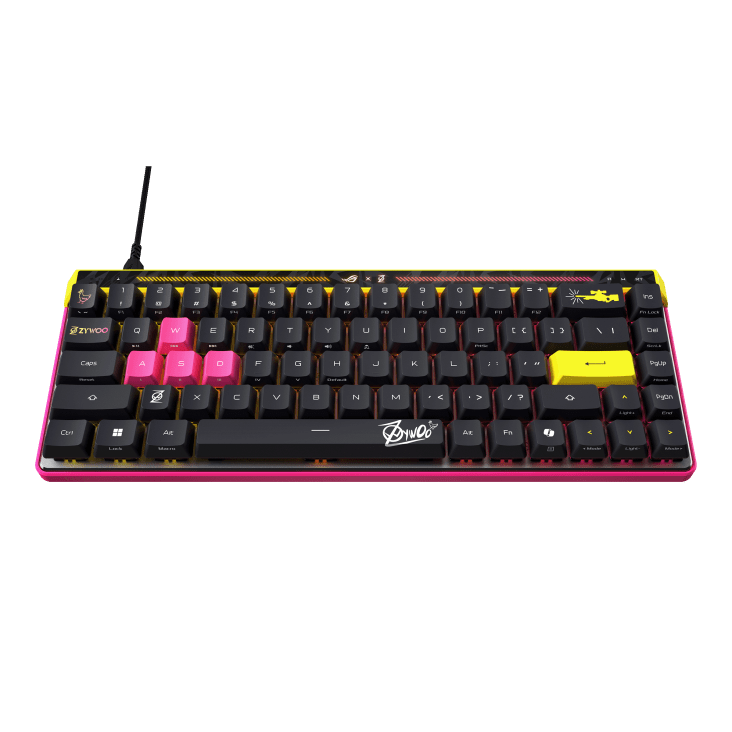
Focusing as per usual on full customisable and efficient experiences, Republic Of Gamers have also made it easy for you to quickly change to a different actuation with the Rapid Trigger for the WASD keys, and more keys with further customisation available in the accompanying software. This was something I certainly switched to when playing any games with shooting or attack mechanics, allowing for the swiftest of inputs.
This keyboard also features the standard anti-ghosting and N-Key rollover. Also, a ‘must’ is the ability to record Macros on the fly, and onboard memory to store all those key profiles you may need for different scenarios or games.
This time around, the software usage was a little bit different from just using the ROG Armoury. The Armoury this time directed me to another program called Gear Link, allowing me to customise my ROG Falchion Ace HFX ZywOo Edition online through a web page.
Here, I could do all the usual things I could do on the PC software, despite it being in beta. Here, I can change key assignments, actuations, dead zones, rapid trigger rates, touch panel settings, lighting configurations, and, lastly, your polling rate.
Overall, the ROG Falchion Ace HFX ZywOo Edition Gaming Keyboard is an impressive and versatile keyboard built for all occasions and lets you comfortably step into the footsteps of a pro. What more could you want from a ZywOom-endorsed keyboard?
The Good
- Looks stylish
- Compact
- Adjustable feet
- Interactive slider panel
- Rapid Trigger
- Dual USB ports
- 5 layers of dampening
- Efficient typing and gaming experience
- All the standard features; RGB, anti-ghosting, Rollover, Macros
- Software and Gear Link
The Bad
- No wireless connection







 SuBZeRO2K
 Spotify
 Anchor
 iTunes