
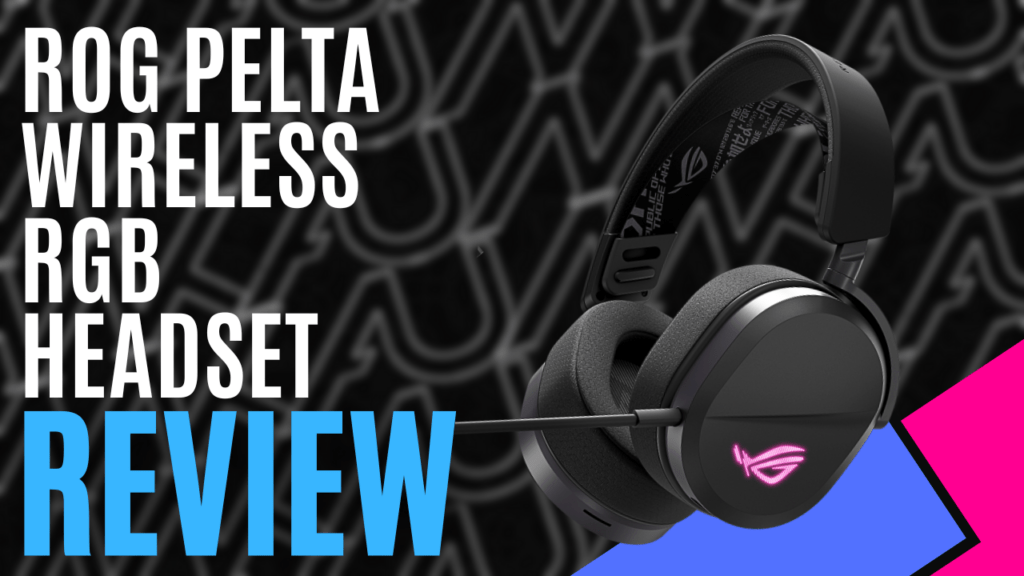
I had been using my previous headset for a few years, but early on, I noticed a few restrictions I hadn’t considered when I picked it up. It’s also starting to fail on me – the microphone isn’t registering my voice properly, the earcups pop occasionally, and the volume control doesn’t work. It was about time I organised a new headset, and lucky for me, ASUS ROG had something in mind.
As far as headsets go, the ROG Pelta Wireless RGB headset does almost everything you could ask for. The speakers provide crisp sounds and decent bass, while the boom mic clearly captures your voice, ensuring communications with your squadmates are broadcast with clarity. Weighing only 309 grams, it’s lightweight and comfortable, and with a battery life of up to 70 hours, you’ll have no issues during long and intense gaming sessions. Job’s a good ’un. The review is done and dusted. Right?
Well, no. I mean, we could stop there, but the ROG Pelta wireless RGB gaming headset has a few extra features that set it apart from other headsets in this price range. I haven’t started on the techno-babble yet, either, nor have I mentioned those stand-out features, so if I did leave it there, I wouldn’t be doing it, or my job, any justice.
We’ll start with the fact that it’s wireless, mostly because this is something my previous, and more expensive, headset didn’t accommodate. The ROG Pelta Wireless RGB headset can be used in three different ways, and ROG has dubbed this Tri-Mode connectivity with SpeedNova Technology. Adjusting the sliding switch into the Bluetooth position enables you to connect to any Bluetooth-enabled device – mobile, Nintendo Switch, Mac and PC, you name it. The middle position is technically the “Off” position. However, you can still use the headset while charging, working like a cabled headset. The supplied USB-C cable is also a little under 2 meters long, so you’ll still have some freedom of movement.
The final position, arguably the best for gaming, is for the ultra-low latency 2.4GHz connection, complete with ROG SpeedNova wireless technology, which sounds fancy, but what does it mean? The short answer is that it provides a faster and more reliable connection, and the long answer is that it does this by sending smaller data packets more frequently. There are a couple of other benefits to this as well – wireless signal is less likely to be interrupted by other wireless sources, the headset will have a more robust connection, even at range, and battery life is extended compared to regular wireless devices.
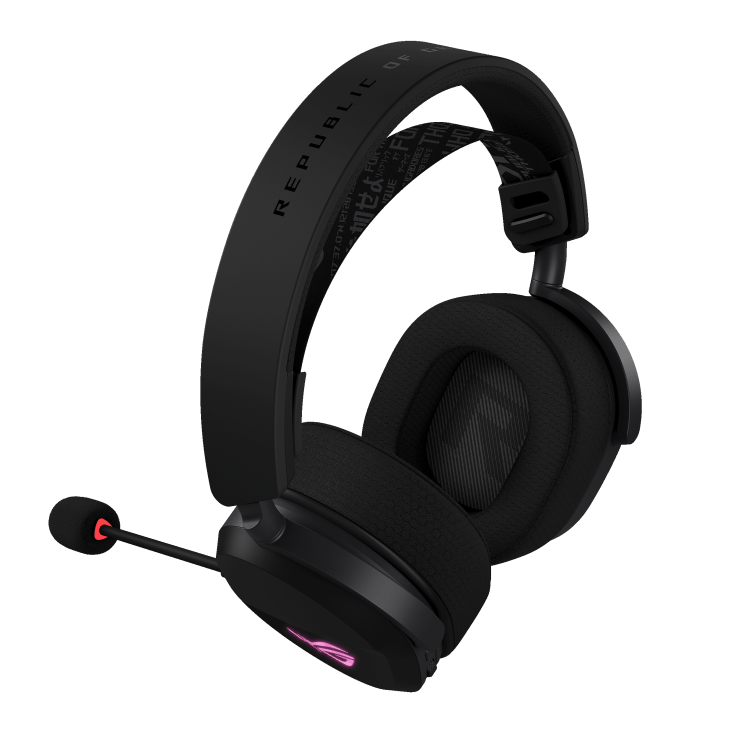
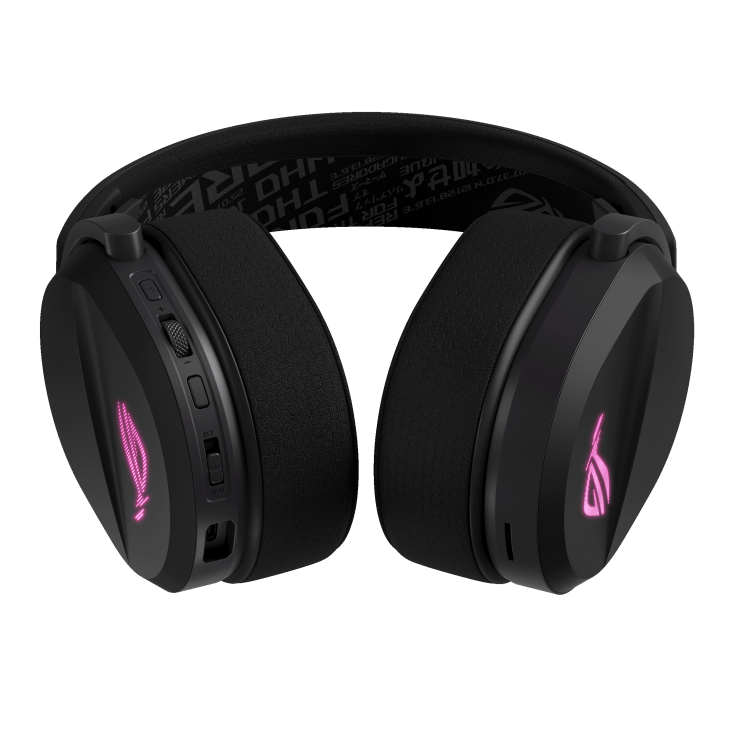
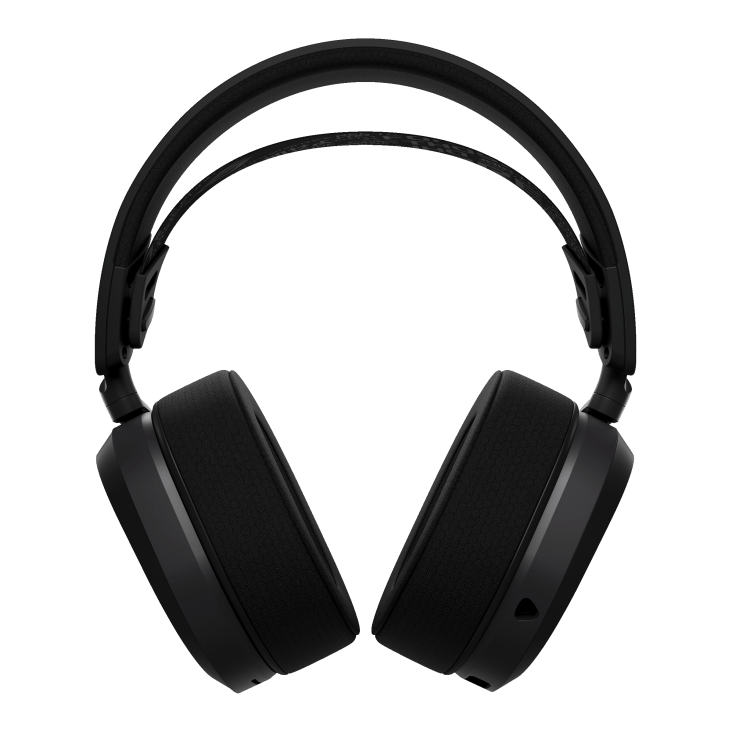
The earcups are nice and large, cushioned with a soft foam inner and wrapped in a breathable material, ensuring absolute comfort. Since I picked them up, I’ve spent around 16 hours a day wearing them, and at no point did I feel any excess pressure on my piercings, often forgetting that I was wearing them. The only issue I seemed to have was when I was trying to locate the control buttons on the left earcup. The reality is that it comes down to getting used to them, but I feel like some simple changes could alleviate this.
To begin with, the mute button should be closer to the microphone, but of the four control options on the earcup, it’s the furthest away. It also feels the same as the multi-function button, which is used to play, skip, and return to the previous track, decline, answer, or end calls, or revert to factory default while in 2.4GHz mode. In my opinion, one of these buttons could benefit from an embossed detail to differentiate the two, or better yet, move the function button over to the other earcup. The only time I could tell the difference was when my finger happened to graze the ridged volume control wheel that sits between the two, but more often than not, I’d press the function button by mistake.
The last control surface is the previously mentioned sliding switch that controls whether the ROG Pelta wireless RGB headset is powered down or working in either of the wireless modes available. Even so, I sometimes struggle to locate this one, feeling like I’m about to break off the function button when I realise what I have caught under my thumbnail. It sits just behind a rather large cavity designed to accommodate the USB-C charging cable, though it does provide some security against accidental damage to the plug, so I can’t complain too much.
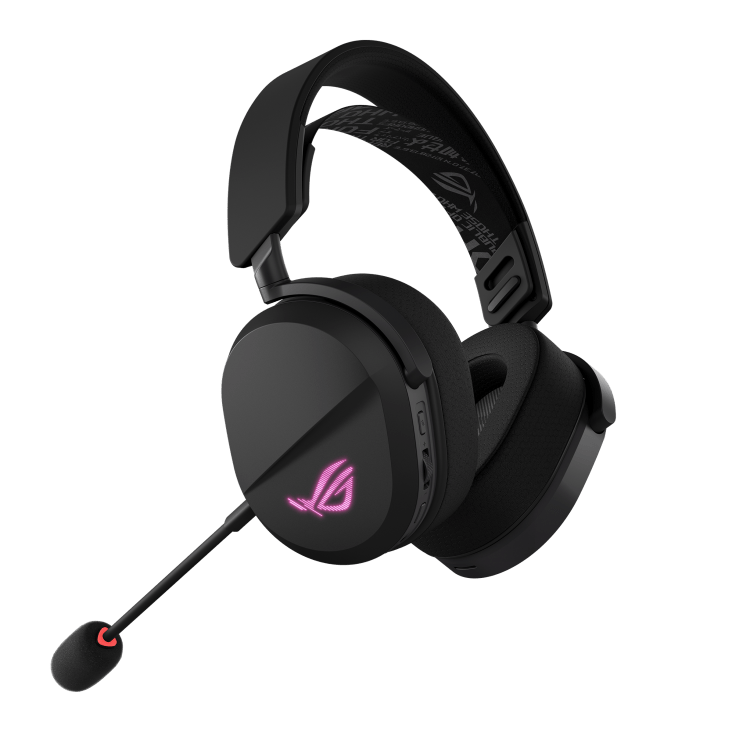
As you may have guessed, there is no need to swing the microphone up to mute it, so this simply plugs into the headset with a 3.5mm TRRS plug. You could mute the microphone by pulling it out, but getting it back in place without removing the headset could be more hassle than it’s worth. It uses a unidirectional microphone with a sensitivity of -40 db and a frequency response of 100Hz-10KHz, so while it doesn’t benefit from AI or Active noise cancelling, party members reported that my voice was unnerving, coming through as though I were in a completely silent room.
The outer shell of the earcups is reasonably plain, with flat surfaces interrupted by a slight change in angle, connected by a smooth channel that runs diagonally along each ear. If it wasn’t for the ROG eye emblem lighting up in glorious Aura Sync ARGB, you wouldn’t know this is a prime gaming peripheral.
On the inside, tucked away under those ultra-comfortable ear cushions, are 50mm Titanium-plated Diaphragm drivers. These deliver crisp stereo sound with 32-ohm impedance and a frequency response of 20Hz-20KHz. They do lack a little when it comes to deep, rumbling bass, in that you don’t get the brain-shaking effect you might from some headsets, but the quality of sound is still amazing. A benefit of being a stereo headset is that you won’t lose features if you don’t pay the subscription fee that some companies charge for surround sound. You might have true situational awareness, but the quality of the speakers means you come close.
The last thing to discuss about the headset specifically is the battery. ASUS advertises that the battery can last up to 70 hours, but this assumes you’ve disabled the ever-important RGB panels, your mic is muted, and you’re using the 2.4GHz channel. My regular experience, which typically involved starting my work day at eight thirty, picking a podcast to watch or music to listen to, and working until five thirty before focusing on YouTube or playing random games until midnight, often with the microphone enabled, had me charging the headset towards the end of the third day, but I often forgot to switch the headset “Off” overnight. If you think about it, this comes close to the advertised 70 hours, but that could have something to do with the headset going to sleep after five minutes of inactivity.
One of the bonuses is that the ROG Pelta wireless RGB headset can provide up to three hours of use by charging for fifteen minutes. So if it does go flat while you’re using it, you’ll be back up and listening in no time. It will warn you when the battery is getting low, with a soft female voice announcing that you’re running low on power.
You have a couple of options when performing firmware updates or playing around with the various settings. If you’re running a system that contains ASUS ROG components, you probably already have Armoury Crate. The alternative is to use Armoury Crate Gear, which focuses solely on peripherals. Whichever option you choose, you’ll have access to a variety of audio presets, with options for music, FPS, racing games, and the like, but you can also manually play around with the equaliser.
You’ll have options to adjust the lighting on the sides, determine how long before the headset goes to sleep, or how much charge is left before the little voice tells you the battery is low, but more importantly, you’ll gain some of the things I mentioned the headset doesn’t have. Here you’ll find options to enable virtual surround sound, boost the bass, and play around with microphone settings that come close to providing noise cancellation, such as “Perfect Voice,” as well as Echo Cancellation and Noise Reduction.
While I originally thought of it as one of the better mid-to-high-range headsets, I was wrong. Exploring the Armoury Crate apps released a caged beast eager to prove its worth. It evolved from a high-quality headset into the ROG Pelta wireless RGB headset, roaring to assert its dominance before curling up to deliver unparalleled comfort.

The Good
- Great battery life with fast charging
- Supports almost every device
- Great sound becomes incredible by using Armoury Crate
- The microphone is clear and precise
- Exceptional comfort
The Bad
- Button/control placement can be fiddly







 SuBZeRO2K
 Spotify
 Anchor
 iTunes