
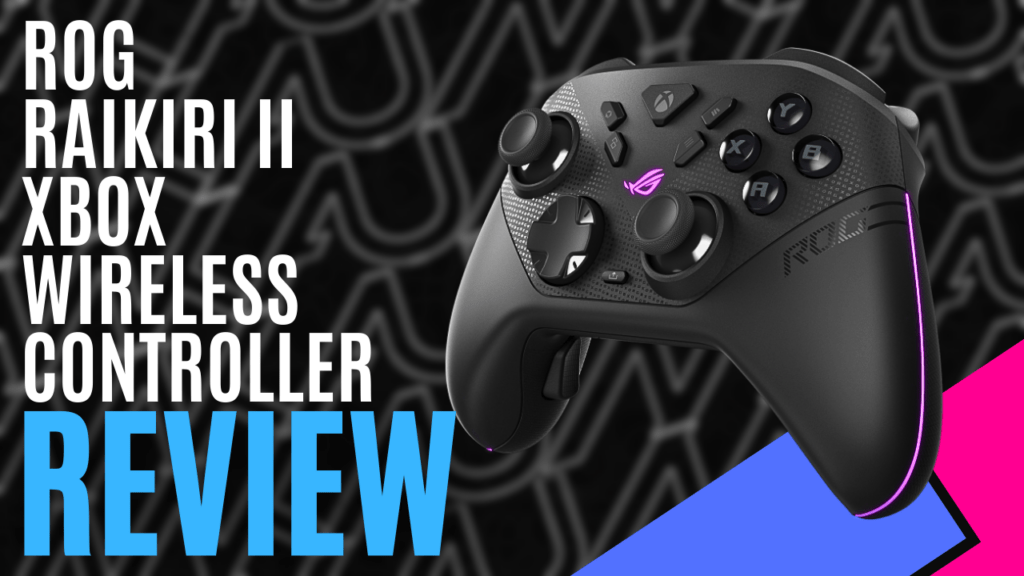
When I buy peripherals, I typically buy the same brand as the product I am buying for. If I need a new Xbox controller, I’ll typically buy the Xbox brand, but after playing around with the ROG Raikiri II Xbox Wireless Controller, I’m starting to reconsider my stance.
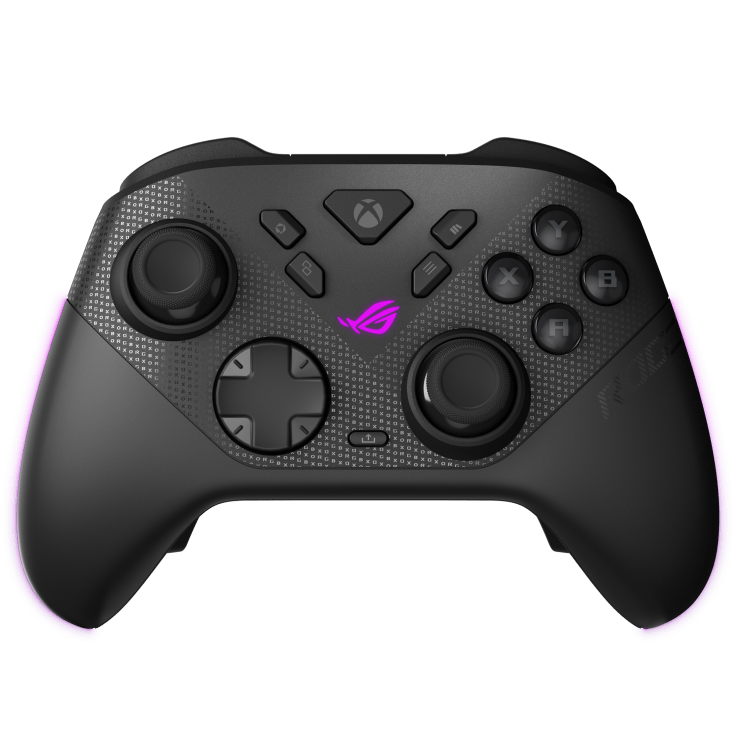
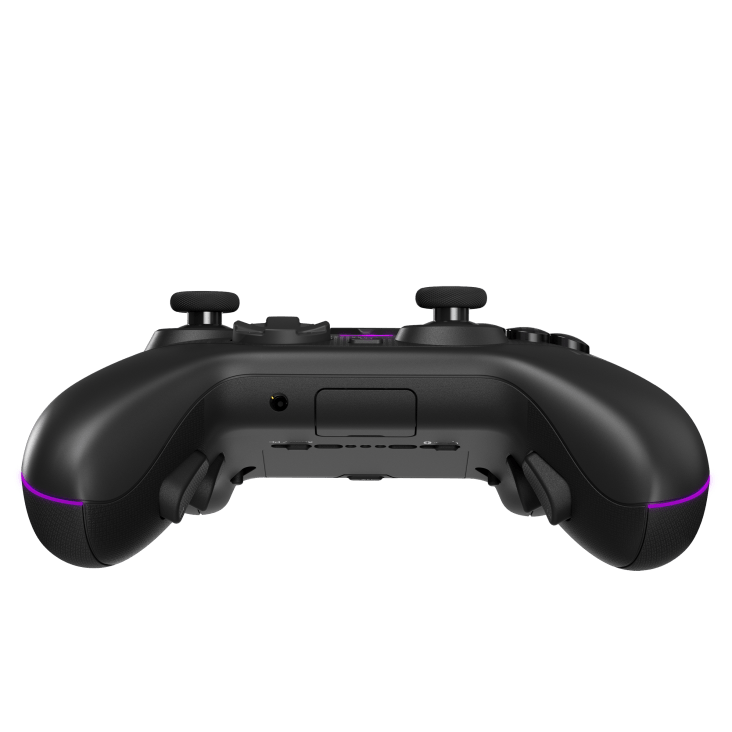
The shape will be immediately familiar to Xbox users, but ASUS has layered in subtle ROG RGB lighting and included a textured, anti-slip grip that feels skin-friendly and secure during longer sessions. Weighing a mere 345 grams, the build quality is solid throughout, with tight seams and satisfyingly tactile inputs, leaving me feeling like I’m using a premium product.
ASUS upgraded the joysticks to use Tunnel Magnetoresistance (TMR) joysticks instead of traditional potentiometers, offering improved power efficiency and excellent anti-drift performance. In practical use, stick movement feels smooth and precise, aided by anti-friction rings that reduce resistance, and with the two interchangeable high-profile joystick caps included in the box, you can tailor the feel depending on the genre you’re playing.
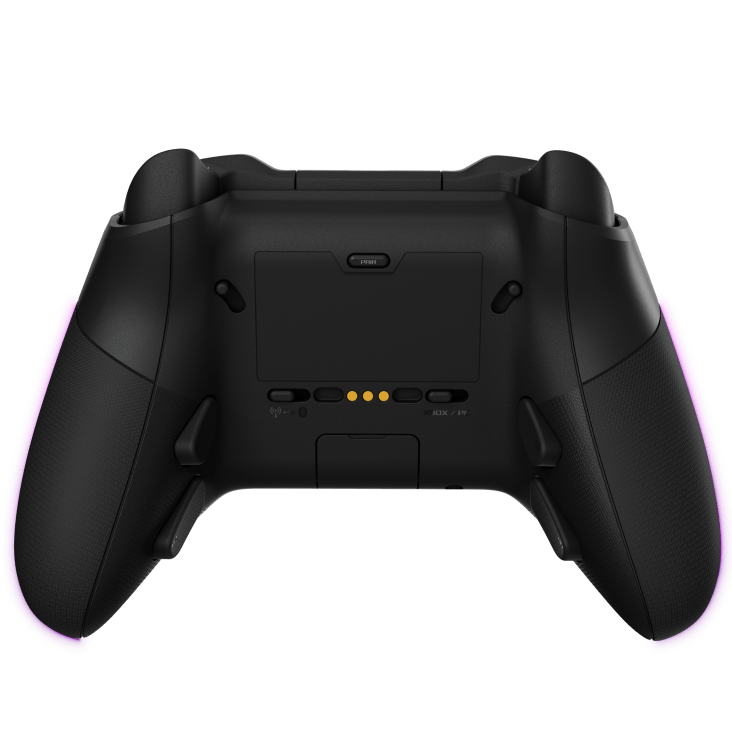
Alongside the traditional buttons you’d find on an Xbox controller, there are four additional buttons on the rear, and these can be programmed and remapped. These are well-positioned, avoiding accidental presses while remaining easy to reach. The same can be said for the two additional buttons on the front, and these, alongside the D-pad, ABXY cluster, and bumpers, all use micro-switches. Actuation feels crisp and immediate, with a tactile click that gives clear feedback without being overly loud.
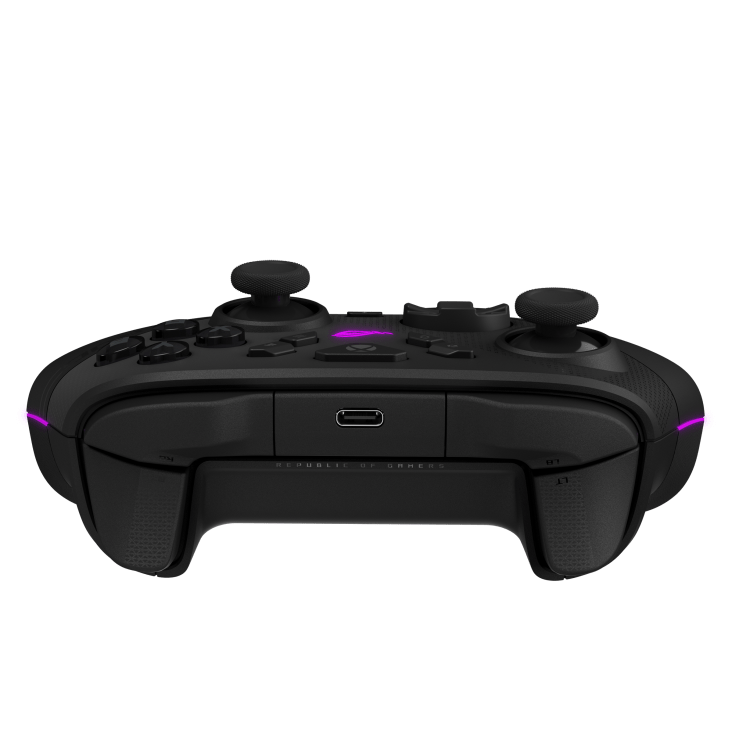
ASUS has also upgraded the ROG Raikiri II Xbox Wireless Controller with Dual-mode triggers, adding another layer of versatility. A physical switch lets you toggle between short-travel micro-switch triggers, which are perfect for FPS titles where quick actuation is key, and full-travel TMR sensor triggers, better suited to racing games or scenarios requiring more precise throttle control. The difference between modes is noticeable, and being able to adapt on the fly is a genuine advantage.
One of the biggest highlights is tri-mode connectivity, allowing connection via low-latency 2.4GHz RF using the included USB dongle, Bluetooth with driver download on PC, or wired with the included USB-C cable. Xbox Series X|S and Xbox One compatibility is certified over USB-C and 2.4GHz, while Windows 11 and devices like the ROG Xbox Ally are supported across all three modes. That flexibility makes it easy to move between console and PC without juggling multiple controllers.
Customization is handled through the ASUS Gear Link web-based app, a simple-to-use app that doesn’t require the installation of any software, and it offers a surprising amount of customisation. With it, you can remap buttons, adjust vibration strength, and fine-tune joystick response curves. You can also create up to five profiles, providing you with quick access to different gaming profiles, and being browser-based, it is surprisingly convenient, especially if you’re moving between systems.
Audio support comes through a 3.5mm analog jack compatible with both Xbox and Windows PCs, covering headset audio output and microphone input. That makes it easy to plug directly into the controller for party chat or competitive communication without additional adapters.
In PC mode, the controller supports a 1000Hz polling rate over both wired USB-C and 2.4GHz wireless, and ASUS claim extremely low latency. The ASUS website suggests that response times are rated as low as 2.32ms while connected to a PC using the USB-C cable, and latency sits around 3.54ms when connected through the wireless dongle. For competitive players, that kind of responsiveness matters, especially in fast-paced shooters or fighting games where split-second inputs can make or break a round.
The included USB cable measures in at 2.5m, offering more than enough length for connected gaming, but it is also used to charge the internal battery. Provided RGB, audio, and vibration are disabled, battery life is rated at up to 50 hours in 2.4GHz mode, but even with those features active, endurance is strong enough for extended play sessions.
ASUS also has you covered when the controller isn’t in use, bundling in a charging stand with feet, a protective case, and even a stand holder set. It’s a comprehensive accessory package that reinforces just how premium the ROG Raikiri II Xbox Wireless Controller is.
ASUS didn’t design the ROG Raikiri II Xbox Wireless Controller to compete with its competitors; they aimed to outperform them in terms of raw responsiveness and versatility. Between the 1000Hz polling rate on PC, anti-drift TMR joysticks, dual-mode triggers, and robust accessory bundle, it feels purpose-built for players who care about precision.
Whether you’re playing on PC or Xbox, if you’re looking for a high-end, performance-focused wireless controller, this is one of the most complete options currently available.

The Good
- 1000Hz polling rate in PC mode with extremely low latency
- Anti-drift TMR joysticks with interchangeable caps
- Dual-mode triggers and additional programmable buttons
- Bundled with a host of accessories
- Tri-mode connectivity for Xbox and PC
- Web-based customisation
The Bad
- Bluetooth connections require dedicated drivers







 SuBZeRO2K
 Spotify
 Anchor
 iTunes