
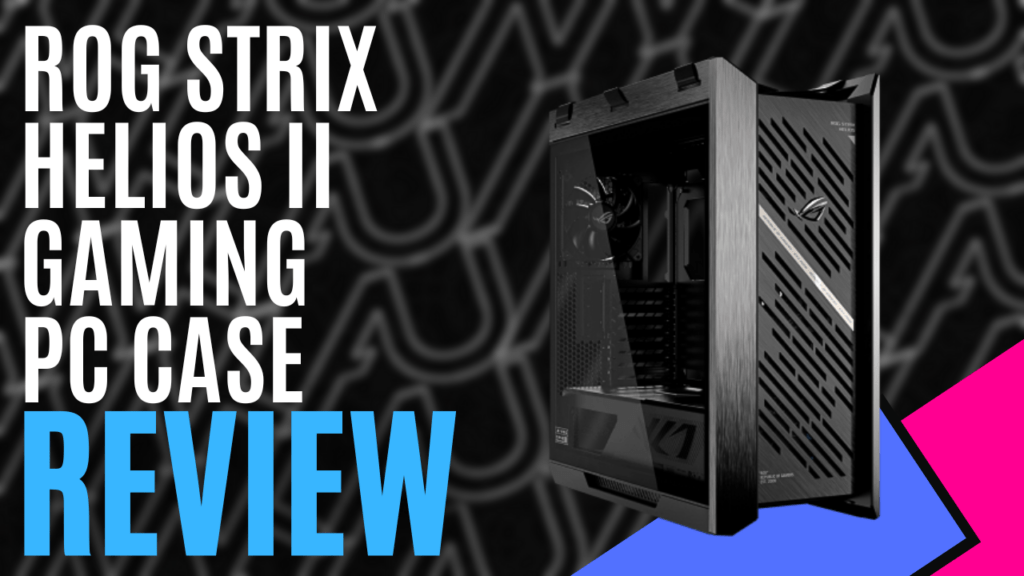
Over the last year or so, I’ve had the chance to check out quite a few ASUS cases, but nothing could have prepared me for the monster that is the ASUS ROG Strix Helios II. Much like its predecessor, it maintains the premium showcase design language but pushes airflow, cooling support, and build quality even further.
Wrapped in an aluminium frame, the ASUS ROG Strix Helios II gives off an unmistakably premium first impression. With clean lines, bold angles, and nearly invisible seams, it’s the kind of case that feels engineered. Dual 4 mm tempered glass panels flank the sides, while the front panel features a CNC-milled diamond-grille design backed by a 3D-structured filter. At a glance, you know this is a showcase chassis, meant to be displayed rather than tucked under a desk.
Accessing the internals, for the most part, is quick and easy. Both side panels feature a tool-free release button, so you don’t have to worry about undoing any screws. At the press of a button, the panel swings open on a bottom hinge, and you just lift it away. You will, however, need a screwdriver to access the ARGB controller and most of the cable management behind the motherboard tray. This is covered by a translucent door that helps hide unsightly cables, though it can be removed entirely.
Inside, the layout feels spacious and thoughtfully designed. Supporting motherboards from Mini-ITX to EATX, cables can be neatly routed through a positionable multi-function cover to keep them hidden. This also allows the case to support graphics cards up to 450mm long, and the multi-function cover helps here as well.


The multi-function cover also includes two braces, offering support for your GPU regardless of how you orient it during installation, and these are surprisingly sturdy. Couple this with ASUS’s patented graphics card slot clamp, and you’ve got a quick, easy, and secure way to install your GPU and prevent card sag.
Installing the PSU has been made incredibly simple as well. By making the PSU frame removable, you can just slide the power supply in from the back rather than wrestling with it inside the frame.
Despite the heavy focus on style, the case comes pre-installed with four 140 × 28 mm performance fans. Their size alone gives them a huge advantage, generating up to 103 CFM of airflow while keeping noise levels to just 29 dB(A). However, if you want to go with a custom loop or install All-In-One cooling solutions, the installation benefits from modularity: both the top and front brackets slide out, allowing you to mount fans or radiators outside the case before securing the entire assembly back into place.
All these small details stack up into a building experience that feels smooth and intentional, even for newer PC builders.
Dust filtration is also handled well. The 3D-structured front filter keeps debris out without choking airflow, and removable filters on the top and bottom make maintenance easy. Given how glass-heavy the case is, it’s nice knowing the internal components won’t immediately turn into dust magnets.


Up front, the I/O panel is equally premium, with four USB-A 3.2 Gen 1 ports, a headphone/microphone combo jack, and, somewhat surprisingly, two USB-C 20 Gbps ports. There’s also a fan-speed PWM button, along with an ARGB control button for quick lighting adjustments without launching software. Everything is positioned comfortably, and the inclusion of dual high-speed USB-C ports is a huge win for creators and users of high-bandwidth devices.
A major reason I describe the ASUS ROG Strix Helios II as a monster is that it weighs around 18 kg empty. To make it easier to move around, ASUS ROG included X-shaped woven straps that can be easily removed or added back to the case. Initially, I thought it was a bit of a gimmick, but after using them to pull the case from the box and move it to my desk, they’re a genuinely thoughtful addition.
The ASUS ROG Strix Helios II delivers exactly what a flagship showcase chassis should – premium materials, effortless airflow, and some of the most builder-friendly features I’ve used in a long time, all while offering enough room and support for the biggest GPUs and most ambitious cooling setups.
Sure, the weight is considerable and accessing parts of the cable management area still requires a screwdriver. Still, those are small trade-offs for a case that looks stunning, feels engineered to last, and makes the building process genuinely enjoyable. If you want a chassis that elevates your entire setup and gives your components the presentation they deserve, the ASUS ROG Strix Helios II stands in a class of its own.

The Good
- Premium build with an aluminium frame
- Tool-free side access and modular brackets for easy building
- A well-laid-out front I/O panel including two 20 Gbps USB-C ports
- Excellent airflow with high-performance fans preinstalled
- Spacious interior for larger builds
- Adjustable cable management and built-in GPU brackets
The Bad
- Very heavy at 18kg while empty
- Access to cable management is not completely tool-free







 SuBZeRO2K
 Spotify
 Anchor
 iTunes