
When I started tinkering around with computers, I considered the motherboard a means to an end. It was simply the board on which the puzzle pieces would fit. As long as the CPU socket was the right type for the processor I had, it didn’t matter what motherboard I used, and unfortunately, that mindset followed me for far longer than I would like to admit.
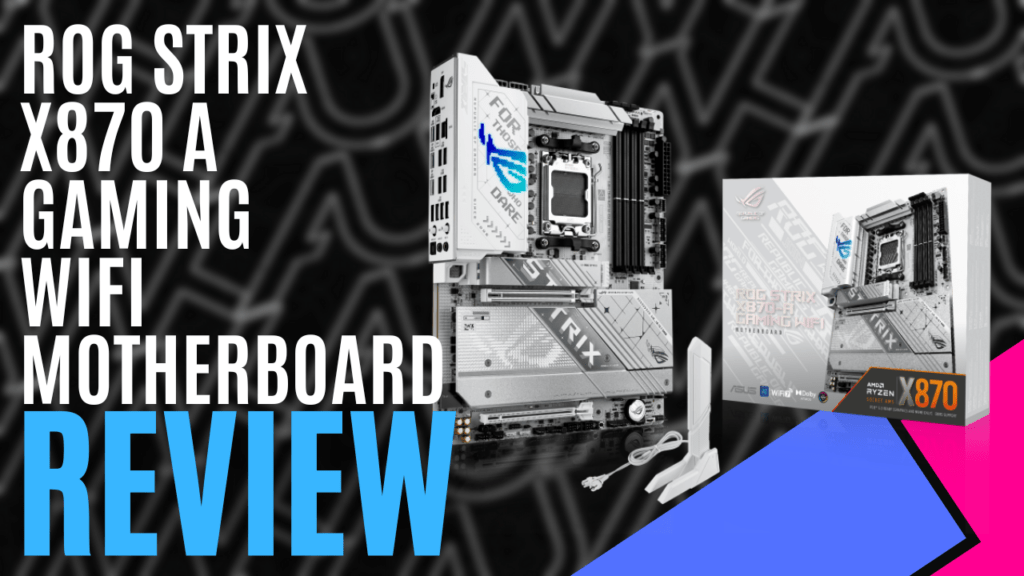
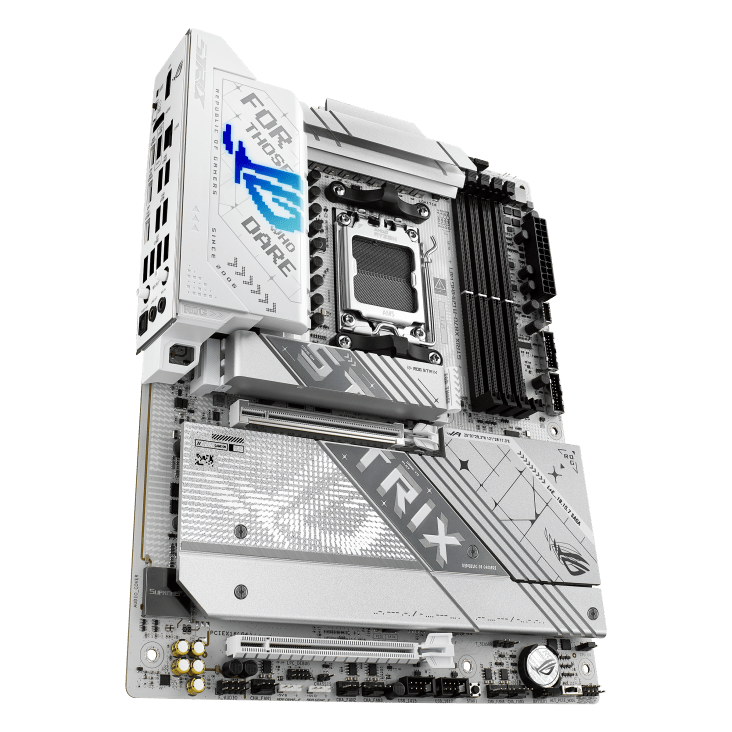
If you want to build a new system and go with AMD, the ASUS ROG STRIX X870-A Gaming WiFi motherboard must be on your radar. Built with the AMD X870 chipset, it takes the AM5 series of AMD processors and accepts the 7000, 8000, and 9000 series CPUs. It also comes with four DIMM slots, taking up to 256GB DDR5 RAM at up to 8000+MT/s (OC) with AMD Extended Memory Profiles for Overclocking and ASUS Enhanced Memory Profile.
Depending on your chosen processor, the primary expansion slot can support PCIe 5.0 X16, with x16 mode, with the second expansion slot being PCIe 4.0 X16, supporting X4 mode; however, there are some caveats to consider. Both expansion slots share bandwidth with an M.2 slot, but this might not be an issue for you, depending on what you decide to install.
There’s a total of four possible M.2 slots, with the main and second slots both supporting PCIe 5.0 X4, depending on your CPU. However, the second M.2 slot shares bandwidth with the main expansion slot, so if an SSD is installed into the secondary M.2 slot, the main expansion slot will only run in X8 mode.
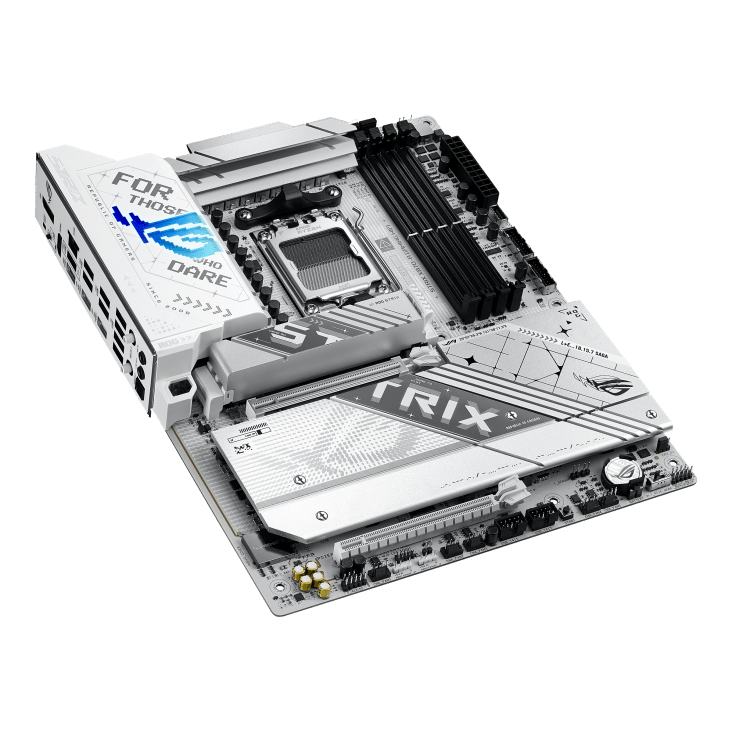
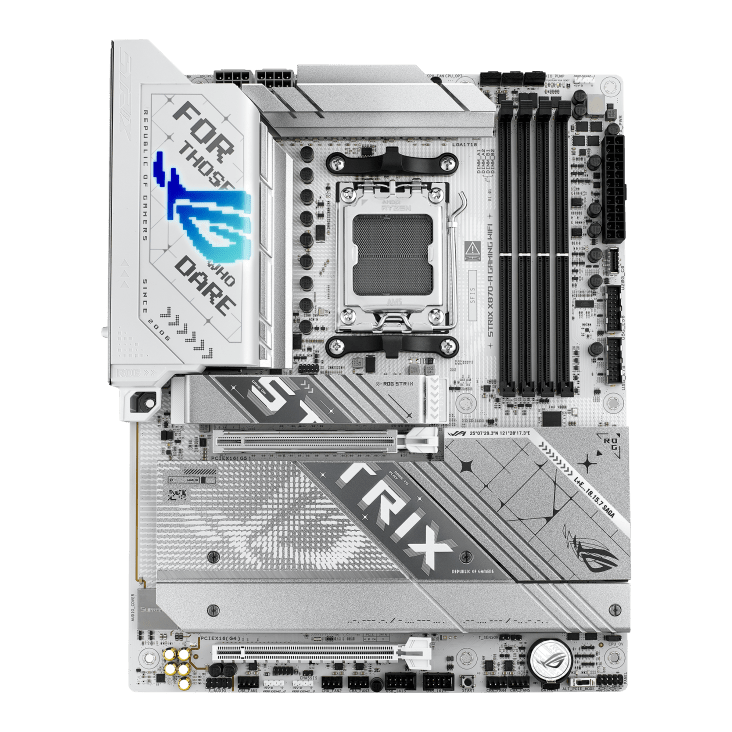
Additionally, if you’re considering using an 8000 series CPU, this M.2 slot is completely disabled. The third and fourth M.2 slots both run off the chipset and support PCIe 4.0 x4, but again, the third M.2 slot shares bandwidth, only this time, with the second expansion slot, and if an SSD is installed here, the second expansion slot is disabled.
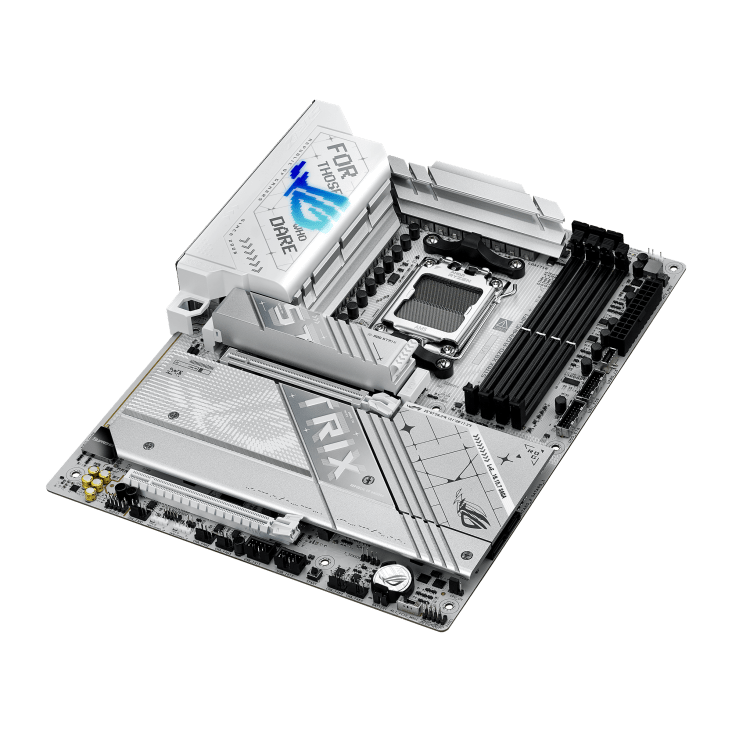
Most of the motherboard is covered by branded heatsinks, helping reduce the system’s temperature and making it stand out. A dedicated heatsink protects the main M.2 slot, making use of the ASUS M.2 Q-Release, Q-Slide, and Q-Latch systems to enable easy installation. While these are a great solution for DIY and hot-swapping SSDs, I’m starting to reconsider how useful it is. If it was a common occurrence, surely the other M.2 Slots would be fitted with a similar feature, but they are instead covered by a single plate that is held in place with screws.
Housing that rear I/O panel, the VRM heatsink is also heavily branded, featuring the “For Those Who Dare” slogan and the ROG logo, lighting up with glorious RGB. The panel holds ten USB ports, with two USB Type-C transferring up to 40 Gbps and supporting DP Alt mode. A further six 10 Gbps ports comprise five Type-A and one Type-C with 30W power delivery and fast charge support and four USB Type-A ports with 5 Gbps support. There’s also an HDMI, a Display Port, a 2.5Gb Ethernet port, a couple of audio jacks, and an optical S/PDIF output.
You’ll also find the sockets for the ASUS Q-Antenna, a pushfit antenna that reduces the chance of twisting and damaging the antenna cables, reliably connecting to the built-in 2×2 WiFi 7 card. With a bandwidth of 160MHz, you can achieve wireless transfer rates of up to 2.9Gbps, including support for Bluetooth v5.4.
Exclusive to the ROG brand, ROG CPU-Z will help you monitor and overclock your system with AI Support, helping you get the most out of your processor and reducing the chance of pushing it a little too far. This is further supported by the ASUS Armour Crate App, which not only allows you to set up the pretty lights you’re bound to install but also configures your cooling systems and offers a one-stop shop for keeping your drivers up to date.
As I’ve come to expect, header pins are strategically placed around the board, offering easy access during the build and ensuring you have everything you need. They’re all clearly labelled, with CPU fan and AIO pump headers located close to the CPU socket and five chassis fan headers along the bottom edge, all with corresponding ARGB headers. The front I/O panel headers can also support up to nine additional USB ports, so the chances of running out of connections are very low.
Not only is it designed to make the building process as simple as possible, but the ASUS ROG STRIX X870-A Gaming WiFi motherboard continues to support you with easy-to-use software, ready to help you squeeze out as much performance as you can. As long as you consider the potential limitations of the expansion and M.2 Slots, it makes a great foundation for your build.

The Good
- Gen 5 support for M.2 and PCIe.
- Easy to DIY features
- Focus on system cooling
- Clean look that shouts performance
The Bad
- Limited to two expansion slots
- Both expansion ports share bandwidth with M.2 slots







 SuBZeRO2K
 Spotify
 Anchor
 iTunes