
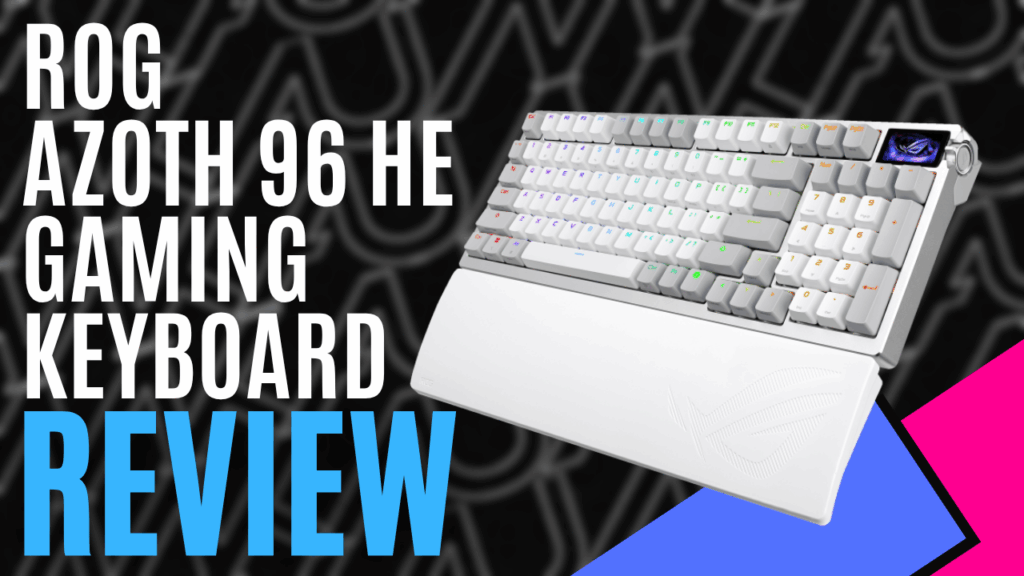
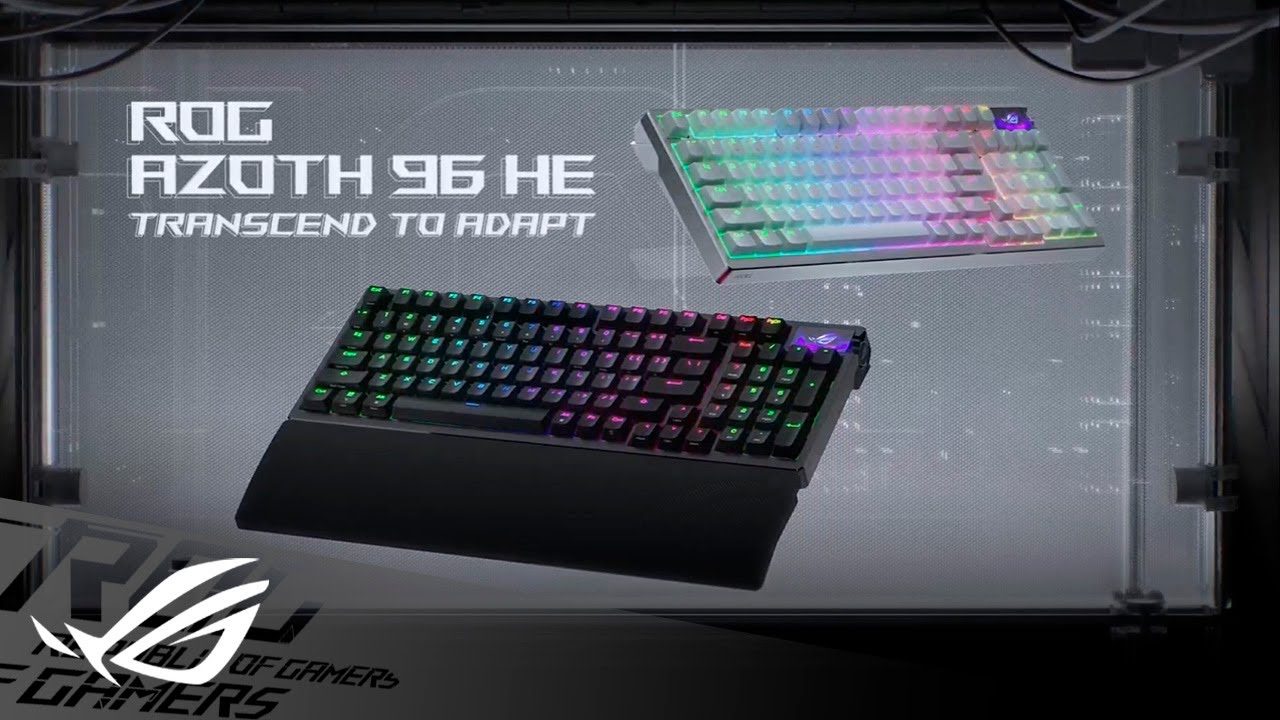
‘Republic of Gamers’ has an ‘Azoth’ problem. There are just too many editions of this efficient and innovative keyboard with slight changes each time, but all in a premium build. This time around MKAU have their hands on a ‘ROG Azoth 96 HE Gaming Keyboard’ to see if Republic Of Gamers have found a new avenue to take the Azoth down.
This is one beefy package, keyboard aside. Neatly boxed inside you will find: a wrist rest, a Type-C to Type-C USB charging and PC cable, a Type-C to Type-A USB adapter (a must if you ran out of Type-C ports, as I had) and a USB dongle extender. For those more cosmetic and customising inclined, you will be pleased to see the inclusion of a ROG keycap puller, a switch puller, 3 ROG themed keycaps, an extra Ctrl cap, and, my favourite, a batch of stickers.
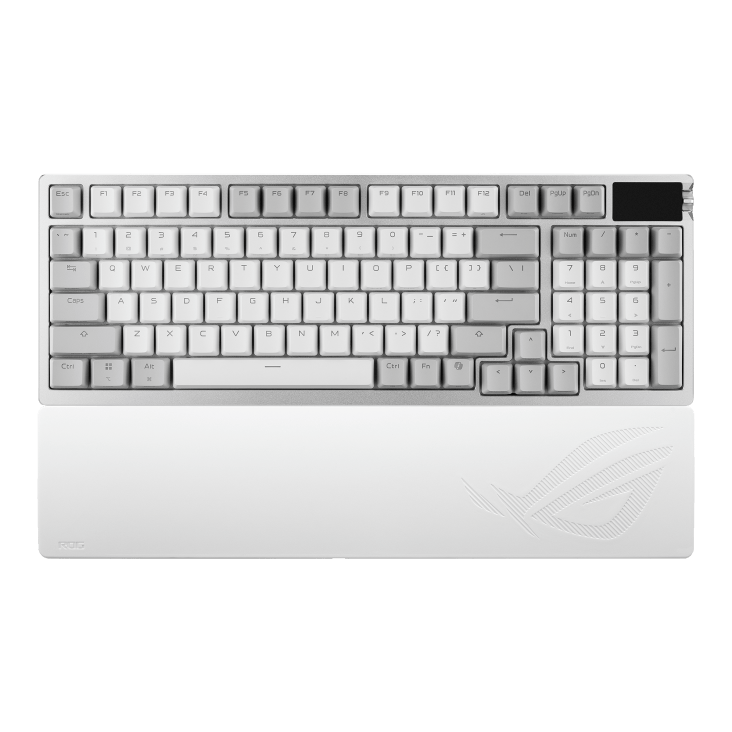
This keyboard is a lot longer than I am used to, coming in at a compact 96%. With dimensions at about 382mm by 136mm, I haven’t needed a number pad in a while, but this would be a perfect size for anyone in the office or at home, people who like to work hard but play harder. In a matte combination of white and grey (also comes in black), it is also very stylish and quite a heavy boy. I instantly noticed the slick powder-coated metal top cover frame, which gives off an air of elitist quality and sturdiness in build and appearance.
In the top right corner, you will notice a full colour OLED screen measuring about 37.3mm; this time round, it is also touchscreen. Very impressive. Great for checking on board status, such as cap lock, battery power and system metrics, you can also use the attached 3-way flipper and side button to scroll through media information, brightness adjustments and other small run-of-the-mill applications, such as actuation points and lighting effects. It’s nice to have these things at a glance, especially with my custom image of Sailor Moon looking back at me.
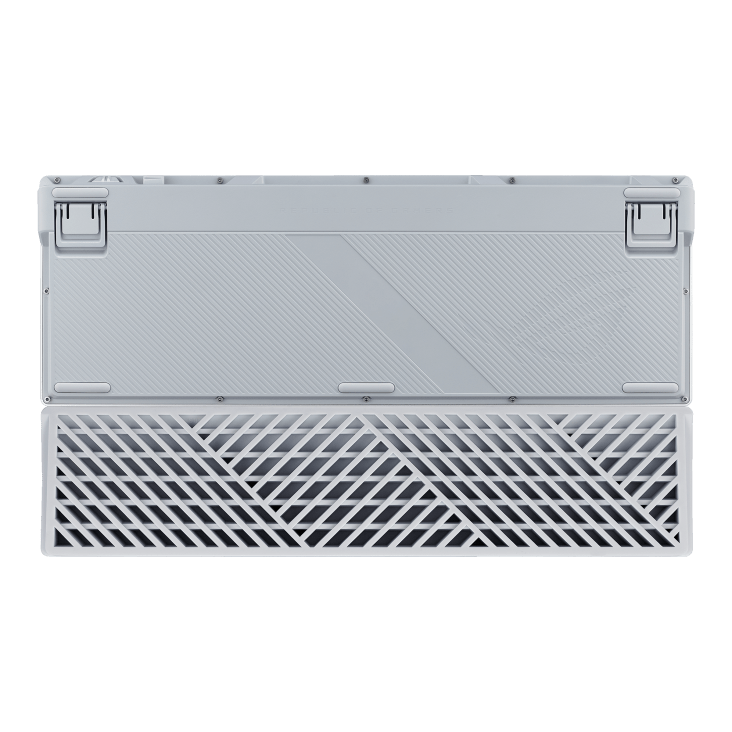
On the underside, you will find at the top two plastic feet with 3 levels of height. It is great to see that a few levels are of my ergonomic needs as I often switch between what jobs I am doing, whether it be researching, typing or gaming.
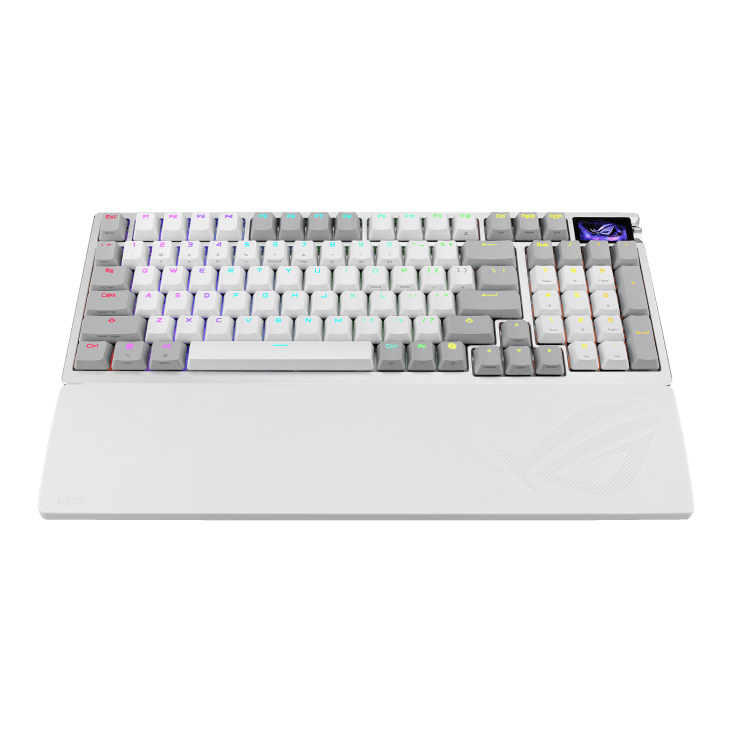
Also included in the neat bundle of goodies is a wrist rest. Made of silky soft silicone, it’s angled enough to be ergonomic on the daintiest of wrists, but I must say that after a while, it isn’t the comfiest material. With a bit of padding or adjustable angling, this probably could be improved.
The ROG Azoth 96 HE Gaming Keyboard has connectivity in three different ways. This means you can connect via Bluetooth, through low-latency SpeedNova 8k wireless connectivity, or with the USB cable as a wired-in version. Unfortunately, it’s not compatible with the Omni Receiver, which means I can’t have my mouse and keyboard connected to the same receiver, meaning more USB slots are being used up, as my PC does not have Bluetooth setup. I do always think the USB wireless connectivity is flawless and lag-free, though. I happily typed away and played a plethora of review games for hours on wireless without a single delay issue.
What about the keys and switches, you might ask? The keys have a nice frosted texture with the iconic ROG UV-coated ABS, PBT Doubleshot key caps starring again. I have used these keys a few times and truly find them easy to keep clean from fingerprints and dust, two things that are the bane of my existence when you prefer white keyboards and mice. They have also always been really comfortable under the fingertips. The keys are also pretty mid-level in height, with longer keys rocking support stems to reduce key wobble. Everything is solid, making for a smooth typing experience.
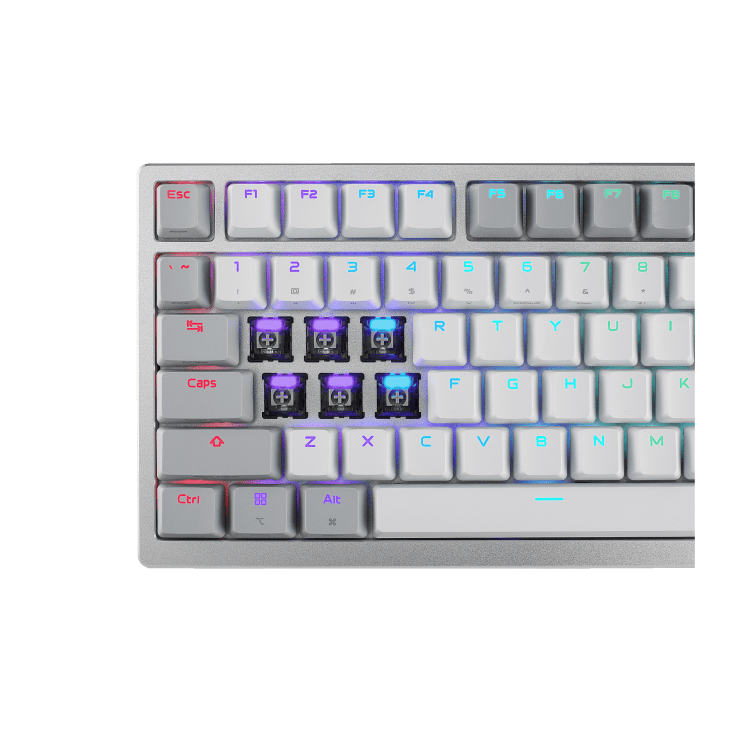
Republic of Gamers, too, the legends, have included 3 rad-looking black but transparent keys to add additional stylish flair to the overall board. We all like included swag, and I put these on straight away, because I like a bit of quirk. These enable the northernly individually backlit RGB lighting to shine more effectively through from what feels like a very subtle, dare I say, muted lighting experience compared to some other keyboards I have reviewed.
The switches themselves are pre-lubed, ROG HFX V2 Magnetic Switches that have a 3.5mm travel distance under an initial force of 32gf (An 8gf difference to the Azoth X). It’s great to see these switches are compatible with most aftermarket key caps, a plus for someone who likes customisation and perhaps more kawaii keycaps.
The switches aren’t particularly clicky but very tactile in feel with the distinct clunk sound. With an actuation range of 0.1mm to 3.5mm, I found being able to adjust it at 0.01mm increments at the touch of a toggle very handy for smoother typing due to the magnetic kickback, for written pieces like this or more precise inputs for gaming commands. The insane 6 levels of dampening really help absorb that input too, delivering that satisfying feeling and sound of generally clonky keystrokes like these.
Moving away from the standard ROG ‘Armoury Crate’ software (which is also compatible, might I add, for updates still), the Armoury once again directed me to their other online program called ‘Gear Link’, allowing me to customise my ROG Azoth 96 HE online through a web page. Here, I could do all the usual things I could do on the PC software, and it now seems to be out of beta. I can change key assignments, actuations, dead zones, rapid trigger rates, the control knob and toggle settings, OLED, and lastly, the oh so crucial, lighting configurations. It is just as user-friendly and a great initial gateway into true customisation.
I have reviewed my fair share of Azoth edition keyboards from the Republic of Gamers. You can read them here;
And while I prefer a shorter keyboard without a numberpad for my own lifestyle and spacious desk needs, I do appreciate the ROG Azoth 96 HE Gaming Keyboard on face value, but upon reflection, it doesn’t bring much more difference to the table other than some switches that are definitely better (adjustable actuation and less initial G-force needed). In fact, I would probably go back to using the ROG Azoth X as my current keyboard solely because it connects to the Omni Receiver, freeing up space around my rig.
The ROG Azoth 96 HE Gaming Keyboard is a solid investment, though if money is no priority, and you want a well-built premium keyboard that is comfortable, whether it be for (especially) gaming or business.
The Good
- Stylish and sturdy
- Cool transparent keycaps
- OLED screen
- 3-level adjustable feet
- 3-way lag less connectivity
- 6 levels of dampening
- User-friendly software
- Individually key lit RGB lighting
- Efficient interchangeable switches
- Premium build quality
The Bad
- Wrist rest is not particularly comfy
- Not compatible with Omni Receiver
- RBG lighting is not particularly vibrant, more subtle
- Pricey






 SuBZeRO2K
 Spotify
 Anchor
 iTunes